8
bernette
SEWING MACHINE WORK
BOOK
Stitch Selection
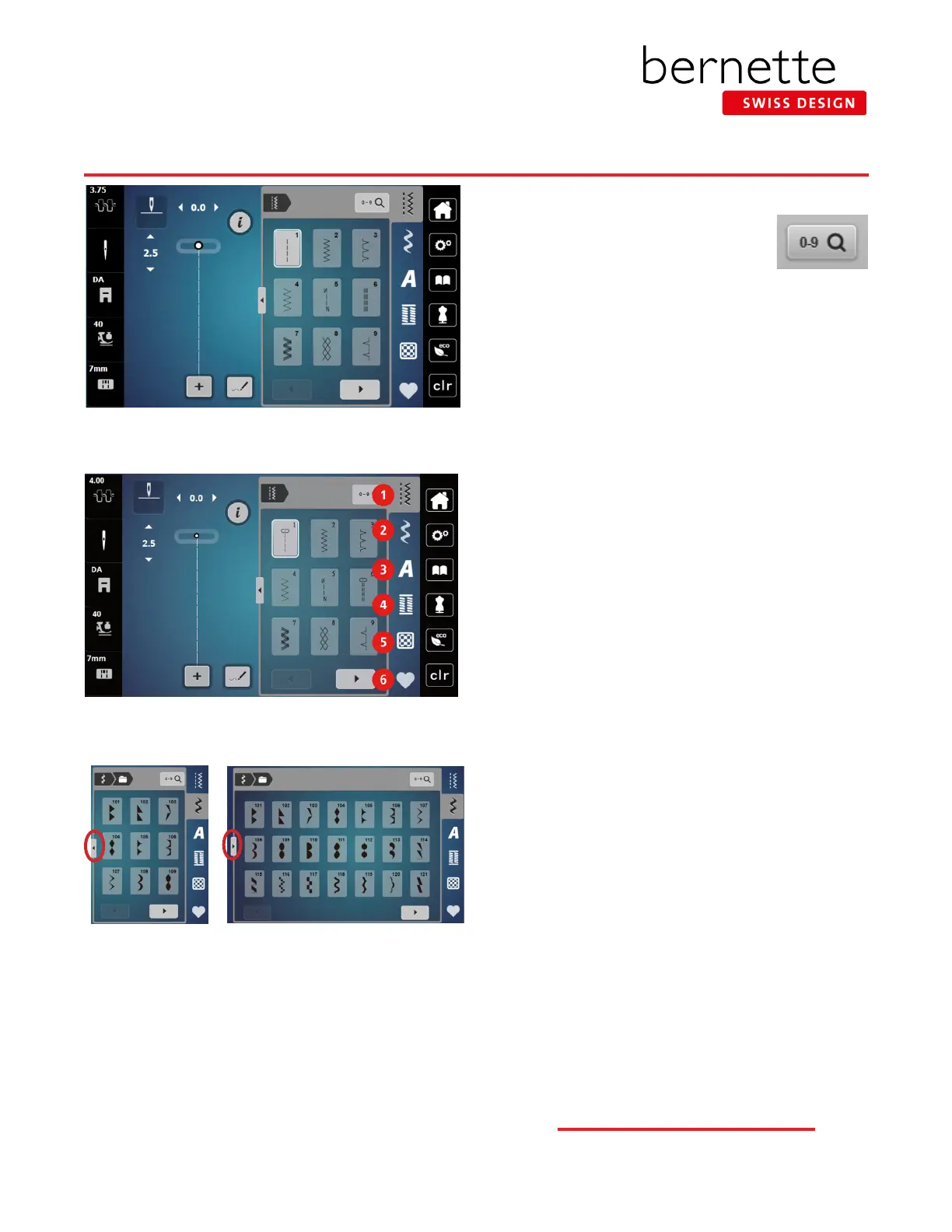
Selecting a Stitch
1. Select stitches by touch selection,
or by using the Search by Number
function. Use your nger or the stylus
that came with the machine to access
buttons on the screen.
2. Stitches are grouped into categories with some
categories having multiple folders for selection.
3. Many categories have more than one screen.
• Use the arrows at the bottom of the display to move
forward and back in the stitch category.
Transitions
1. View more stitches on screen by using the Transition.
Select to view all folders or to see more stitches at one
time.
2. Select Folder 101. Touch the Transition arrow to view
the stitches in the category.
3. Some categories will have more than one screen. Use
the arrows at the bottom of the screen or scroll to
move forward or backward.
4. Touch the Transition icon to close the screen.
1 Practical Stitches
2 Decorative Stitches
3 Alphabets
4 Buttonholes
5 Quilt Stitches
6 bernette Personal Program



 To Next Page