17
bernette
SEWING MACHINE WORK
BOOK
Pattern Functions-Pattern Repeat/Extend
Firm woven fabric, 4” x 6”
Lightweight tear away stabilizer 4" x 6"
80/12 Universal
Polyester or cotton embroidery thread
Default
Embroidery Sole-Sewing (JK)
Pattern Repeat 1-9x
Program the b79 and b77 machines to stop at the end of 1 -
9 repeats of a single stitch or stitch combination.
1. Attach Embroidery Sole JK
2. Place the stabilizer behind the fabric.
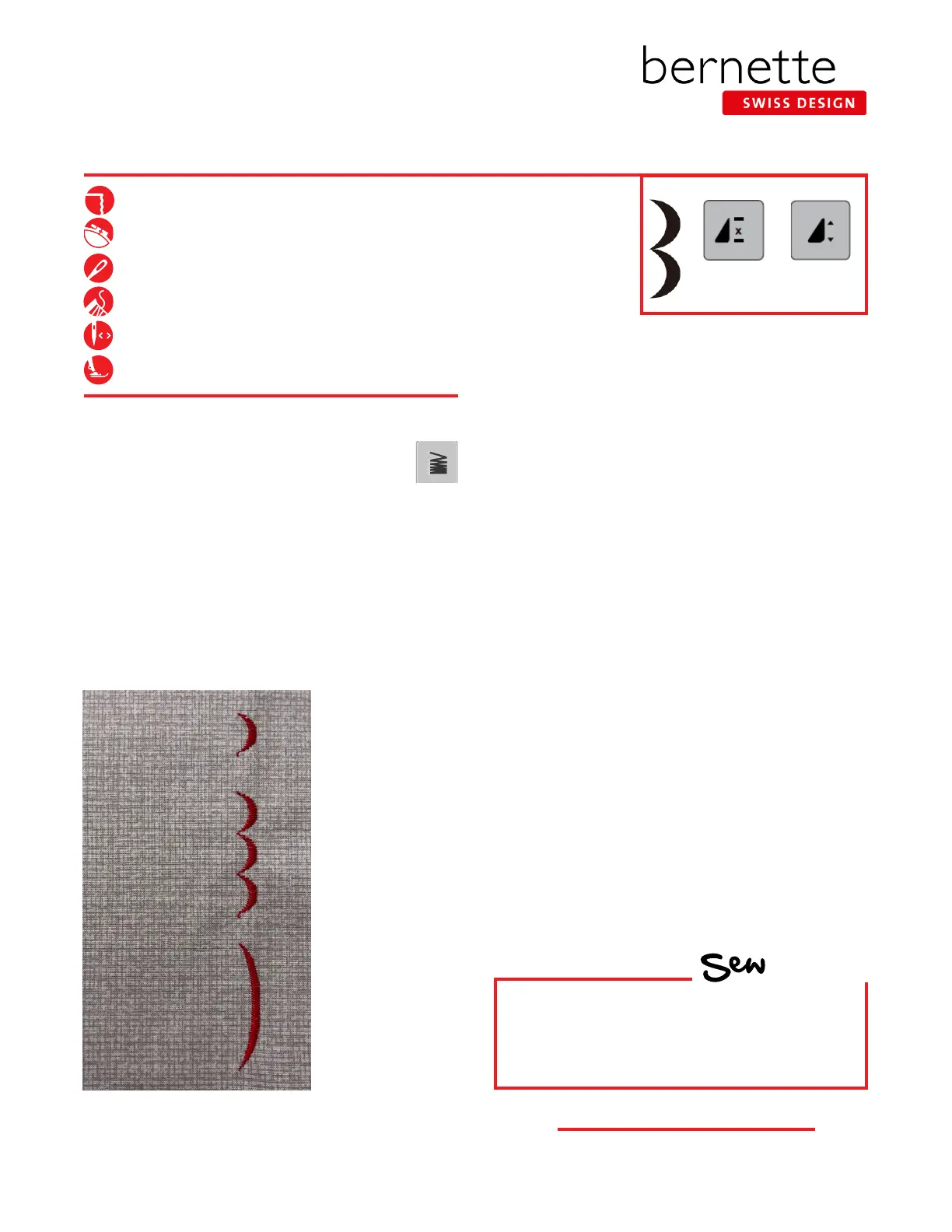
3. Select the satin stitch scallop-Stitch #108; Open the "i"
menu and change Pattern Repeat to 1x.
4. Sew until the machine stops; you will have one scallop.
5. Increase Pattern Repeat to 3x. Sew until the machine
stops; you will have one stitch pattern.
NOTE: In this case, one stitch pattern equals the
repeated group of three scallops.
Pattern Extend
1. Change Pattern Repeat to 1x.
2. Select the Pattern Extend/Adjust Stitch Density icon.
3. Set Pattern Extend to 300% using the slider icon (or
-/+).
4.
Sew until the machine stops; you will have one stitch pattern.
• In this case, one stitch pattern equals one extended
scallop.
• As the stitch pattern is elongated (stretched), the
stitch density is maintained.
5. Select the "i" in the breadcrumb path to close the
Pattern Extend display and return to the "i" menu.
Notes:
• The Stitch Density of a stitch can be increased
or decreased by using the -/+ icons under Stitch
Density. It can be changed in a decorative
application to change the stitch as you prefer, and is most
effective with satin stitches (Folder 101). Stitch Density is
not available for every stitch.
• Pattern Extend allows you to increase or decrease the
length of an entire stitch pattern in 100% increments
without changing the stitch density. This feature is not
available for every stitch.
HOW
Do you know how to:
• Recognize the two different pattern
functions (which icon stands for each)?
Pattern
Repeat
Pattern
Extend/Adjust
Stitch Density



 To Next Page