9
bernette
SEWING MACHINE WORK
BOOK
Presser Foot Sole Display
1. Select the Straight Stitch.
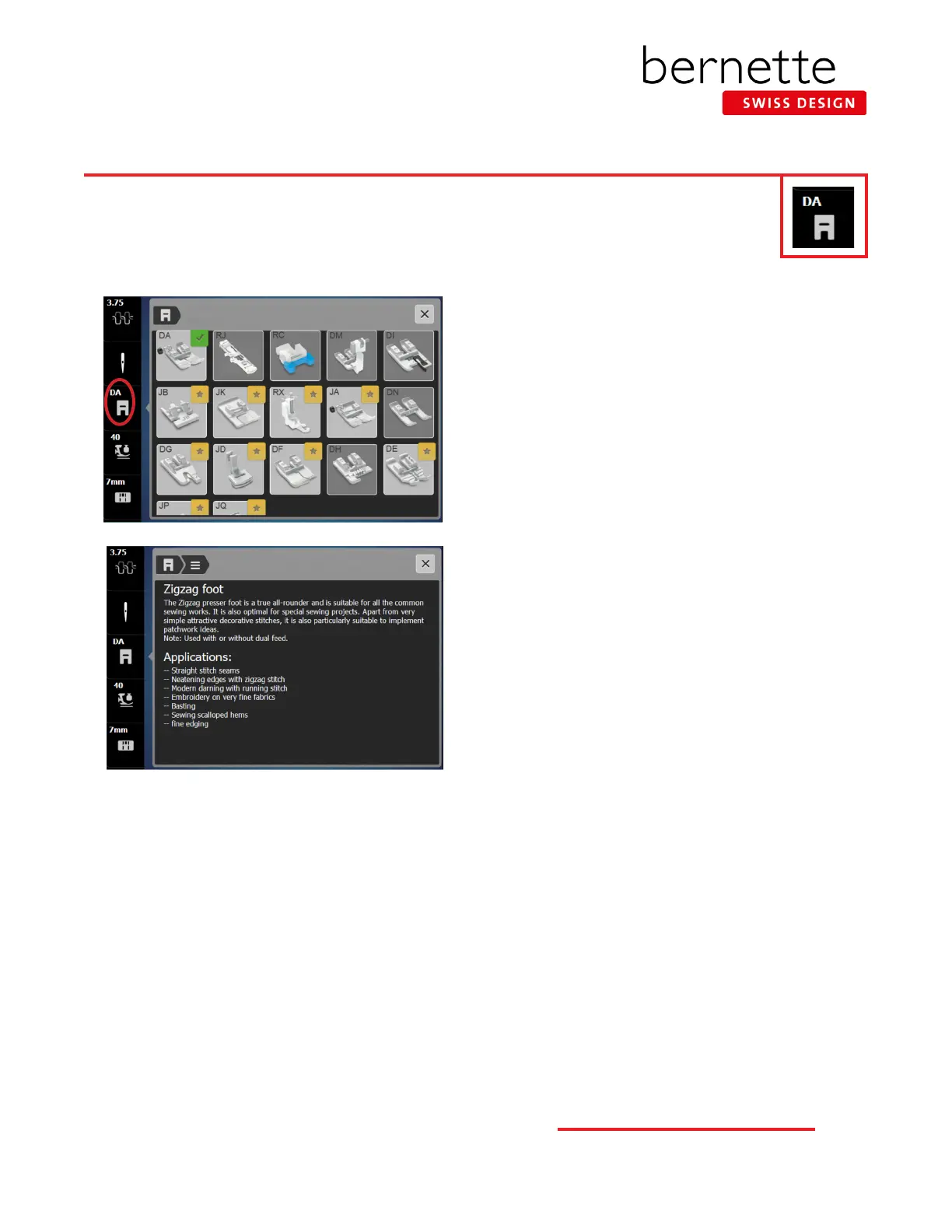
2. Select the Presser Foot Sole Display from the Status Bar.
3. Touch Sole DA on the display. On the b79, information
about the sole will be displayed.
4. Read the information about the sole.
5. Touch the sole icon in the breadcrumb path at the top
of the display.
6. Touch another sole and read the information about the
sole and its applications.
7. Close the Presser Foot Sole Selection menu.
Selecting the Presser Foot Sole Display recommends a sole to be used according to the stitch selected. The
recommended sole is denoted with a green check. Other soles that may be used depending on the applica-
tion will feature a star in the upper right corner. On the b79, touching the sole icon will bring up a display
with more information about that particular sole.
Notes:
• The Presser Foot Sole Display on the b79 and b77 give
suggested soles for certain stitches, but this is for
informational purposes only. It does not limit the stitch
properties.



 To Next Page