42
bernette
SEWING MACHINE WORK
BOOK
b79 and b77 Sewing Functions
1
2
3
4
6 7
5
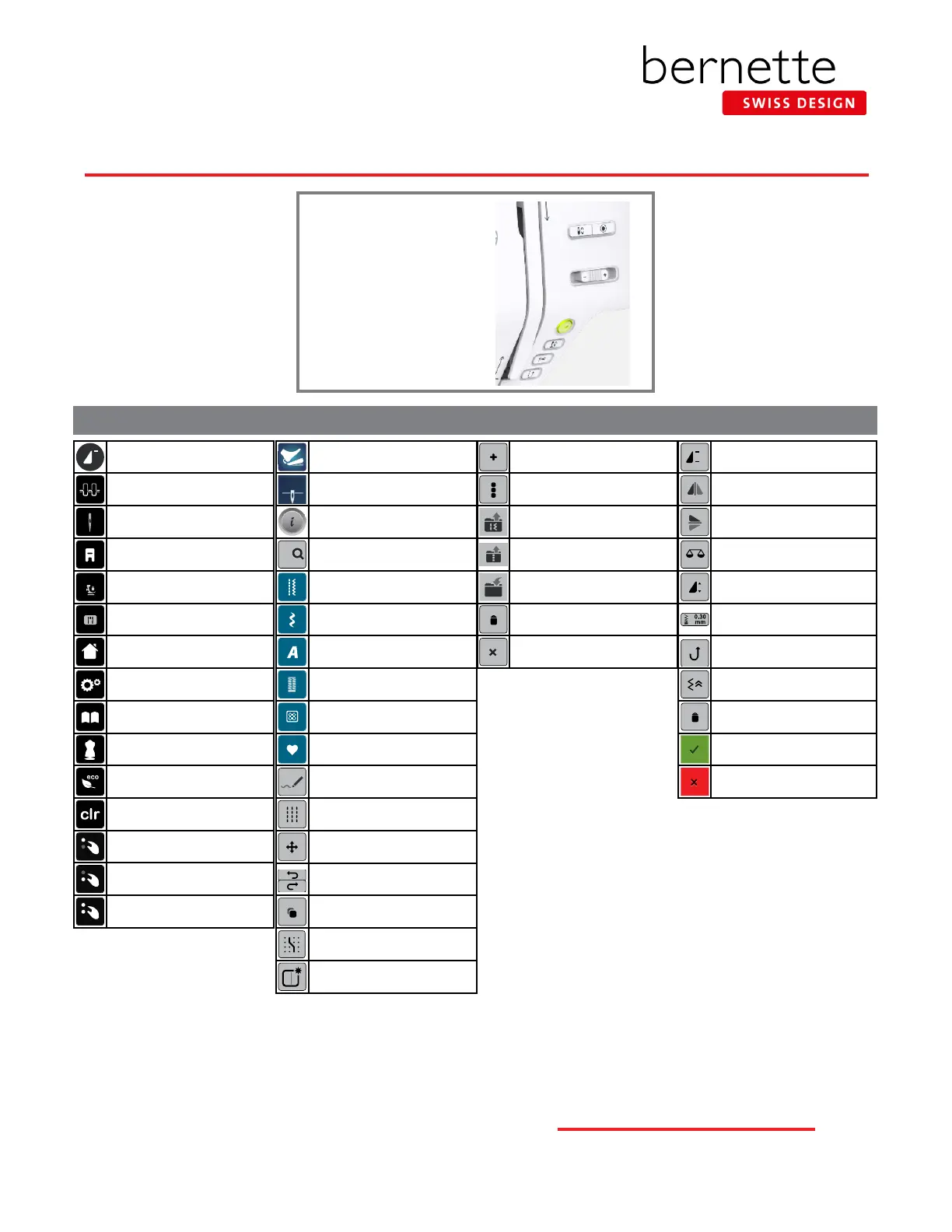
External Buttons
1. Start/Stop
2. Presser Foot Up/Down
3. Auto Thread Cutter
4. Quick Reverse
5. Slide Speed Control
6. Needle Up/Down
7. Securing
Pattern Begin
Upper Thread Tension
Needle Security
Presser Foot Sole Display
Presser Foot Pressure
Stitch Plate Display
Home
Setup
Sewing Tutorial*
bernette Creative Consultant
Eco
Clear - Back to Basic Setting
Use Upper Multi-function Knob for
Adjustment
Use Lower Multi-function Knob for
Adjustment
Use Either Multi-function Knob for
Adjustment
Programmable Foot Control
Needle Stop Up/Down
Permanent
Information i-dialog
-
0-9
Stitch Selection by Number
Practical Stitches
Decorative Stitches
Alphabets
Buttonholes
Quilting Stitches
bernette Personal Program
bernette Stitch Designer /
Insert/Edit a Stitch*
Triple Stitch-Stitch Designer
*
Move-Stitch Designer*
Undo/Redo Stitch Designer*
Duplicate-Stitch Designer*
Snap to Grid-Stitch Designer*
Create a New Stitch Pattern-
Stitch Designer*
Combi Mode
Edit the Complete Combi-
nation
Retrieve Saved Stitch
Retrieve Combination
Save to bernette Personal
Program
Delete from Personal Program
Close / Cancel
x
Pattern Repeat
Mirror Image Left/Right
Mirror Image Up/Down
Balance
Pattern Extend
Adjust Stitch Density
Stitch Density
Continuous Reverse
Backstepping
Delete
Conrm
Escape
SEWING FUNCTIONS
*b79 Only
Note: There is no icon for Pattern
End. However, the Securing Button
can be programmed to stop at the
end of a pattern.



 To Previous Page