30
bernette
SEWING MACHINE WORK
BOOK
Programming Combi Mode
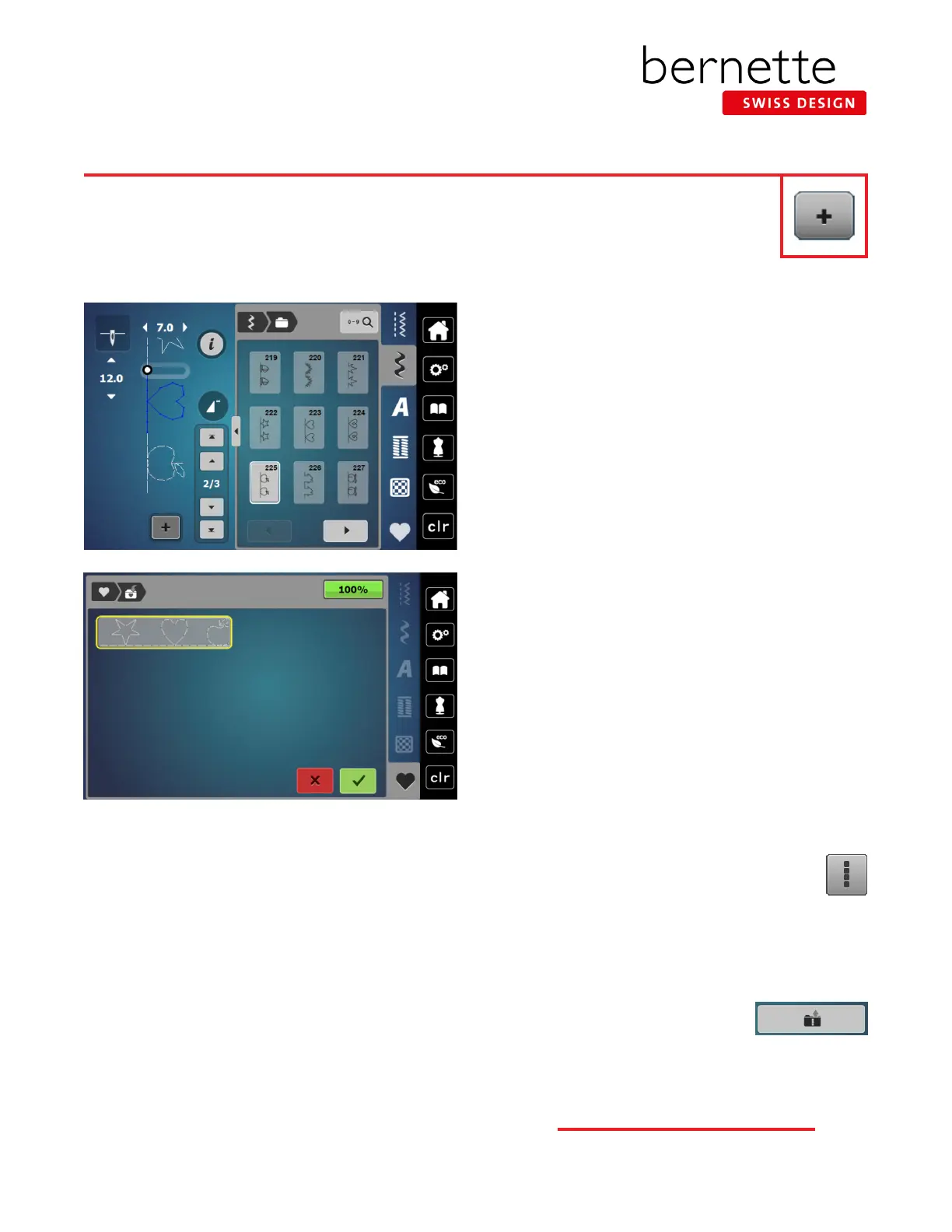
1. Select the Combi Mode (+ icon at the lower end of
the Stitch Altering Area) and the Stitch Altering Area
becomes the combination area. As a stitch is selected,
it is added to the combination.
2. Select three decorative stitches. Decorative stitches
can be added using the Search icon, or by selecting a
stitch directly from any Decorative Stitch Folder. The
following are suggested stitch combinations: 222, 223,
225.
Saving in Memory
1. Select the Personal Program (heart) icon.
2. Select Save (folder with arrown going into it).
3. Touch the highlighted stitch combination or touch
Conrm to save.
Deleting Individual Characters
1. Select a single stitch pattern.
2. Select the "i" icon.
3. Touch the Delete (trashcan) icon.
Deleting Combinations on Screen
1. Select the "i" button; select the Edit
Complete Combination icon.
2. Touch the Delete (trashcan) icon.
3. Touch the green check box to conrm.
Retrieving Stored Memory
1. Open Combi Mode.
2. Select Personal Memory; select the
Combination Folder.
3. Select the desired combination.
Combi Mode-Stitch Patterns
Combi Mode is used to combine alphabets and/or stitch patterns to create new custom stitch patterns.
Each combination can hold up to 20 stitches. Stitches can be altered individually using the "i" settings, or
the whole combination can be altered. Refer to the machine manual for limitations. Stitch the combination
using an appropriate foot for the stitches in the combination. Note: Patterns created in the bernette Stitch
Designer (b79) cannot be combined in Combi Mode.



 To Next Page