29
bernette
SEWING MACHINE WORK
BOOK
bernette Creative Consultant
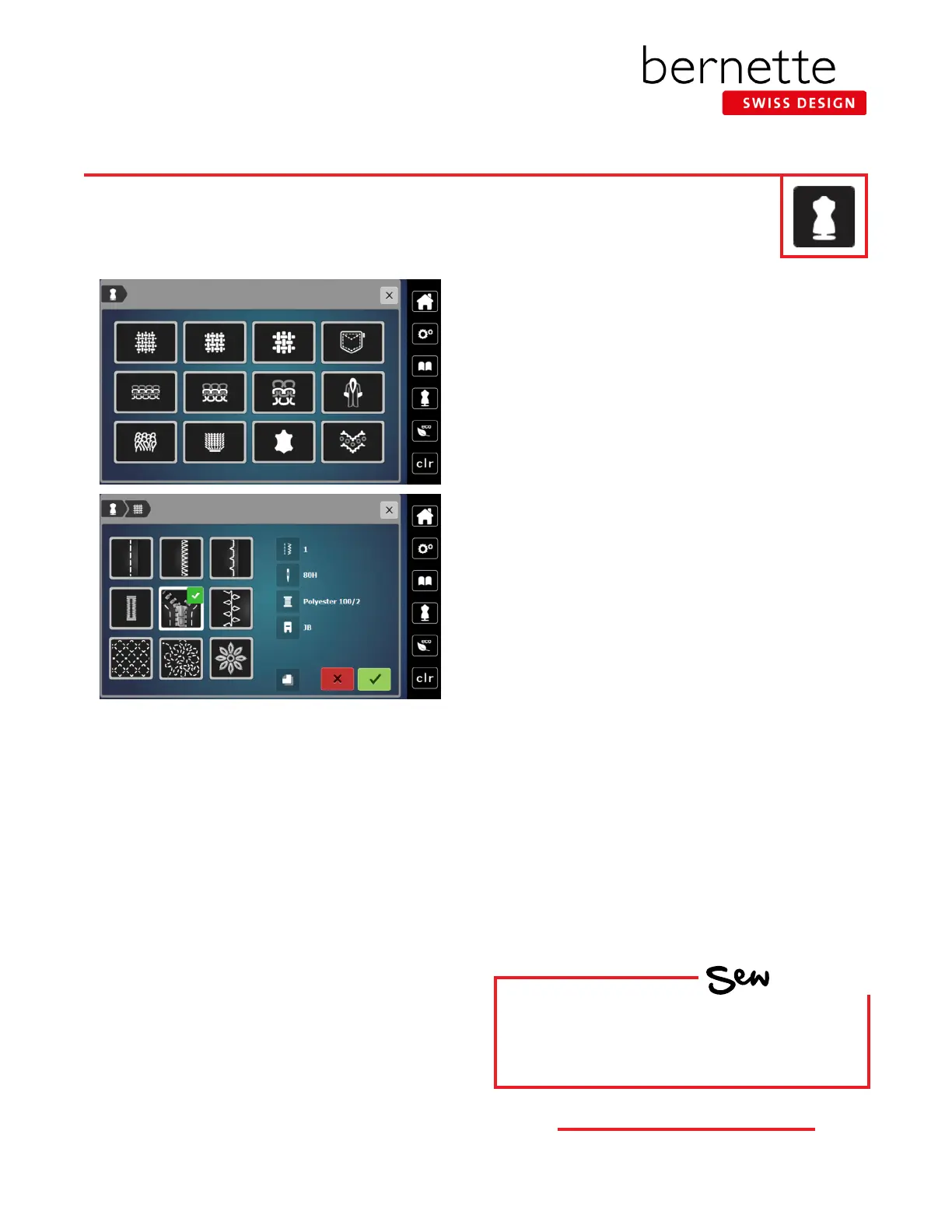
1. Touch the Creative Consultant icon.
2. Select the Medium-weight icon (top row, second
column) and the Sewing Techniques display will open.
3. Choosing the desired sewing technique:
• Select the Zipper icon. Recommendations for the
selected material and the desired sewing technique
are displayed.
• If the green check is selected, the suggested stitch
pattern will appear. Any other changes suggested
(stitch length, tension, etc.) will need to be made
manually.
• To close the display without making changes, select
the red x box.
The bernette Creative Consultant provides information and help with various sewing techniques, including
zippers. After selecting the fabric and the desired sewing technique, suggestions for suitable needle, presser
foot, etc. are displayed.
HOW
Do you know:
• How to access the bernette Creative
Consultant?



 To Next Page