19
bernette
SEWING MACHINE WORK
BOOK
Temporary Altered Memory
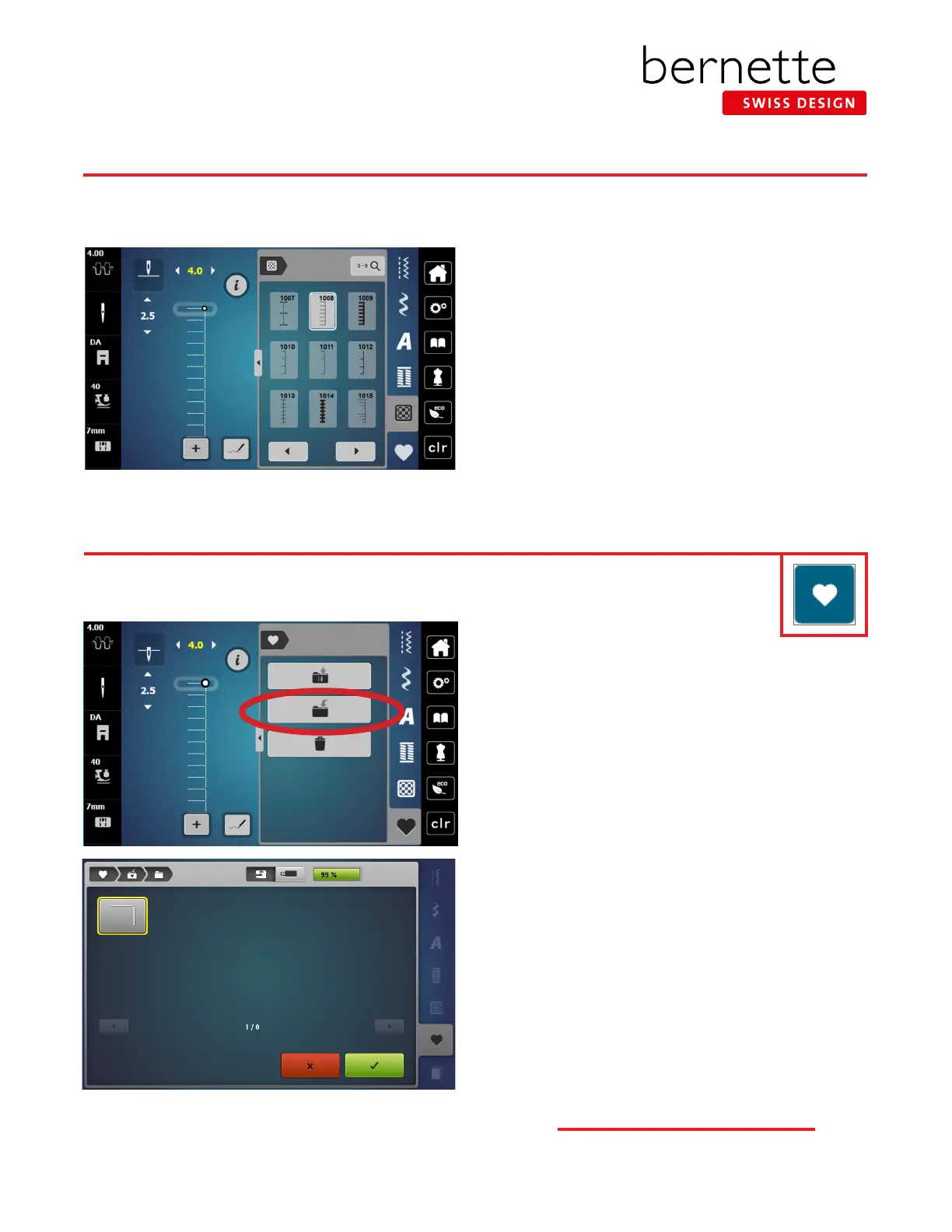
1. Using the stitch created on the previous page, notice
that the stitch width has been changed. This is
indicated by the yellow number.
2. Select Stitch #1.
3. Re-select Blanket Stitch #1008 from the Quilting
Stitches menu. Notice that the stitch has retained the
altered settings.
4. Leave the width at the altered setting.
The bernette 79 and bernette 77 have Temporary Altered Memory. The machine will remember the last stitch alterations made
to any stitch. These alterations will remain in effect until manually changed, until CLR is touched, or until the power to the
machine is turned off.
Saving Stitches in bernette Personal Program
Creating a Personal Program
1. Select the desired stitch. For this exercise, select the
altered Blanket Stitch from previous page.
2. Close the “i” display, if opened.
3. Touch Personal Program.
4. Select the Save to Personal Program (folder with arrow
going in) icon.
5. The selected stitch has a yellow border around it. Select
the highlighted stitch to save, or select the green check
box with the check to add the stitch to the Personal
Program folder.
6. The display closes.
Use the bernette Personal Program to store your favorite stitches, most often used stitches, or perhaps a
group of stitches needed for a particular technique or project.



 To Next Page