102
BSR
For an even sewing start (the first stitch) the foot control must be
pressed and the fabric moved simultaneously. This also applies for
sewing points and straight stitching within a round form.
If the BSR function is deactivated and later re-activated without the
sewing computer being switched off in between, the last selected
BSR mode is active.
When exceeding a certain speed, adhering to regular stitch length
cannot be guaranteed.
Make sure that the lens on the bottom of the BSR foot is clean (no
fingerprints, etc.). Clean lens periodically with soft, slightly damp
cloth.
Preparation
⦁
lower the feed dog
⦁
presser foot pressure may be reduced depending on the material type and
thickness
⦁
attach slide-on table
⦁
use the Free Hand System
⦁
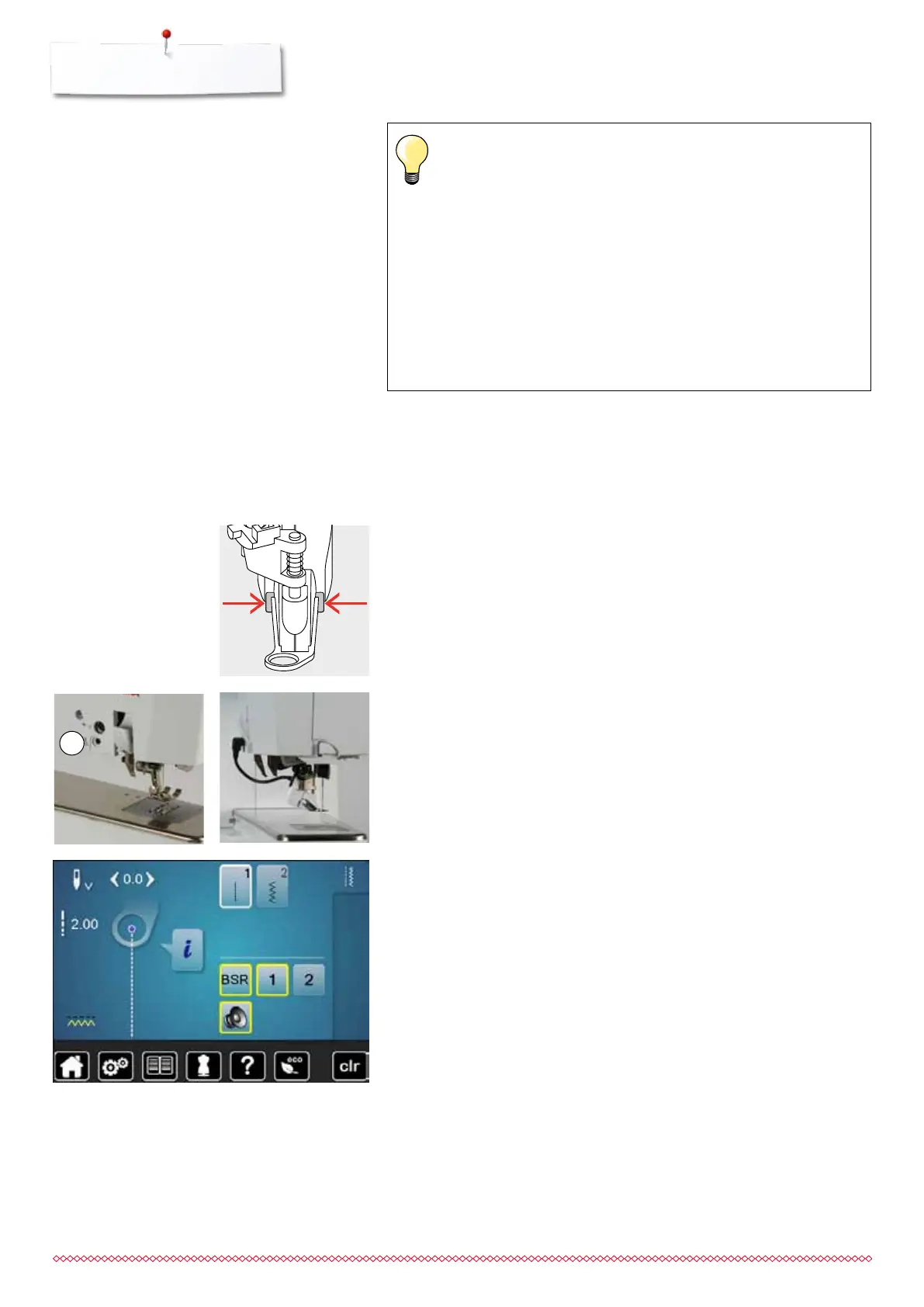
attach the BSR Presser Foot to the sewing computer
⦁
plug the cable in the outlet 1 provided
►
«BSR»-display is opened automatically
►
BSR 1 mode is engaged
⦁
set the desired stitch length
the standard stitch length is 2mm
when sewing small forms and stipplings, stitch length of 1-1.5mm is
suggested
Remove presser foot sole
⦁
press both buttons together
⦁
slide the sole downwards out of the groove
Attaching the presser foot sole
⦁
slide the desired sole up in the groove until it clicks into its place
1
033805.51.04_2014-02_Manual_B710_EN



 To Next Page