84
Buttonholes
Automatic with direct legth entry
Buttonhole foot No. 3A
Programming the buttonhole length
Buttonholes can be sewn to a specific length with the buttonhole foot No. 3A.
Buttonhole length = cutting length in mm.
⦁
select the desired buttonhole
⦁
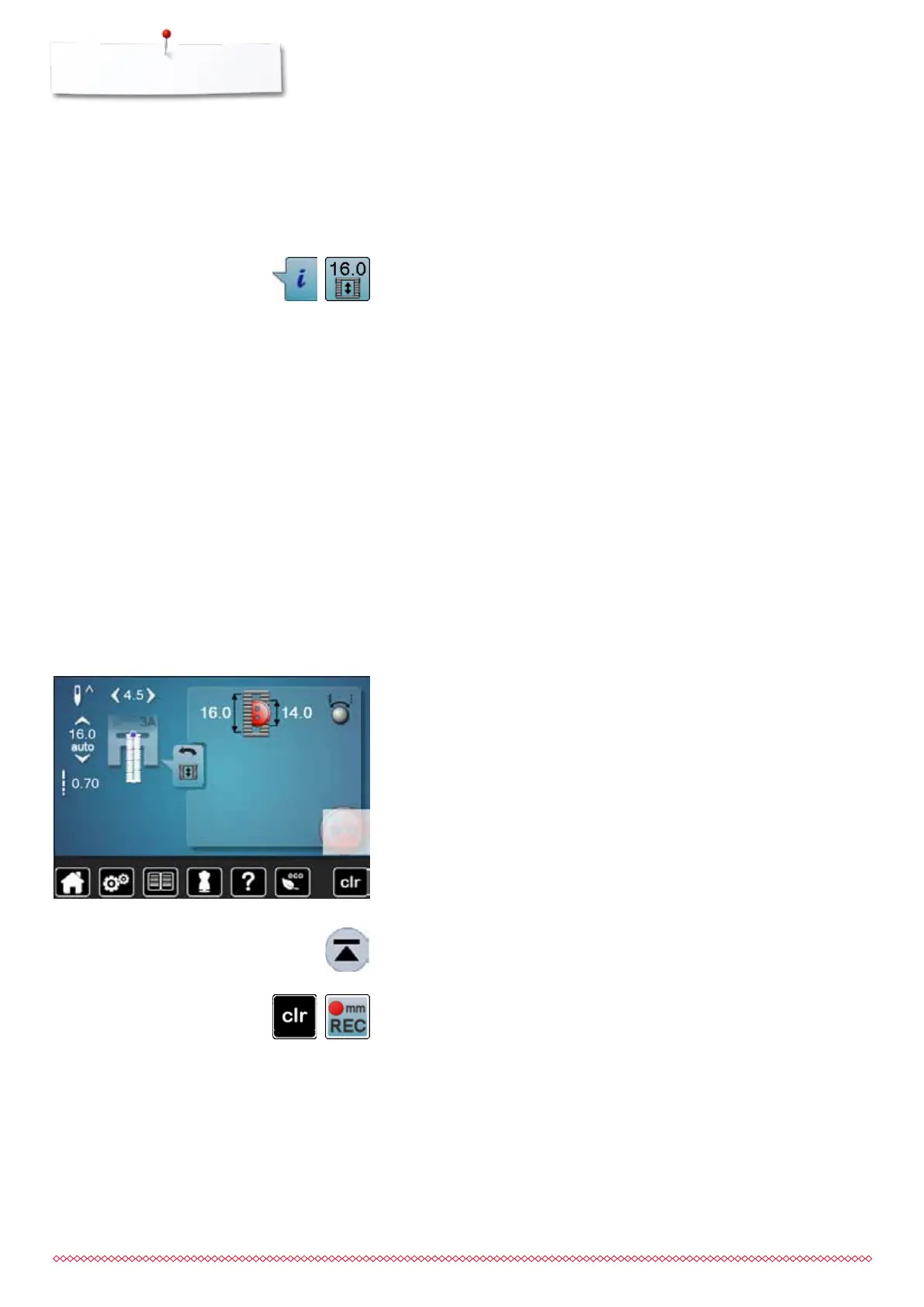
touch «i»-icon
⦁
touch «Direct entry length»-icon
Determining buttonhole length
⦁
enter the buttonhole length using the multifunction knobs (stitch width or
stitch length knob)
►
the length entered appears on the left of the button
►
the number on the right of the button is the exact button size
⦁
touch «Back»-icon
►
the length entered is saved
►
«auto» and the programmed length is shown on the left side in the Display
Back to the buttonhole menu
⦁
touch «Back»-icon
►
the «Buttonhole»-display appears
Buttonhole foot No. 3A
Determining button size
The sewing computer calculates the length of the buttonhole directly from the
diameter of the button. 2mm are automatically entered for the button thickness.
⦁
hold the button on the bright field in the lower right corner of the Display
⦁
adjust the bright field to the button size using the stitch width or stitch length
knob
►
the button size is displayed in mm on the right of the button between the
arrows (e.g. 14mm)
⦁
remove the button from the Display
⦁
touch «Back»-icon
►
the length entered is saved
►
«auto» and the programmed length is shown on the left side in the Display
Corrections for thick buttons
Match buttonhole length to buttonhole thickness (raised buttons, etc.) e.g.
buttonhole length + 1cm (incl. 2mm) if button height is 1cm.
The button slides easily through the buttonhole.
Automatic with button measuring
Back to buttonhole begin
⦁
touch «Pattern begin»-icon
►
the sewing computer sets the program to the start of the buttonhole again
Deleting saved buttonholes
⦁
press the «clr»-button or touch «recording»
►
«auto» goes off and «REC» appears
⦁
a new buttonhole length can be programmed
033805.51.04_2014-02_Manual_B710_EN



 To Next Page