46
Setup Program
⦁
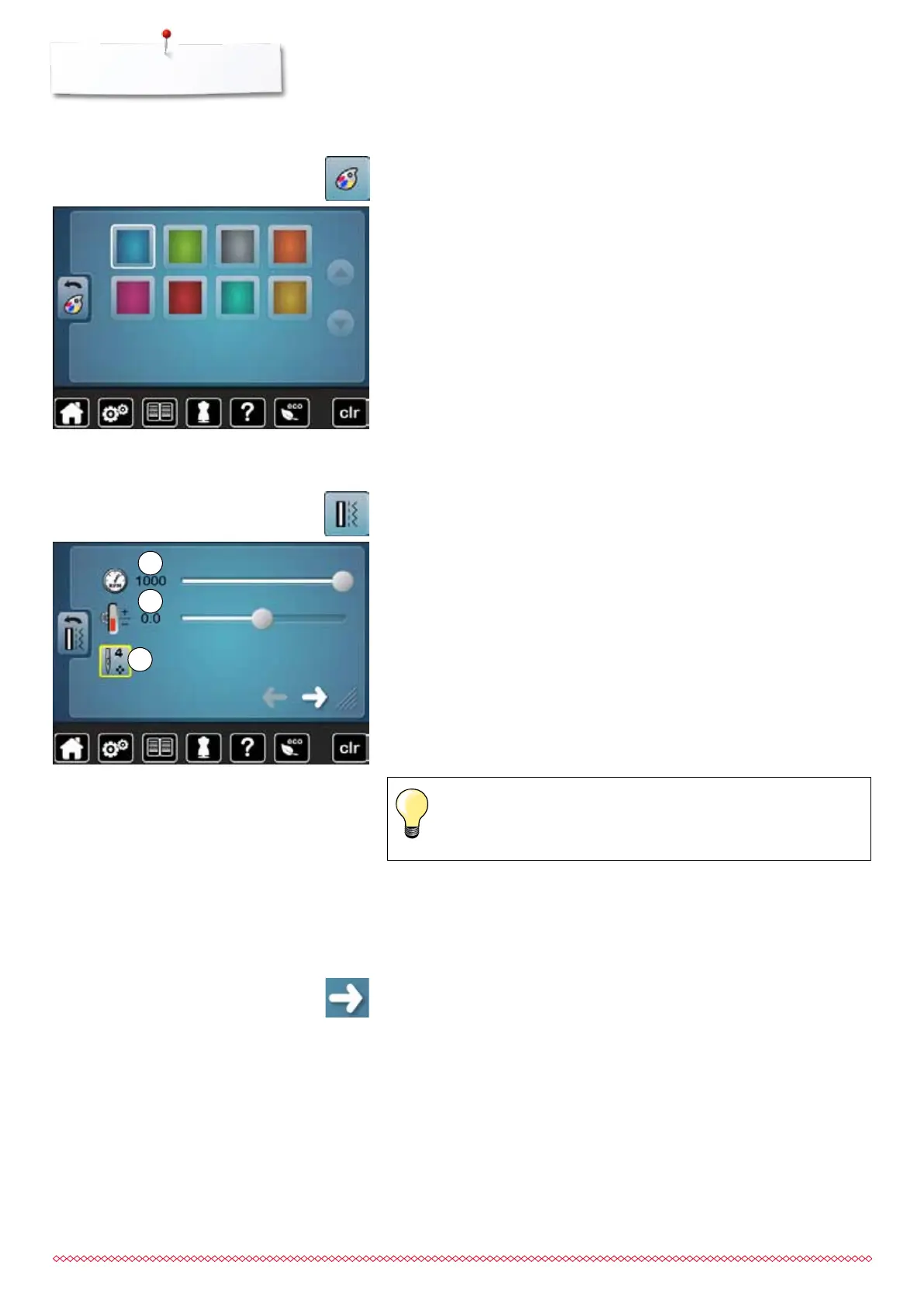
touch «Display color»-icon
⦁
select the desired display color
Selecting the Display color
Sewing settings
⦁
touch «Sewing setting»-icon
Sewing speed
⦁
move the round knob in the Display to the left/right using the finger or
⦁
turn the stitch width knob
►
alters the maximal sewing speed 1
►
the number in the yellow-framed icon indicates the stitches per minute, the
basic value is indicated by a white line
Altering the upper thread tension
⦁
move the round knob in the Display to the left/right using the finger or
⦁
turn the stitch length knob
⦁
alters the basic setting of the upper thread tension 2 at plus or minus two
basic values
0.0 = basic setting
Alterations of the upper thread tension and the sewing speed affect
any stitch patterns and remain active even when the sewing
computer is switched off.
1
2
⦁
touch icon
Securing stitches at pattern begin
►
the function is active (standard)
►
4 securing stitches are sewn before a stitch pattern starts
⦁
touch icon 3
►
function is inactive = no securing stitches will be sewn
3
033805.51.04_2014-02_Manual_B710_EN



 To Next Page