104
BSR
1
2
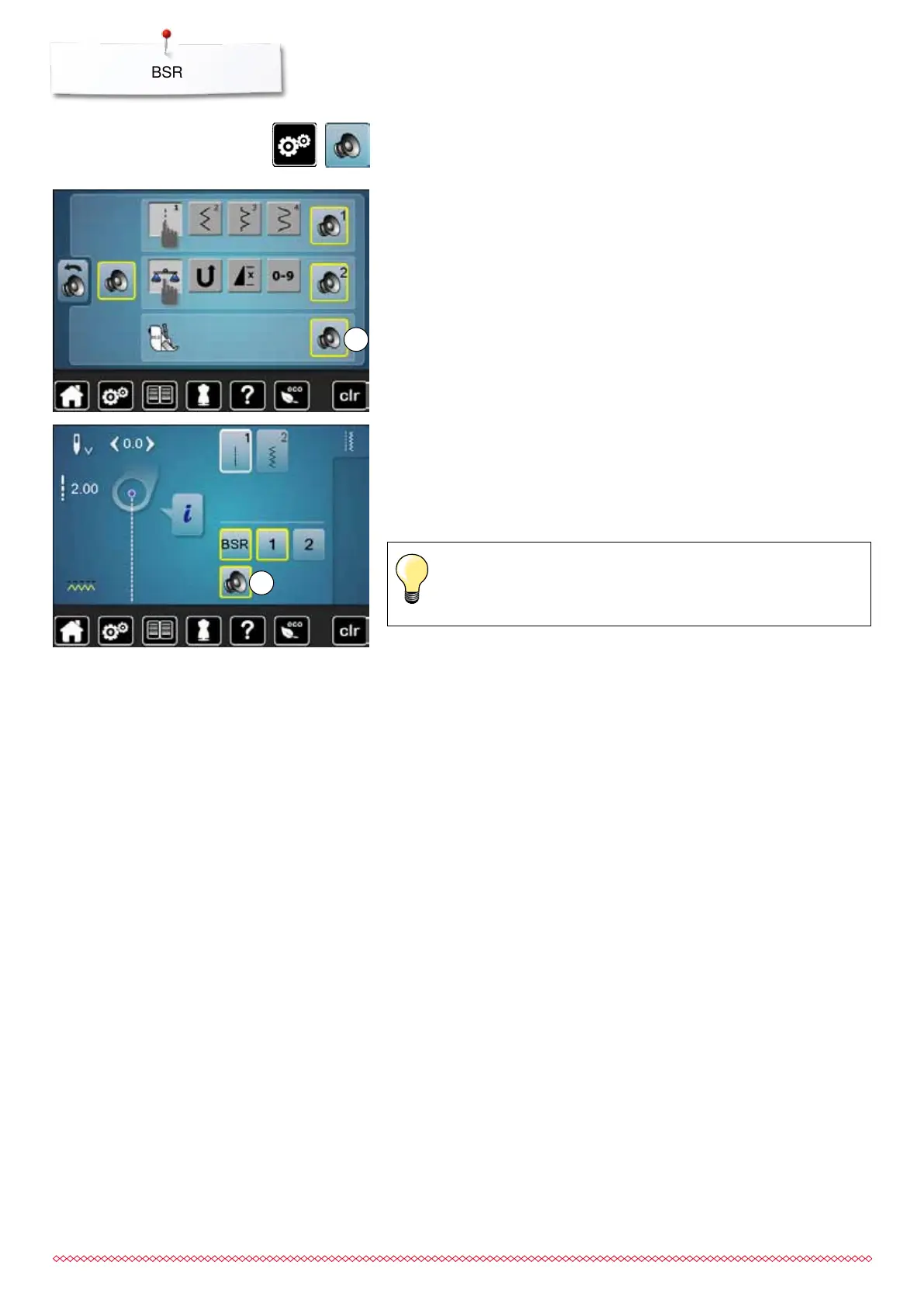
Beeper (audio signal) activation/deactivation
⦁
touch «Setup»-button
⦁
touch «Audio setting»-icon
Selecting sound for BSR in the Setup Program
►
one sound is set as default (active)
⦁
touch the icon 1 showing the loudspeaker for BSR
►
the loudpseaker is highlighted in red
►
the sound for the beeper is inactive
The loudspeaker is gray when the sound for the Beeper is active.
Selecting sound for BSR in the «BSR»-display
⦁
touch the icon with the loudspeaker
►
the loudspeaker is highlighted in red
►
the sound for the beeper is inactive
The icon with the loudspeaker is gray and yellow-framed when the sound for
the Beeper is active.
The sound selection icon 2 is only visible if the sounds are turned on
in the Setup Program.
033805.51.04_2014-02_Manual_B710_EN



 To Next Page