49
Setup Program
2
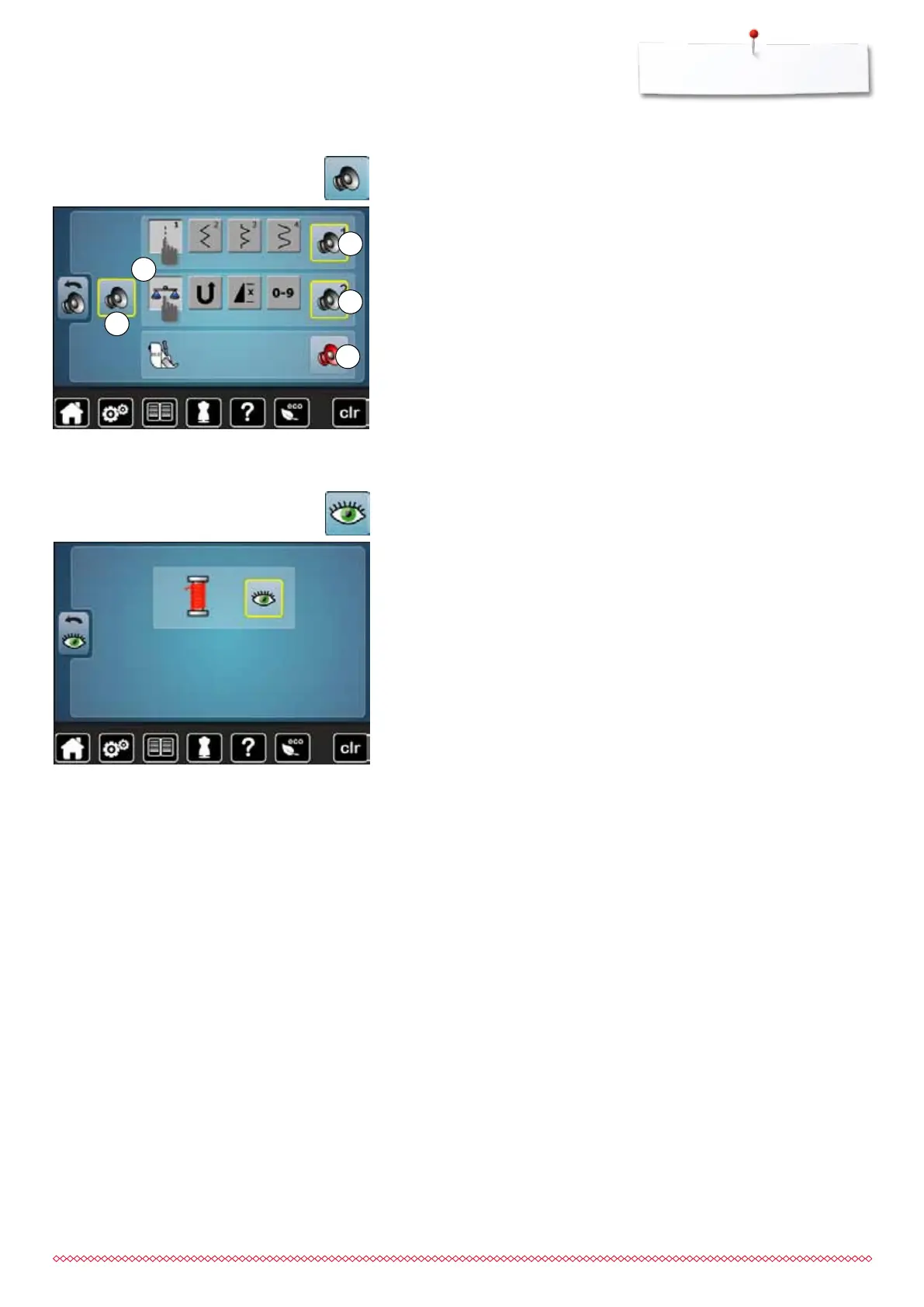
Altering the acoustic signals
By touching 1 the signals are activated or deactivated.
Selecting Stitch Pattern/Function/BSR
Stitch patterns and function selection 2 can be confirmed acoustically.
⦁
touch the icon 3 with the loudpseakers for the stitch patterns until you hear
the desired sound
There are six different sounds to choose from.
►
the sound is indicated by a number (1-6)
⦁
the sounds for the functions 4 and the sound for quilting with the
BSR 5 can be activated or deactivated in the same way
►
the deactivation is indicated as last option when clicking through the
different sounds
⦁
touch «Acoustic signal»-icon
5
4
3
The following monitoring function can be activated or deactivated:
Upper thread indicator
Upper thread indicator
►
open eye = function active
⦁
touch «Open eye»-icon
►
closed eye = function inactive
The sound type for the monitoring functions is set in the audio settings for
functions.
⦁
touch «Monitoring»-icon
Monitoring
1
033805.51.04_2014-02_Manual_B710_EN



 To Next Page