27
Sewing preparation
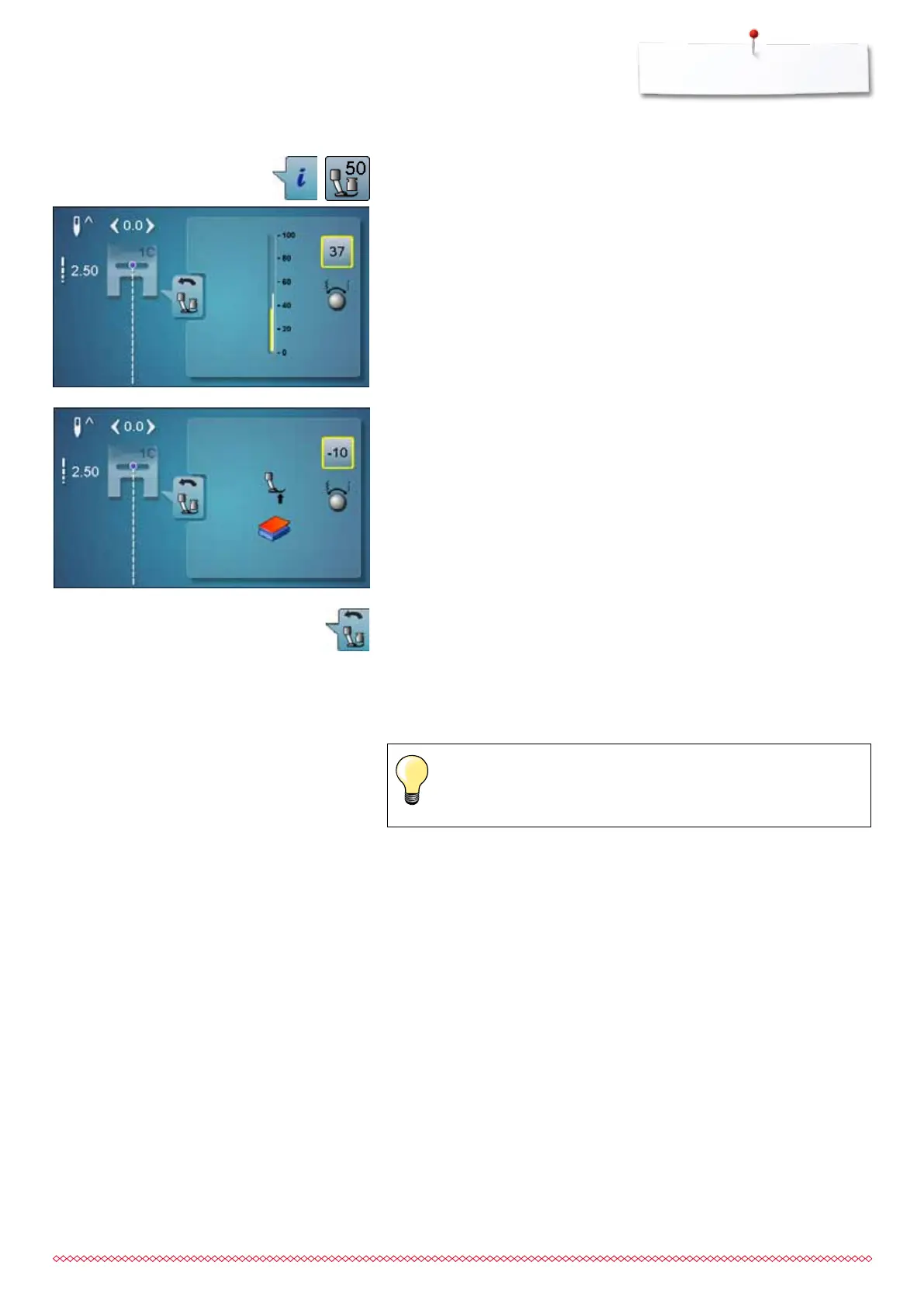
Altering presser foot pressure
⦁
touch «i»-icon
⦁
touch «presser foot pressure»-icon
►
presser foot pressure scale is displayed
⦁
turn stitch width or stitch length knob to the left or to the right
►
presser foot pressure is increased or decreased
►
alterations of the presser foot pressure is displayed in the scale (yellow)
and in the yellow-framed icon
►
the basic setting remains visible (white)
When sewing thick material, e.g. quilting
⦁
turn stitch width or stitch length knob to the left
►
the presser foot pressure decreases to minus
The presser foot is slightly lifted and the material can be moved more simply.
Saving presser foot pressure
⦁
touch «Back»-icon
►
the settings are saved and the display closes
Reset settings
⦁
touch the yellow-framed icon
►
basic setting is reset
Reset the presser foot pressure to basic setting after finishing the
task.
033805.51.04_2014-02_Manual_B710_EN



 To Next Page