40
Functions - Display
⦁
touch «Combi mode»-icon
⦁
select stitch pattern
⦁
touch «i»-icon
Deleting
Deletes an individual stitch.
Editing a combination at cursor position
⦁
touch icon
►
Display appears
Altering pattern length
⦁
move the round knob in the Display using the finger
►
pattern length (Standard = 100%) is infinitely
variable
⦁
extend/shorten in 1%-steps with the arrow icons or
⦁
touch «Pattern length»-icon
►
pattern length is extended in 100%-steps
Maximum length is 1000%, shortest length 10%. Some
stitch patterns are limited and cannot be extended to
1000%.
Upper thread tension
⦁
change upper thread tension
►
the respective value is visible in the icon
Altering the needle position
⦁
move the needle to the left or to the right touching
the arrow icons left/right or using the finger
⦁
keep arrow icon pressed
►
quick movement of the needle
►
the yellow-framed icon shows the needle position
⦁
touch yellow-framed icon
►
moves the needle to the middle (Position 0)
Mirror image (Left/Right)
The sewing computer sews the stitch pattern mirrored,
left/right referring to the sewing direction.
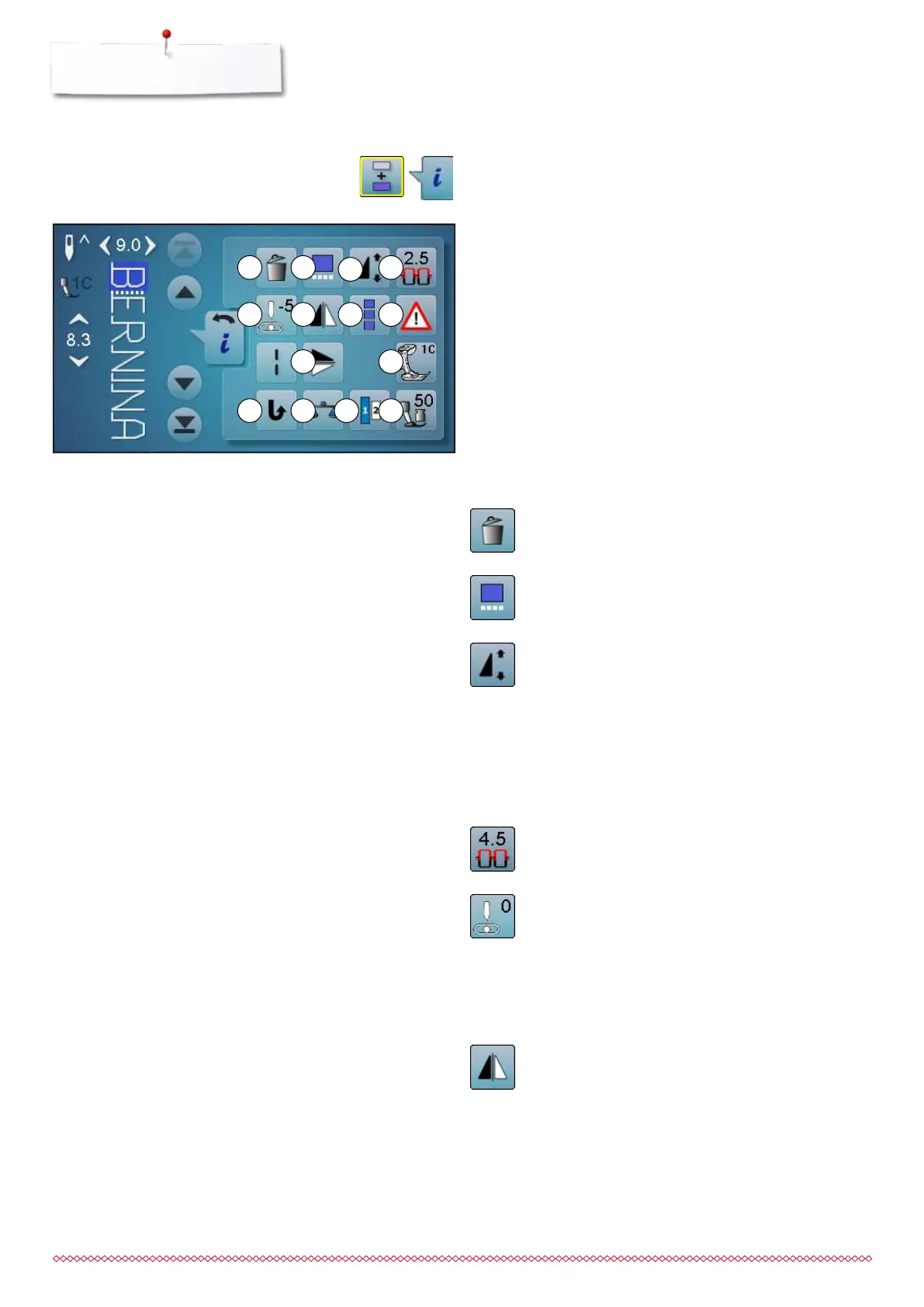
Overview Functions Combi mode
Combi mode
1 Deleting
2 Editing combinations at cursor position
3 Altering the pattern length
4 Upper thread tension
5 Altering the needle position
6 Mirror image (Left/Right)
7 To edit the whole combination
8 Security program
9 Mirror image (Up/Down)
10 Presser foot indicator
11 Permanent reverse sewing
12 Balance
13 Lettering size in alphabets
14 Presser foot pressure
1
5
9
2 4
6 7 8
10
11 14 1512
3
033805.51.04_2014-02_Manual_B710_EN



 To Next Page