47
Setup Program
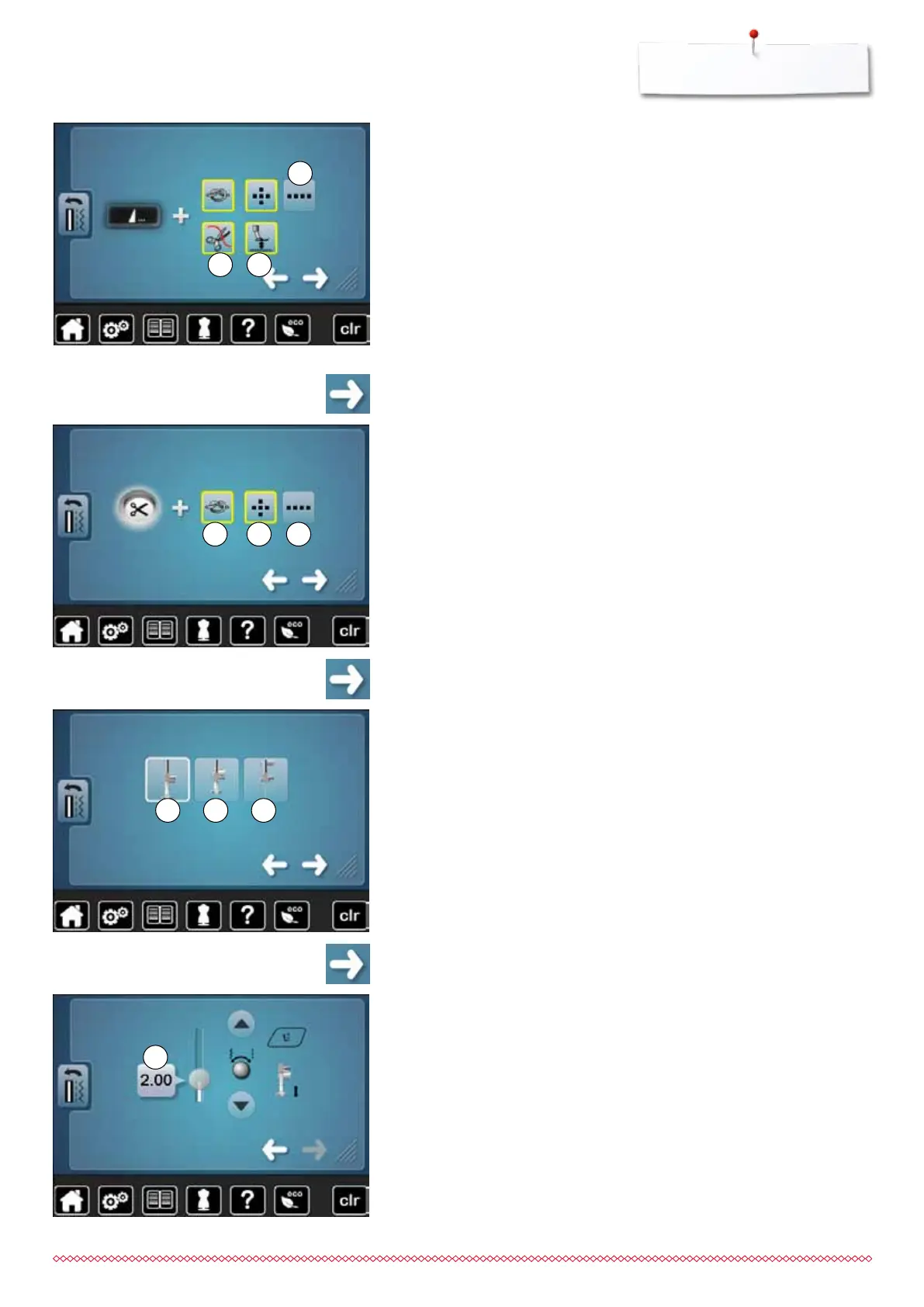
Automatic thread cutter and securing stitches
the number and type of the securing stitches before the thread is cut can
be programmed
standard = no securing stitches programmed
⦁
touch icon 7
►
icon 8 is activated
►
four securing stitches are sewn at the place
⦁
select icon 9 to secure with small stitches sewn in a forward direction
⦁
via the arrow icons icons two to six securing stitches can be programmed
⦁
touch icon
⦁
touch icon
Presser foot position when needle stop down
►
with activated icon 10, the presser foot remains down when the sewing
computer stops
►
with activated icon 11, the presser foot is raised enough to pivot the fabric
(hover position)
►
with activated icon 12, the presser foot is raised into its highest position
Presser foot in hover position
⦁
turn the stitch width or stitch length knob or
⦁
touch arrow icons up/down or
⦁
move the round knob in the display using the finger
►
the margin of lifting can be adjusted from 0mm to 7mm.
Standard = 2mm
►
the respective value = the distance between material and presser foot, is
displayed in the icon 13
Reset settings
⦁
touch the yellow-framed icon
►
basic setting is restored
13
Automatic securing program at pattern end
the number and type of the securing stitches of the external «Pattern end/
Securing»-button can be programmed
standard = four securing stitches in the same place
⦁
select function 4 for forward securing stitches
⦁
via the arrow icons three to six securing stitches can be programmed
Automatic thread cutter
►
if function 5 is activated, the upper and lower thread are automatically cut
after sewing
Raising the presser foot
►
if function 6 is activated the presser foot is raised after securing
►
if function is not activated, the presser foot remains down
⦁
touch icon
4
5 6
10 11 12
87 9
033805.51.04_2014-02_Manual_B710_EN



 To Next Page