Embroidering preparation
139
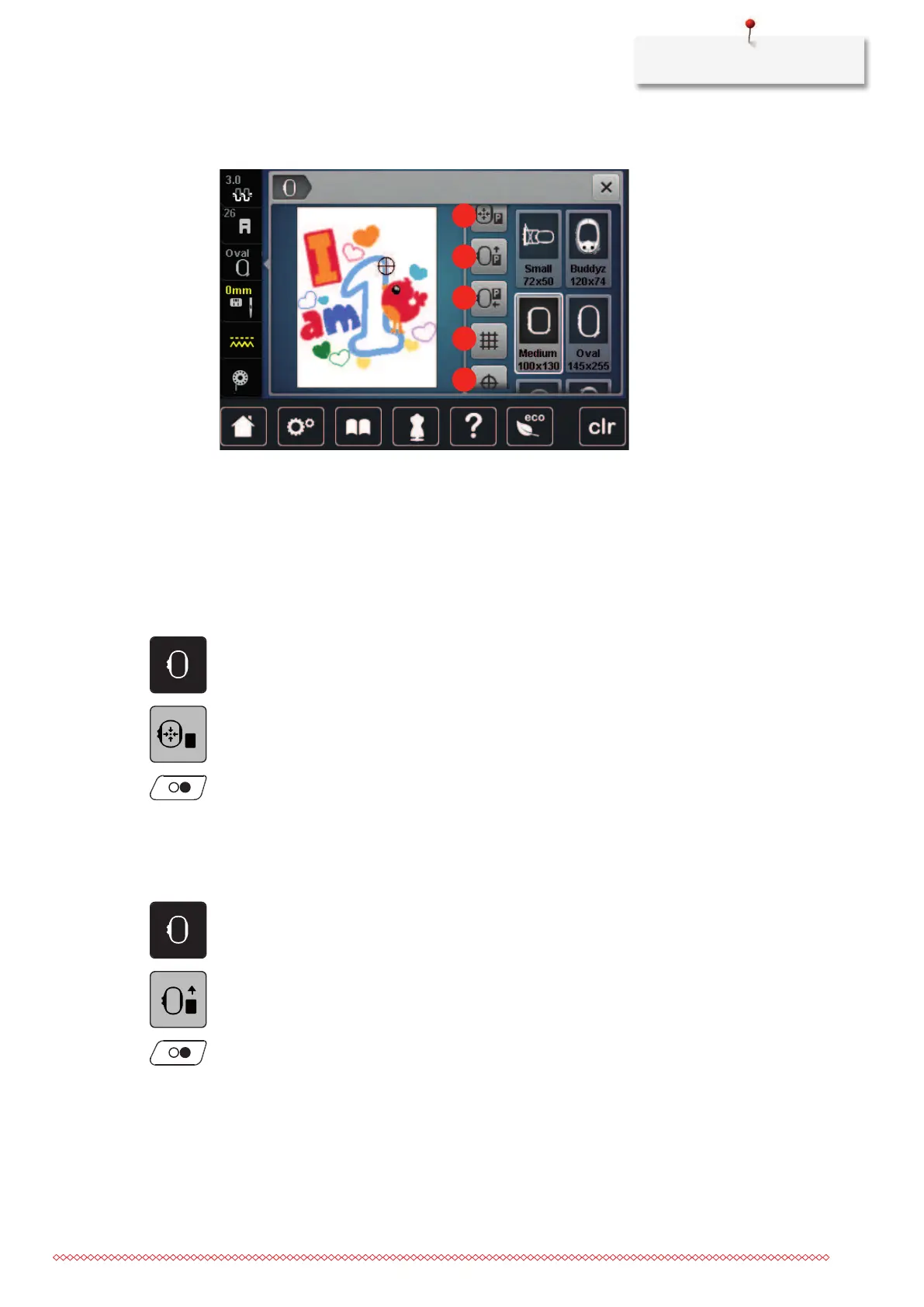
Overview Embroidery functions
1 «Center Embroidery Hoop to Needle» 4 «Grid On/Off»
2 «Move Hoop to the Back» 5 «Center Motif»
3 «Move Hoop to the Left» 6 «Virtual Positioning»
(becomes visible by scrolling)
Center the needle to the embroidery hoop
Relocating the embroidery hoop facilitates threading when the needle is close to the embroidery hoop.
> Tap «Hoop Indicator/Select Hoop».
> Tap «Center Embroidery Hoop to Needle».
> Thread the upper thread.
> To move the hoop back to its previous position, push the button «Start/Stop».
Moving the hoop to the back
To facilitate changing the bobbin, it is recommended to move the hoop to the back before threading. This
makes it easier to open the bobbin cover.
> Tap «Hoop Indicator/Select Hoop».
> Tap «Move Hoop to the Back».
> Thread the bobbin thread. (see page47)
> To move the hoop back to its previous position, push the button «Start/Stop». If necessary, pull back the
upper thread.



 To Next Page