Creative sewing
66
5 Creative sewing
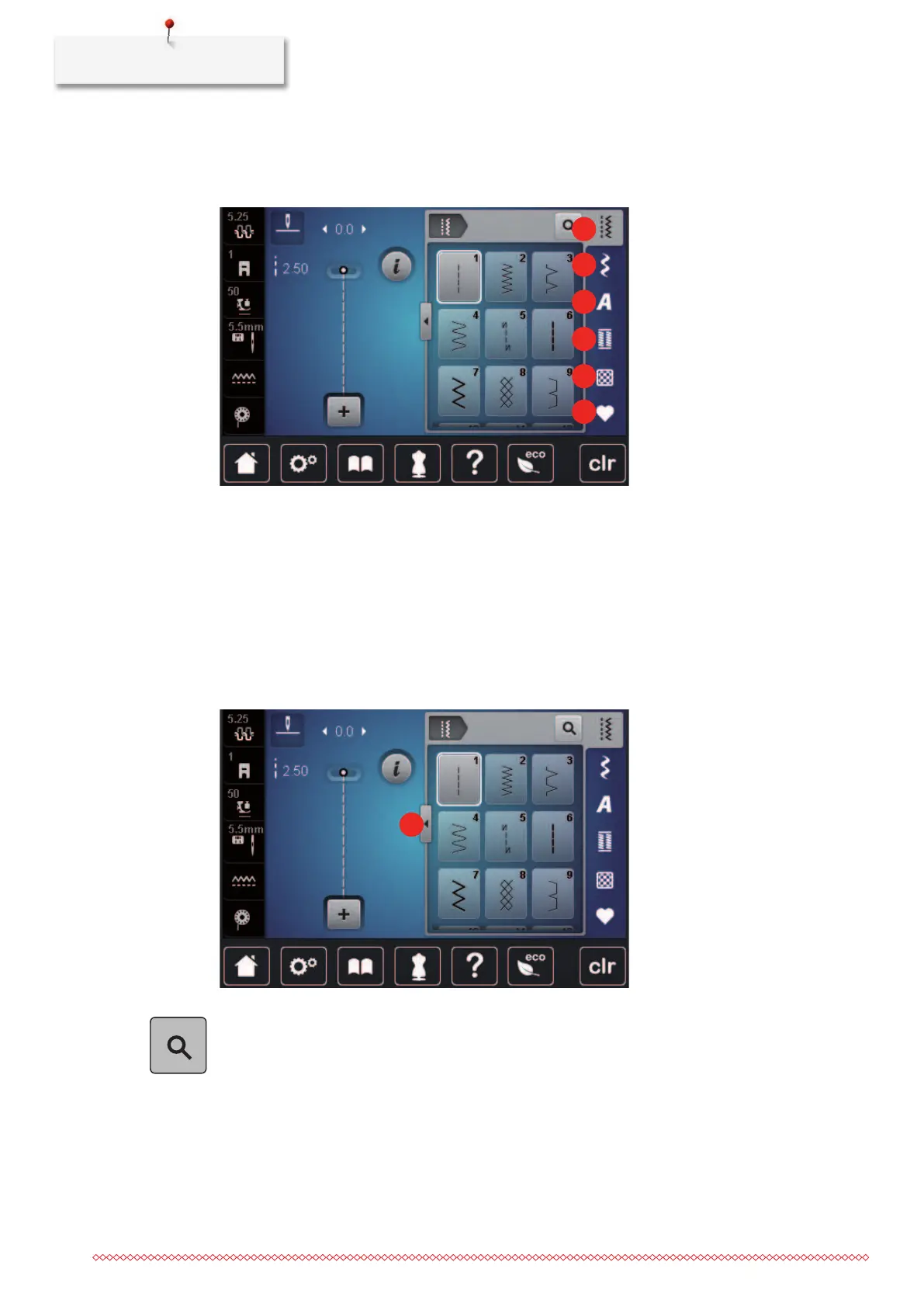
5.1 Overview selection menu sewing
1 «Practical Stitches» 4 «Buttonholes»
2 «Decorative Stitches» 5 «Quilt Stitches»
3 «Alphabets» 6 «Personal Memory»
Selecting a stitch pattern
> Select a stitch pattern, alphabet or buttonhole.
> Wipe up in the area of the practical stitches, alphabets or buttonholes to have more stitch patterns
displayed.
> To increase the view, tap «Increasing/Decreasing the display size»(1).
> To decrease the view, tap «Increasing/Decreasing the display size» again.
> To select the stitch pattern via the stitch number entry, tap «Stitch Pattern Selection via Number».
5.2 Regulating the speed
The sewing speed can be adjusted infinitely variable with the slide.
> Move the slide to the left to reduce the sewing speed.
> Move the slide to the right to increase the sewing speed.



 To Next Page