Creative embroidering
149
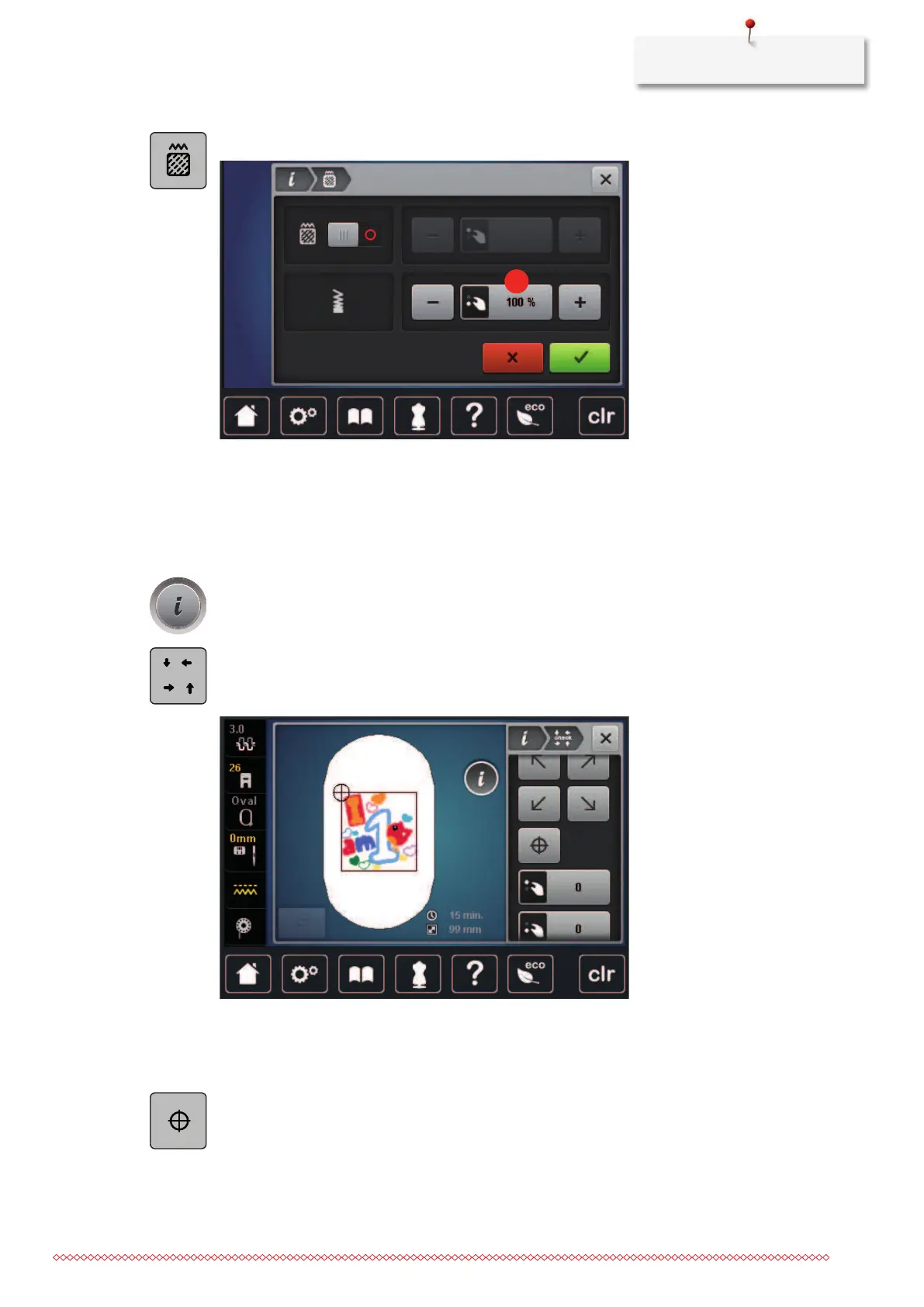
> Tap «Alter Stitch Type/Stitch Density».
> Adjust the stitch density(1).
Checking the size and the position of the embroidery motif
It can be checked whether or not the embroidery motif matches the designated position/location on the
fabric. Points which are beyond the embroidery hoop are not traveled to.
> Select an embroidery motif.
> Tap «i-Dialog».
> Tap «Check Embroidery Motif Size».
– The embroidery hoop travels all the way until the needle is at the position as it is indicated in the
display.
> To select the desired corner of the embroidery motif, tap the respective arrow.
– The embroidery hoop travels all the way until the needle is at the position as it is indicated in the
display. If the embroidery motif hasn't been positioned correctly yet, the position can be altered via
the Upper/Lower Multi-function knobs and the complete embroidery positions can be checked again.
> To position the needle in the center of the embroidery motif, tap «Center Motif».
> Turn the «Upper Multi-function knob» to move the embroidery motif horizontally.
> Turn the «Lower Multi-function knob» to move the embroidery motif vertically.



 To Next Page