Sewing preparation
38
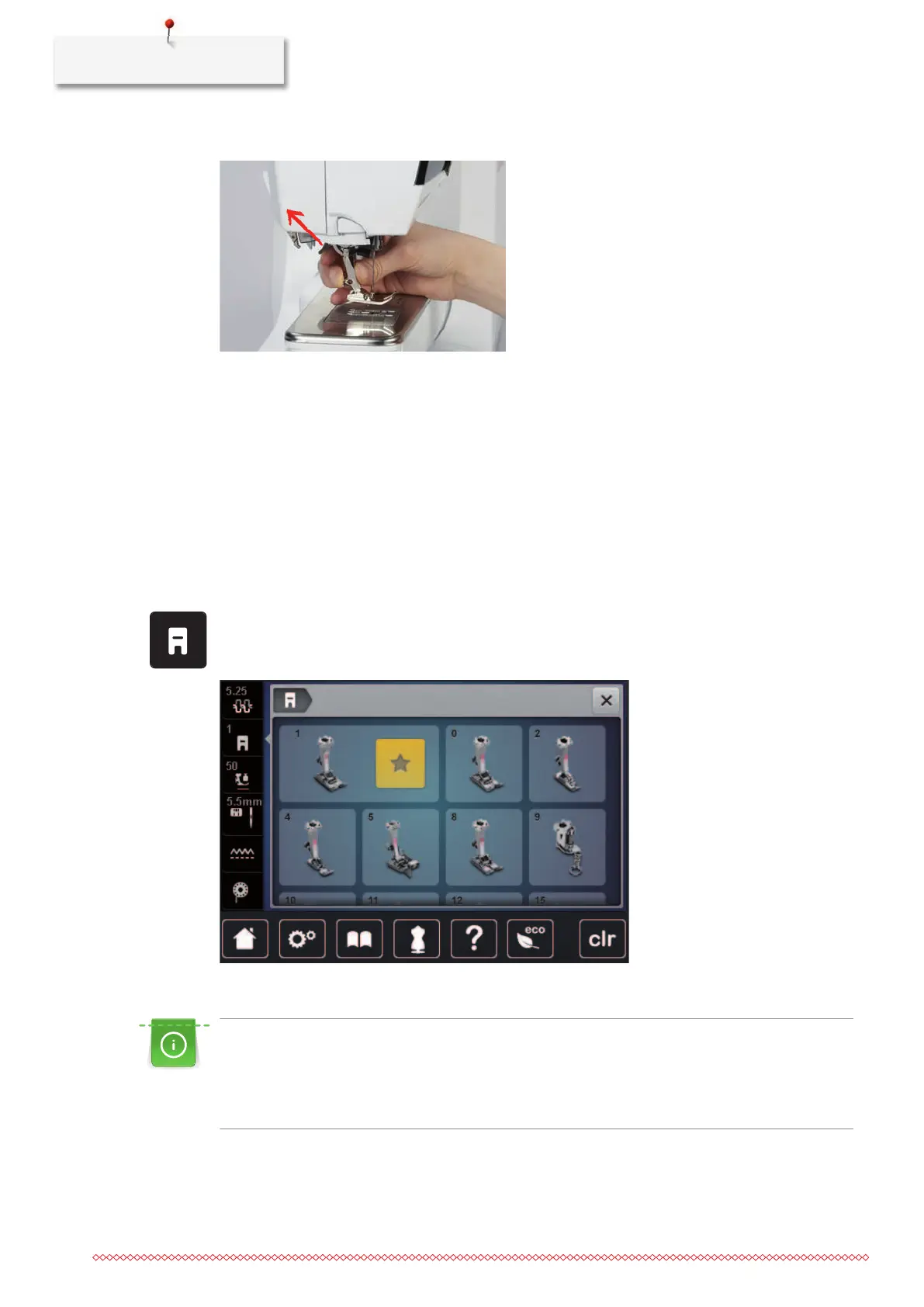
> Push the clamping lever up.
> Remove the presser foot.
> Guide the new presser foot upwards over the cone.
> Press the clamping lever down.
Having the presser foot displayed in the User Interface
For each selected stitch, the machine displays the recommended and any other alternative presser feet.
Prerequisite:
• The machine is switched on.
> Select a stitch pattern.
– In the icon «Presser foot indicator / presser foot selection» the recommended presser foot is indicated
with a number.
> Tap «Presser foot indicator / presser foot selection».
> Wipe up in the area of the presser feet to have more preser feet displayed.
> When a presser foot is tapped, the description and use for that presser foot appears.
Adjusting the presser foot pressure
The presser foot pressure is designed to adjust the pressure of the presser foot optimally to the fabric
thickness. When working with thick fabrics, it is recommended to reduce the presser foot pressure. This
provides the advantage that the presser foot is slightly lifted so that the fabric can be moved more easily.
When working with thin fabrics, it is recommended to increase the presser foot pressure. This provides
the advantage that the fabric cannot be moved too easily under the presser foot.



 To Next Page