Creative embroidering
144
15.4 Regulating the speed
The sewing speed can be adjusted infinitely variable with the slide.
> Move the slide to the left to reduce the sewing speed.
> Move the slide to the right to increase the sewing speed.
15.5 Editing the embroidery motif
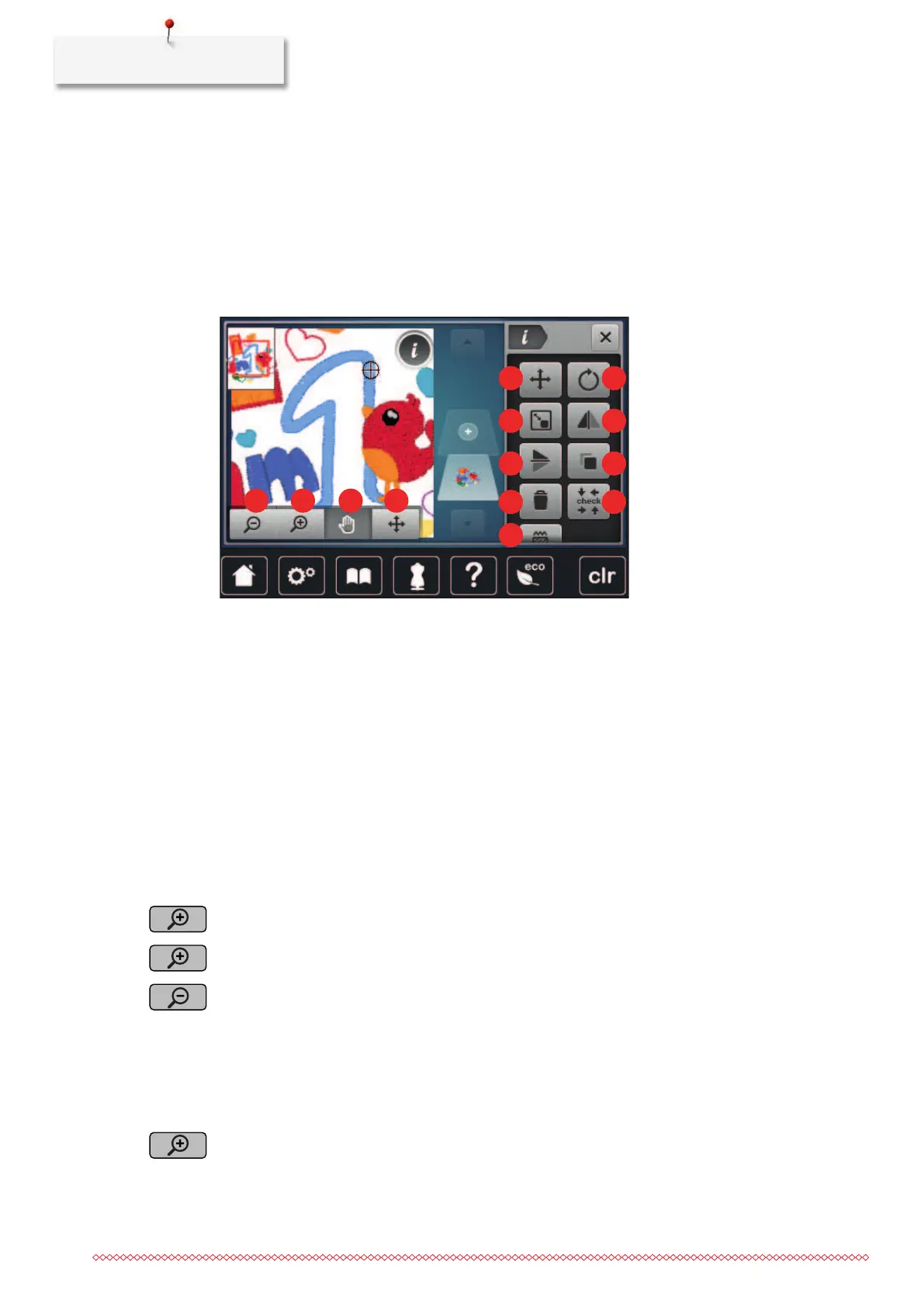
Overview Editing embroidery motif
1 «Zoom Out» 8 «Mirror Image Left/Right»
2 «Zoom In» 9 «Mirror Image Up/Down»
3 «Move View» 10 «Duplicating»
4 «Move View» 11 «Delete»
5 «Relocating a stitch pattern» 12 «Check Embroidery Motif Size»
6 «Rotate Embroidery Motif» 13 «Alter Stitch Type/Stitch Density»
7 «Change Motif Size»
Scaling up the embroidery motif view
The view of the embroidery motif can be scaled up. In addition to that, the view can be adjusted with or
without changing the embroidery position.
> Select an embroidery motif.
> To edit the view of the embroidery motif, tap «Zoom In».
> To scale up the view of the embroidery motif, tap «Zoom In» 1up to4 times.
> To get back to the Edit Mode, tap «Zoom Out» 1up to4 times.
Downsizing the embroidery motif view
The view of the embroidery motif can be downsized. In addition to that, the view can be adjusted with or
without changing the embroidery position.
> Select an embroidery motif.
> To edit the view of the embroidery motif, tap «Zoom In».



 To Next Page