Creative embroidering
157
> Tap «Embroidery».
> Tap «Multi-colored Embroidery Motif On/Off».
– The embroidery motif is embroidered in one color.
Color indication
Every color of the embroidery motif can be selected individually. The hoop moves to the first stitch of the
current color. The currently active color can be embroidered individually or in another sequence.
> Select an embroidery motif.
> Tap «Embroidery».
> Touch the icon Scroll up to select the previous color of the embroidery motif.
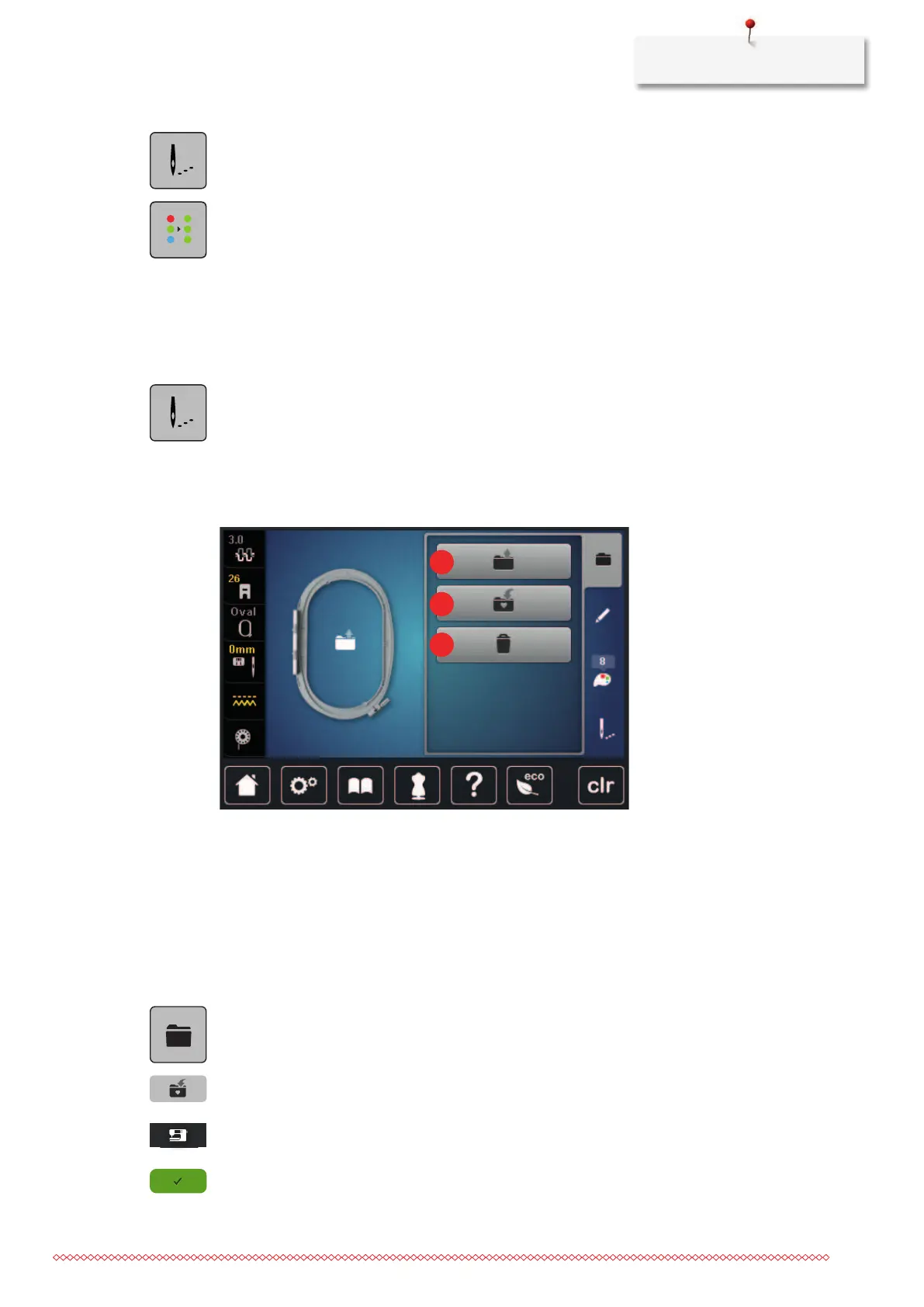
15.10 Administering embroidery motifs
Administering embroidery motifs
1 «Load Embroidery Motif» 3 «Delete Embroidery Motif»
2 «Save Embroidery Motif»
Saving embroidery motifs in the personal memory
In the file «Save Embroidery Motifs» any embroidery motifs including individually edited embroidery motifs
can be saved.
> Select an embroidery motif.
> Edit the embroidery motif.
> Tap «Selection».
> Tap «Save Embroidery Motif».
– The embroidery motif to be saved is outlined in yellow.
– The «Embroidery machine» is activated.
> Tap «Confirm».



 To Next Page