31
© Copyright by BIFFI Italia. All rights reserved.
“ICON2000”
instruction and operating manual
Section 618/2 chapt. E
Section 618/2
5. Lock of the 3-position selector
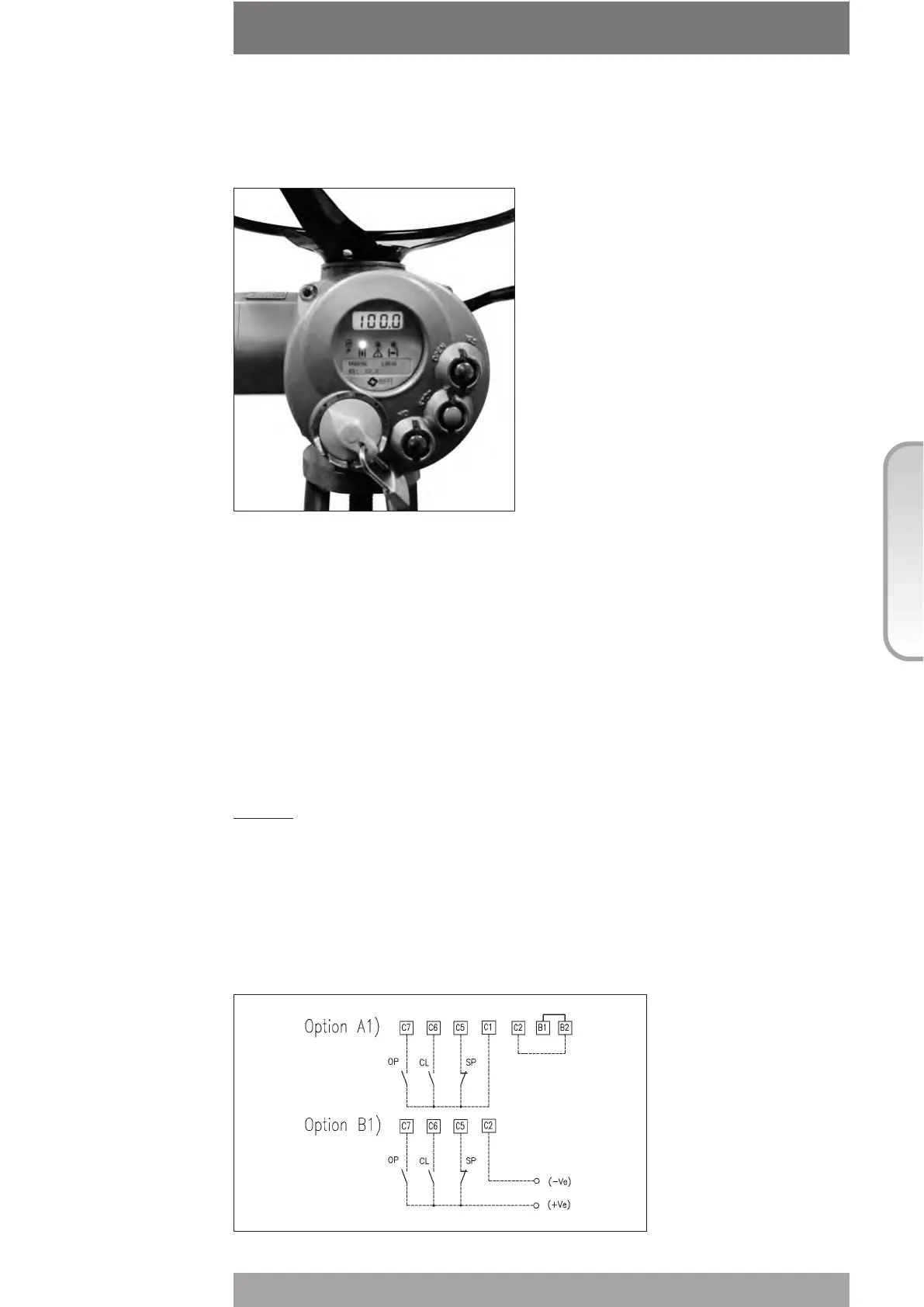
The 3-position selector can be locked in any of its three positions by means of a padlock.
6. Remote control
Place the 3-position selector in REMOTE to transfer the actuator control to a remote device.
Local OPEN or CLOSE operation will be inhibited. Only local STOP control remains active.
Using the "VIEW and SET-UP" features may configure different control modes. The remote
controls are opto-coupled.
A non-regulated 24VDC voltage (variable from 23 to 27 VDC, max. 4W) is available on the
actuator terminal board to supply the remote controls or external devices.
6.1 REMOTE COMMANDS
Using the "VIEW and SET-UP" features may configure different control modes.
4 WIRES (see the remote connections diagram shown below)
In “4 wires latched” (OPEN, CLOSE, STOP, COMMON) mode, with the OPEN or CLOSE
signal switched to ON, the motor is energised, and it runs on after the signal returns to OFF.
To stop the motor, press STOP. To reverse the direction, press STOP and then press the
button relevant to the opposite direction. The action of the STOP signal (stop with signal ON
or stop with signal OFF) may be reversed using the VIEW and SET-UP features , see chap.I,
par. “Remote controls”.



 To Next Page