97
© Copyright by BIFFI Italia. All rights reserved.
“ICON2000”
instruction and operating manual
Section 618/3 chapt. N
Section 618/3
4. The motor is very hot and does not start
- Check that no alarm other than motor overheating is present.
- Wait until the motor cools down and the normally closed contact of the thermal switch
automatically resets before trying to operate the actuator again.
- Check that the number of operations per hour and their duration is suitable for the actuator
service (see the name-plate menu).
- Check that the valve operating torque is within the range of the unit’s designed operating
torque.
- Always check the causes of abnormal operation.
5. The motor runs but the actuator does not move the valve
In case the local display does not change the valve position indicators:
- Check that the manual de-clutch lever is not stuck in manual operation position.
- Rotate the handwheel a few degrees to remove all possible sticking between the
handwheel and the drive sleeve.
In case the local display changes the valve position indicators:
- Verify the stem nut correctly fits in the actuator base.
- Verify the stem nut has sufficient engagement with the valve stem.
- Verify the key correctly fits in bore/keyways applications.
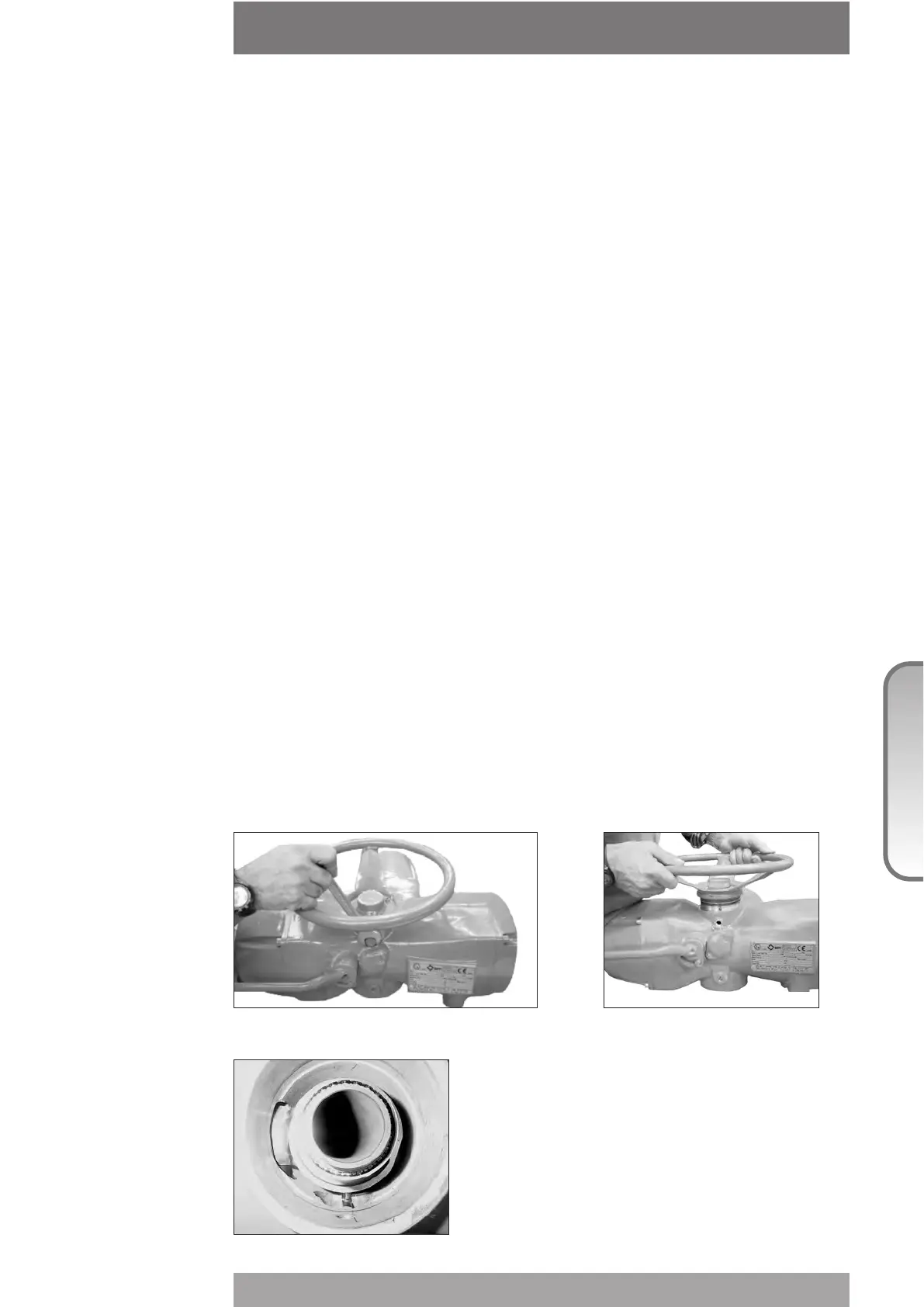
- Check that the valve works in manual operation. If not, it is necessary to check the manual
control area as follows:
• Loosen the handwheel security dowel.
• Remove the handwheel.
• Remove the cover supporting the handwheel.
• Check the integrity of the internal parts.
• Proceeding with the assembly, follow the reverse order of the disassembly.
• Make sure there are no foreign bodies. Pay attention not to damage the O-ring seals.



 To Next Page