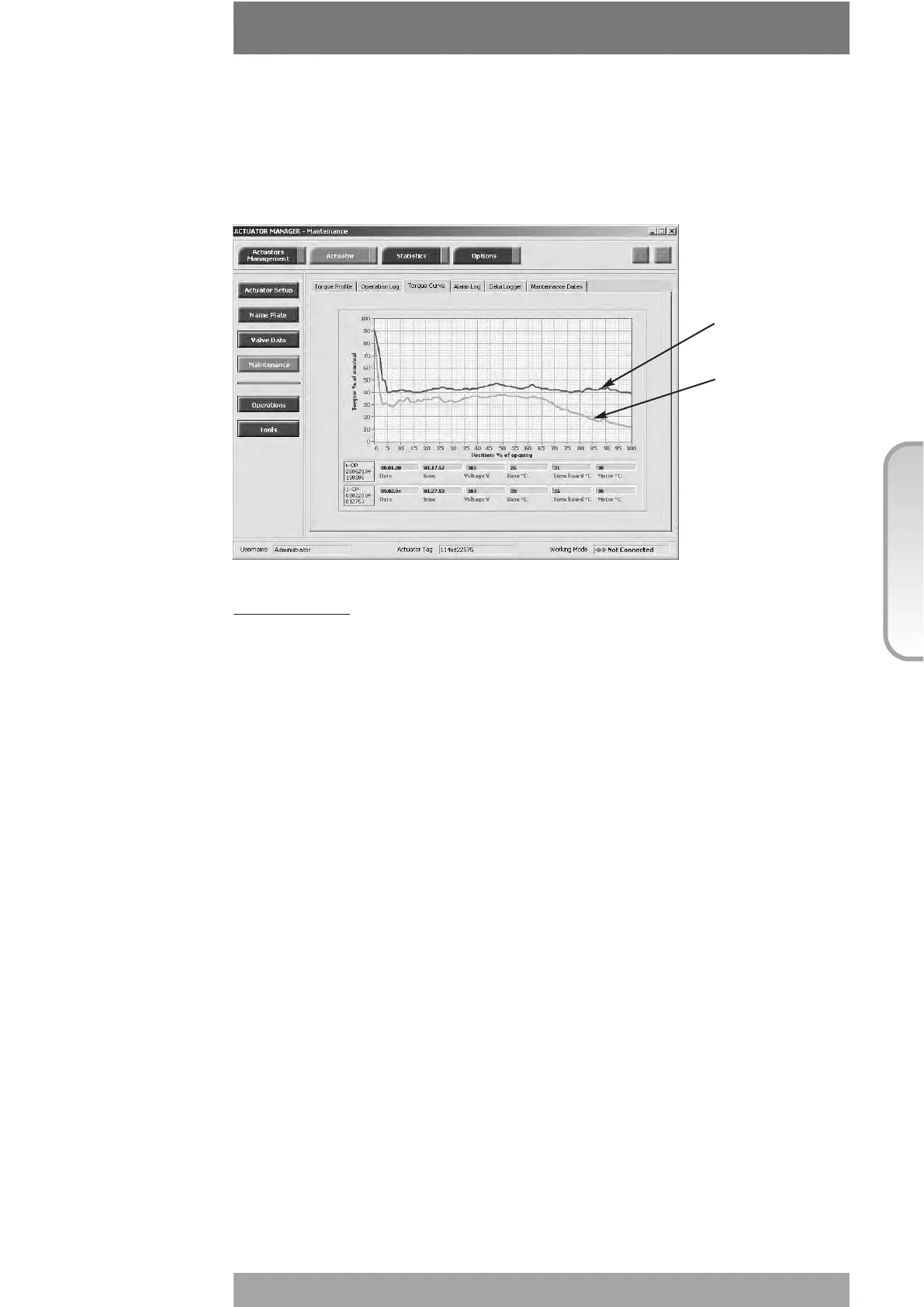
The amount of data to be viewed is large and the local display can only visualize one datum
at a time. To use this function we suggest to utilize the features available with PDA’s and PC
through BLUETOOTH
TM
wireless connection. The figure below shows an example of graph
available on PDA or PC screen, showing the reference opening torque curve and the latest
opening torque curve.
View procedure:
• Move the local selector to OFF and then simultaneously press OPEN and STOP. Select
the language according to the instructions (see “Entering the view mode”). When the
message displayed is “VIEW MODE OK?” press YES. Press NO to scroll the list of
available menus and press YES to select maintenance menu.
• Press NO to scroll the list of routines and press YES to select torque curve.
• Press NO to scroll the list of available curves (from 1 to 5 and reference). The curve 1 is
the latest and the curve 5 is the oldest. Press YES to select.
• Press YES to select the opening or closing curve. Press NO to exit.
• Press YES to scroll the list values. Press NO to exit
4.4 OPERATION LOG
The operation log consists of different counters and routines that provide information to
assist in the maintenance program. The data are grouped into 2 families: general and recent
data. The general data log collects data from "test date" to "present date". The test date is
set in house, can be viewed in the “name plate” menu but cannot be changed. The recent
data log collects data from the last "clear recent data log" date to "present date".
Command “clear recent data log” is available in the SET-UP MENU, maintenance, chap I. This
command clears the content of the recent data log and resets the counters to 0. The old
data are lost.
The main differences between “general” and “recent” data log are the following:
• The general data log gives information relevant to the full life of the actuator, starting from
the manufacturing date.
• In the recent data log the same data are collected starting from a date set by the user. The
date may be viewed in the MAINTENANCE DATE paragraph.
83
© Copyright by BIFFI Italia. All rights reserved.
“ICON2000”
instruction and operating manual
Section 618/2 chapt. L
Section 618/2
Reference
torque curve
Latest
torque curve



 To Next Page