Biotage
®
Selekt User Manual | © Biotage 2020
Set Up a Purification
Rack Sharing
The system offers the possibility to have the first fraction(s) of
a run collected in the last rack used by the previous run if the
following applies:
»
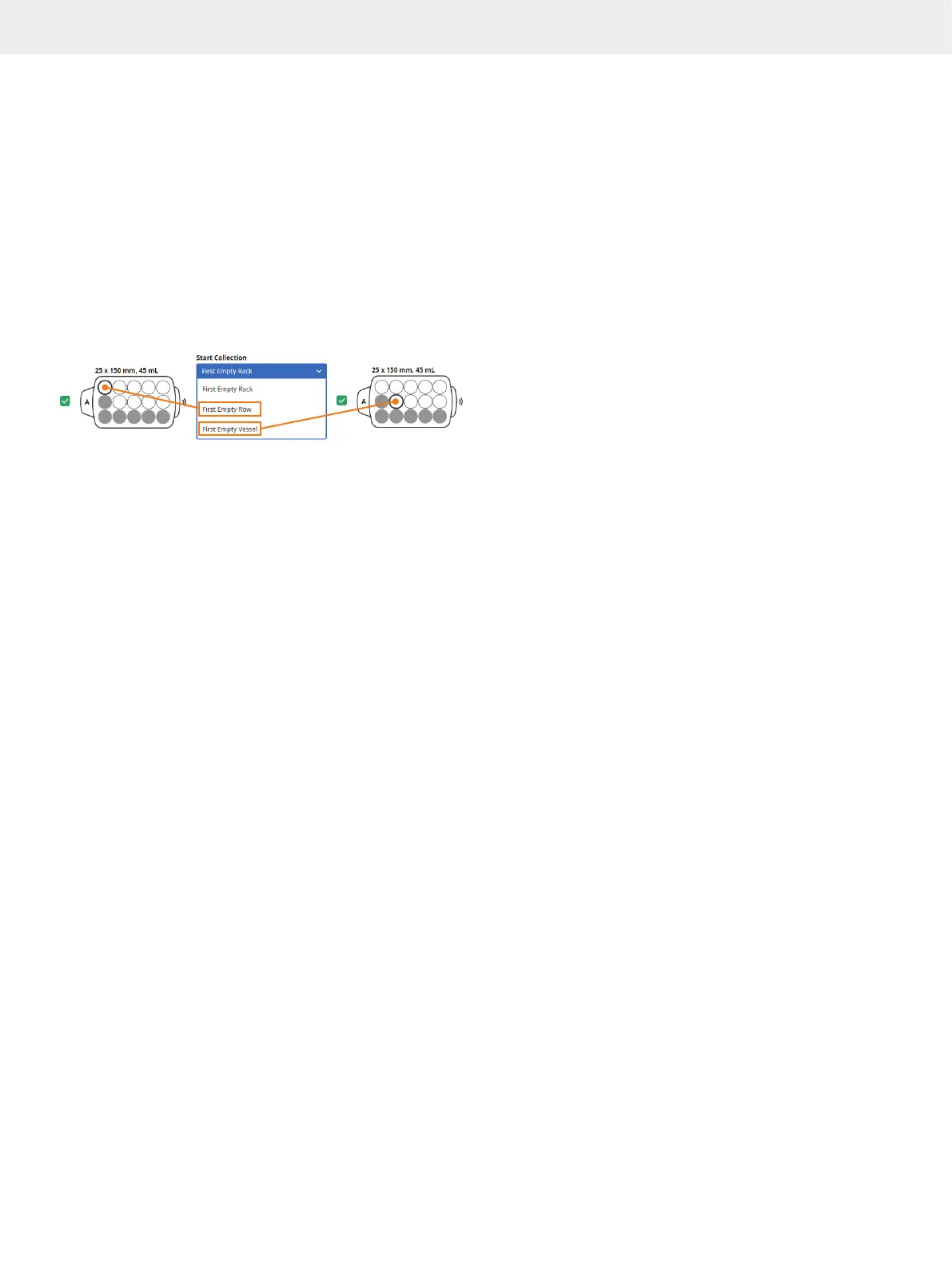
The Start Collection parameter in the system settings
is set to First Empty Row or First Empty Vessel.
»
The last rack used in the previous run:
»
Contains at least one row of empty vessels
or one empty vessel, depending on the Start
Collection setting (see previous bullet).
»
Has not already been shared by five runs.
»
Is enabled in the Rack panel when the run is started.
Figure 27. There are two Start Collection options in the system settings
that allow two consecutive runs to share a rack, First Empty Row and First
Empty Vessel. The first collection vessel to be used is highlighted with
a thicker border.
Collection Order
The system uses the assigned racks in alphabetical order in
regard to their positions on the tray. The dispensing order is
left to right starting with the front vessel row. The first vessel
that will be used for the run is highlighted with a thicker border;
see Figure 27.
Note: If the run is sharing a rack with the previous run,
collection will start in the shared rack independent of the
positions of other racks assigned to the run. For more
information see “Rack Sharing” above.
Max Fraction Volume
If you want to use a lower fraction volume than the one defined
for the selected rack(s), expand the Rack panel, enable the
Max Fraction Volume option (see Figure 26 on page 11), and
enter the desired volume. Note that this setting will only be
applied on racks with a higher vessel volume.



 To Next Page