39–
19.3 Occupied frequency bandwidth measurement <Occ BW>
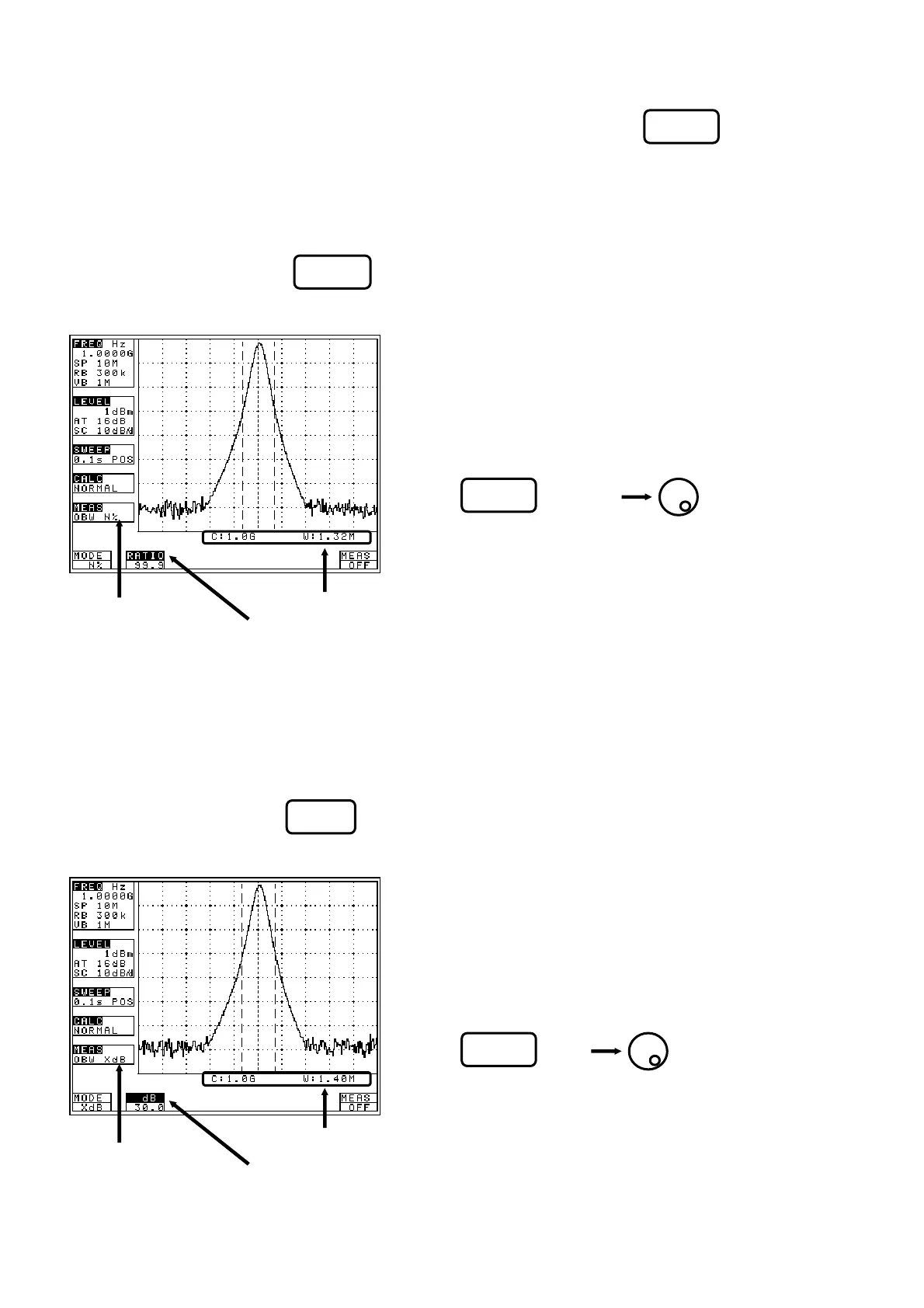
Measures the bandwidth at the point of N [%] of total power (N% POWER) or the bandwidth at the point X
[dB] down from the peak level (XdB DOWN). Two modes are available.
· N% POWER mode [Use (MODE) to select N%.]
Measures the bandwidth at the point of N [%] of total power displayed on the screen.
· XdB DOWN mode [Use (MODE) to select XdB.]
Measures the bandwidth at the point X [dB] down from the peak level,
* It is shown on MEAS area of LCD as “OBW N%”
* The measured value is displayed at the right lower
corner on the screen.
1. Use (RATIO) to set
the percentage to total power.
* Setting range: 80.0 to 99.9%
* It is shown on MEAS area of LCD as “OBW XdB”
* The measured value is displayed at the right lower
corner on the screen.
1. Use (dB) to set
the down level from peak level.
* Setting range: 0.1 to 80.0dB
F1
F1
F2
F2
[Occupied frequency
[Measured value]
[Measured value]
[Parameter]
bandwidth
measurement mode]
[Parameter]
[Occupied frequency
bandwidth
measurement mode]
F3
Test Equipment Depot - 800.517.8431 - 99 Washington Street Melrose, MA 02176
FAX 781.665.0780 - TestEquipmentDepot.com



 To Next Page