CHAPTER 3: INSTALLATION
37
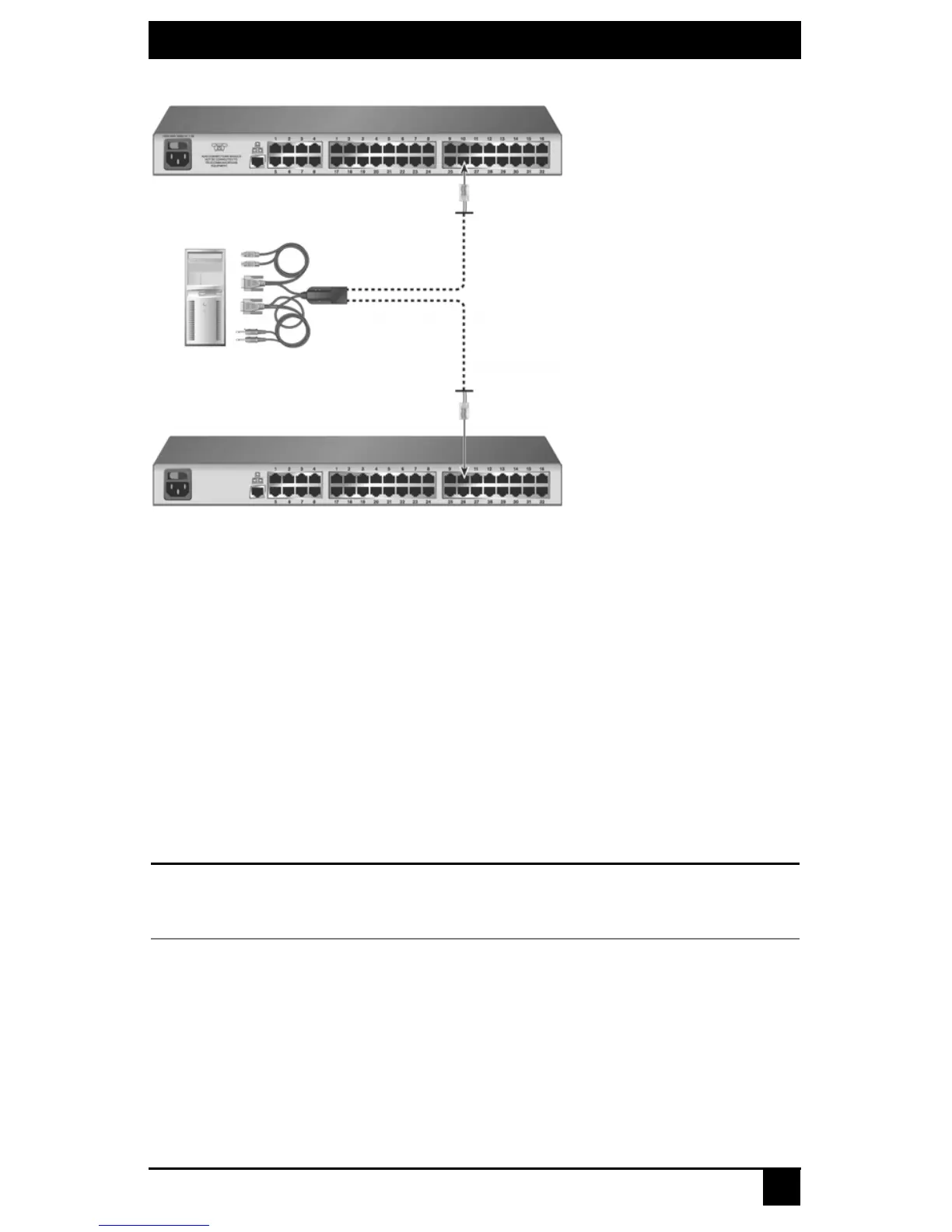
Figure 3-9. SAMDM Dual Port Connectivity
To connect an SAMDM for dual port output:
1. Power down the target device.
2. Attach the SAMDM keyboard, video, mouse, audio and serial connectors into the
corresponding ports on the back of the target device. Audio and serial connections
may be left unconnected if this functionality is not required for the switching system.
3. Repeat step 2 for each additional target device to be connected to the Octet switch.
4. Power up the target device. When the server has completely powered up, proceed to
the next step.
5. Attach one end of a UTP cable into a numbered server port on one of the Octet
switches. Attach the other end into either RJ-45 port on the SAMDM. Repeat this
step to attach the second Octet switch to the remaining RJ-45 port on the SAMDM.
6. If the Octet switches are not already powered, do so now.
NOTE:
If a target device is unavailable through the Octet switching system, make sure that all Octet switching
system target devices and components are powered up and all cables are correctly attached. If operation is
not restored, test the connection with another SAMDM or with another port on the Octet switch.
3.10 Installing a Cascaded Octet Switching System
Multiple KVM switches can be connected to the switching system to provide access to
additional target devices. You can connect target devices to up to three levels of Octet or
non-Black Box KVM switches. When cascading Octet switches, you can seamlessly
connect to any target device from a single list in the OSD, as if all the target devices were
connected to one switch. You can also cascade non-Black Box KVM switches, but to
access the attached target devices you must first select the non-Black Box switch from the
OSD target list, and then connect to the target device using the methods provided by the
Octet Switch
Octet Switch
Server
SAMDM













 To Next Page