CHAPTER 4: OPERATIONS
79
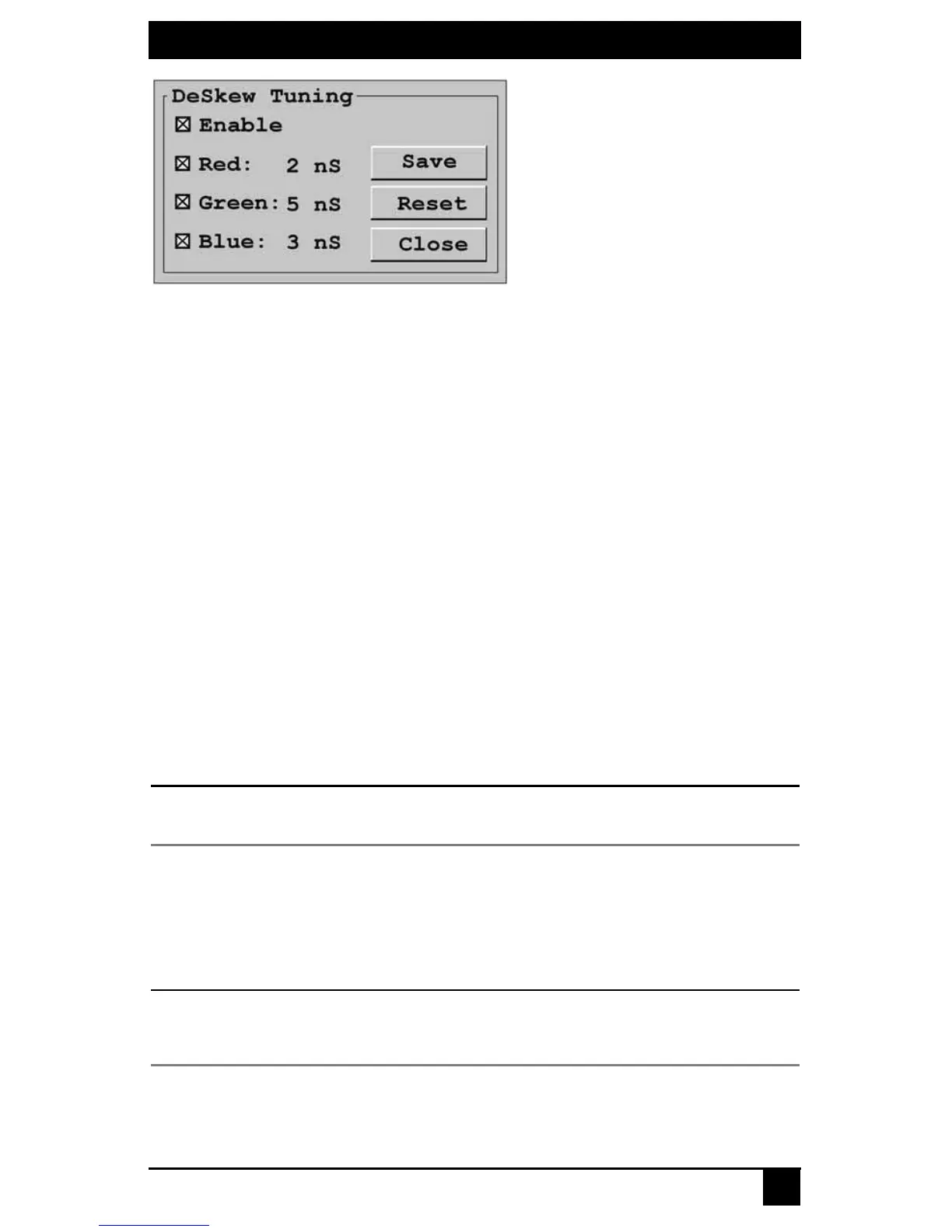
Figure 4-32. Deskew Tuning Screen
3. Select Enable to allow manual adjustment of deskew values.
4. Select the color(s) you wish to adjust. You may adjust colors individually or as a
group.
5. To increase the deskew value of the selected color(s) by increments of one, use the
Up key or Plus key.
6. To decrease the deskew value of the selected color(s) by increments of minus one,
use the Down key or Minus key.
7. If you are currently connected to a target device, the deskew values will be immedi-
ately applied to the video signal.
8. If you wish to save the current deskew settings, click Save. The deskew settings will
be permanently stored on the user station and will be applied to the video signal each
time you connect to a target device.
-or-
If you do not wish to save changes to the user station, click Close. The deskew tuning
will apply to the video signal of the currently connected target device until the
connection is closed.
-or-
If you want to reset the deskew values to zero and disable deskew tuning, click Reset.
NOTE:
If deskew tuning is not supported on your user station, you will not be able to access the Deskew
Tuning screen.
Configuring the DDC table
The Display Data Channel (DDC), specified by Video Electronics Standards Association
(VESA), is a communication interface between a server display, such as a monitor or
Octet server access module, and a host system, such as PC or workstation. You can choose
to use the default DDC table or nVidia DDC table.
CAUTION:
If you are unsure of what DDC table is needed for your system, do not change the DDC table setting.
Contact your system administrator or Black Box Technical Support for more information about configuring
the DDC table.
To configure the DDC table:
1. Press the default Command Line hotkey sequence to display the Command Line.













 To Next Page