SERVSWITCH™ OCTET INSTALLER/USER GUIDE
72
connection when you enable persistent mode, the settings of the next successful
connection is stored.
NOTE:
In a dual Octet switch configuration, if persistent mode is enabled and the connection to a target server is
lost due to a switch failure, then the connection is re-established automatically through the redundant path.
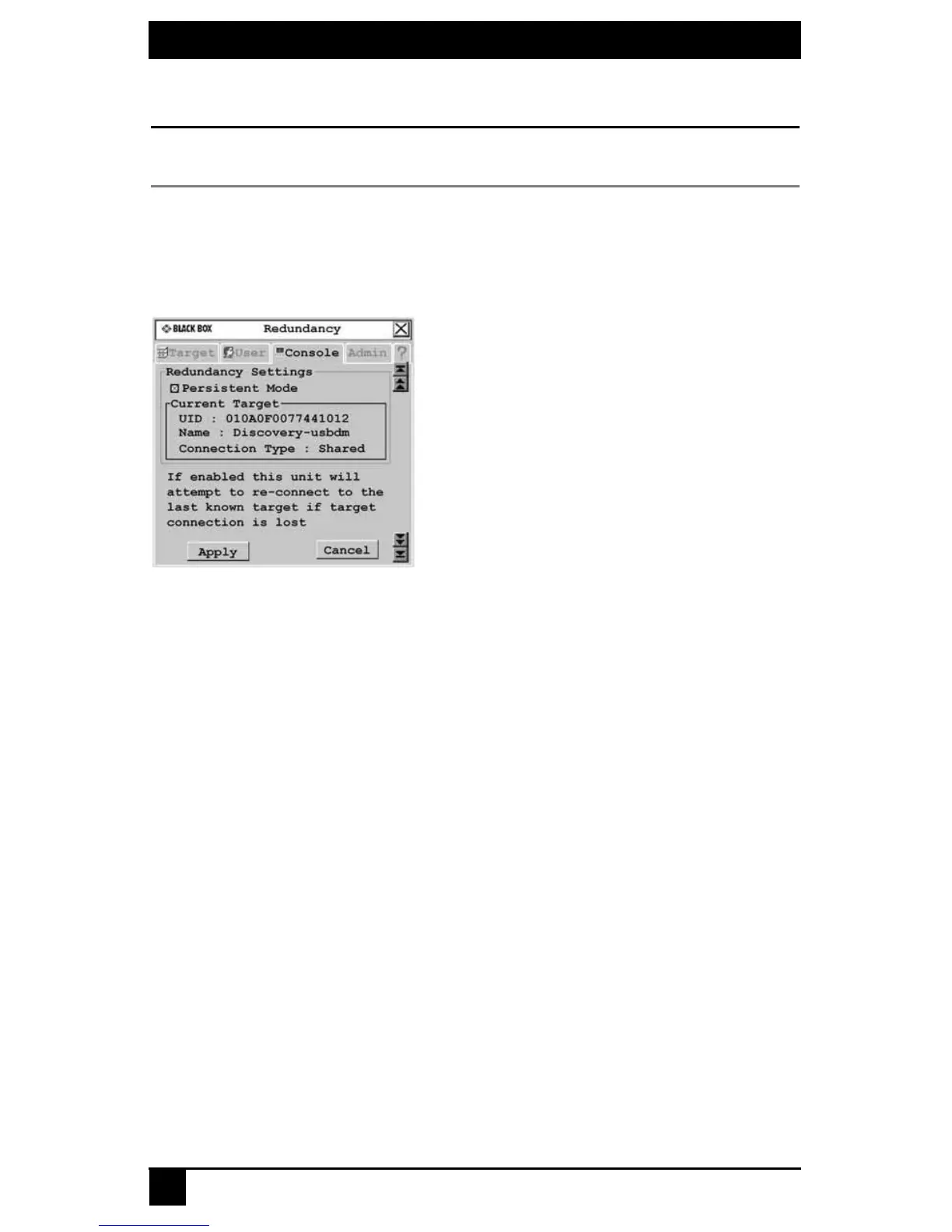
To set the persistent mode
1. Press Ctrl+Ctrl to launch the OSD interface.
2. Click the Console tab, then click the down arrow button to display the Redundancy
screen.
Figure 4.24: Redundancy Screen
3. Click the checkbox to activate persistent mode.
4. To save changes, click Apply. To exit the OSD interface, click Cancel or X.
User station inactivity settings
Use the Screen Saver, Logout and Inactivity Time options to control the behavior of your
console during periods of inactivity. You can choose to have your system logout after the
expiration of the inactivity time designated in the Inactivity Time field. Also, if the Screen
Saver is enabled, the OSD disappears after another period of inactivity time.
To configure your console for inactivity time:
1. Press Ctrl+Ctrl to launch the OSD.
2. Click the Console tab, then click the down arrow button to display the Inactivity
screen.













 To Next Page