SERVSWITCH™ OCTET INSTALLER/USER GUIDE
60
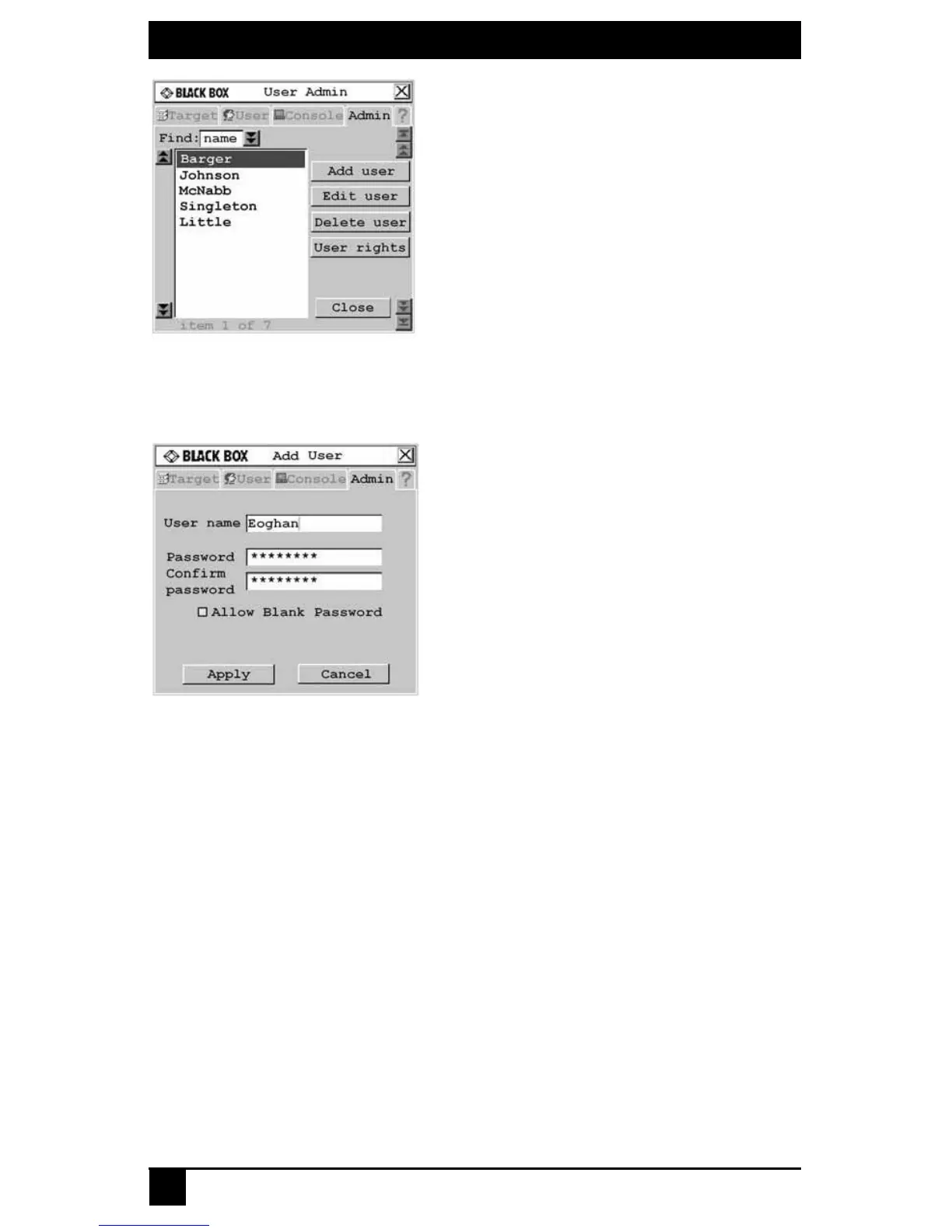
Figure 4-12. User Admin Screen
4. Click the Add user button. The Add User screen displays.
Figure 4.13: Add User Screen
5. Enter the name of the user in the User name field.
6. Enter the user’s password and confirm it in the provided fields.
-or-
Select Allow Blank Password to enable the user to log in without entering a
password.
7. To save changes, click OK. To exit the OSD, click Cancel or X.
To delete a user:
1. Press Ctrl+Ctrl to launch the OSD.
2. Click the Admin tab.
3. Click the down arrow button to display the User Admin screen.
4. Select the user you wish to delete.
5. Click the Delete user button.
6. When you are prompted to complete the deletion, click Yes or No.
7. Click Close or X to exit the OSD.













 To Next Page