SERVSWITCH™ OCTET INSTALLER/USER GUIDE
62
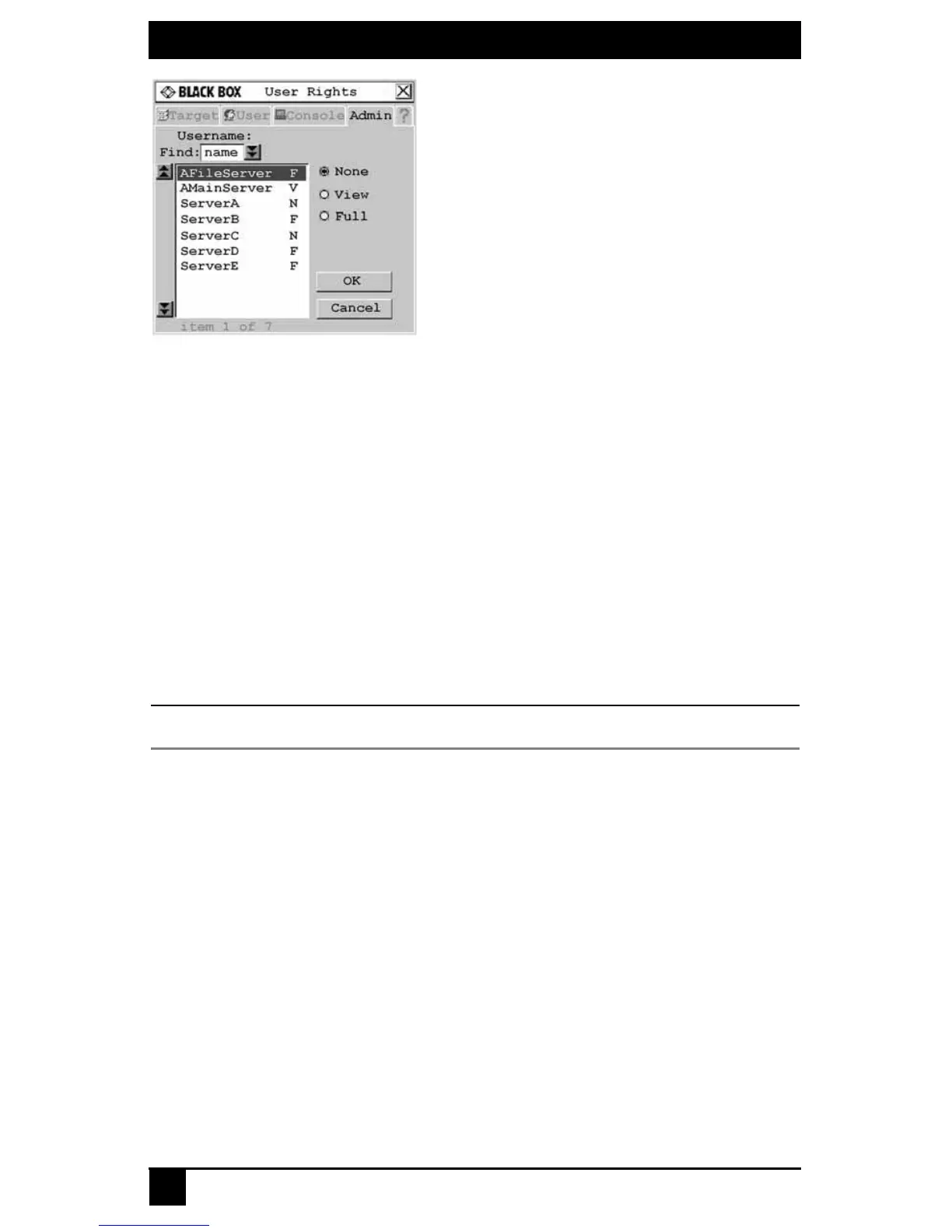
Figure 4-15. User Rights Screen
5. To change a user’s access rights to a single target device, click the target from the list
of available target devices. Select the appropriate access level: none, view or full.
- or -
To change a user’s access rights to multiple target devices, press and hold the Ctrl
key while you individually select the target devices that you wish to be controlled
externally. Alternately, if you wish to select a group of target devices in sequence,
click the first target device in the sequence, press and hold the Shift key and select
the last target device to highlight the group. Then select the appropriate access level:
none, view or full.
6. Press and hold the Ctrl key while you individually select the target devices that you
wish to be controlled externally. Alternately, if you wish to select a group of target
devices in sequence, click the first target device in the sequence, press and hold the
Shift key and select the last target device to highlight the group.
NOTE:
User rights must be assigned to each MDM Octet server access module and MDM target device.
7. Click OK to save changes and return to the User Admin screen. You may select
another user to configure access rights or click Close or X to exit the OSD.
To force user login:
1. Press Ctrl+Ctrl to launch the OSD.
2. Click the Admin tab.
3. Click the down arrow button to display the User Admin screen.
4. Select admin from the list and click the Edit user button. The Edit User
screen displays.













 To Next Page