SERVSWITCH™ OCTET INSTALLER/USER GUIDE
64
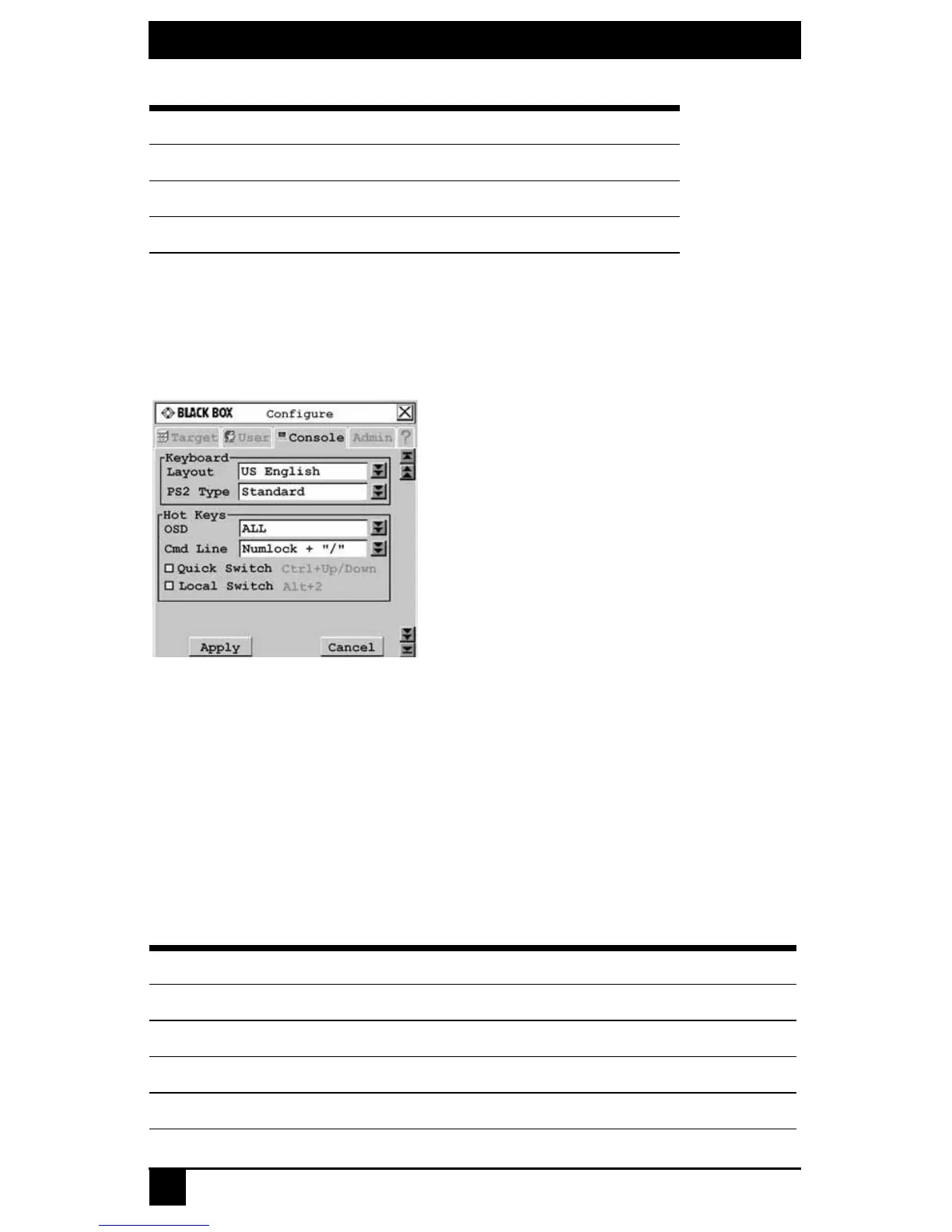
To configure keyboard layout for the user station:
1. Press Ctrl+Ctrl to launch the OSD.
2. Click the Console tab, then click the down arrow button to display the
Configure screen.
Figure 4-17. Configure Screen
3. Select a keyboard layout from the Layout drop-down menu.
4. To save changes, click Apply. To exit the OSD, click Cancel or X.
Device
When connecting a non-U.S. 13W3, VGA Sun or USB server to an Octet switching
system, you must manually set the keyboard for that target device. The following table
lists supported keyboard layouts for USB and Sun Octet server accesss modules. For more
information, see Setting Device Properties on page 73.
German Swiss-German
Greek United Kingdom
Italian
Available Keyboard Layouts on USB and Sun Octet Access Modules
Keyboard Layouts
US English Korean
Belgian Norwegian
Canadian-French Portuguese
Danish Russian
Available Keyboard Layouts on the Octet User Station (Continued)
Keyboard Layouts













 To Next Page