Power Button
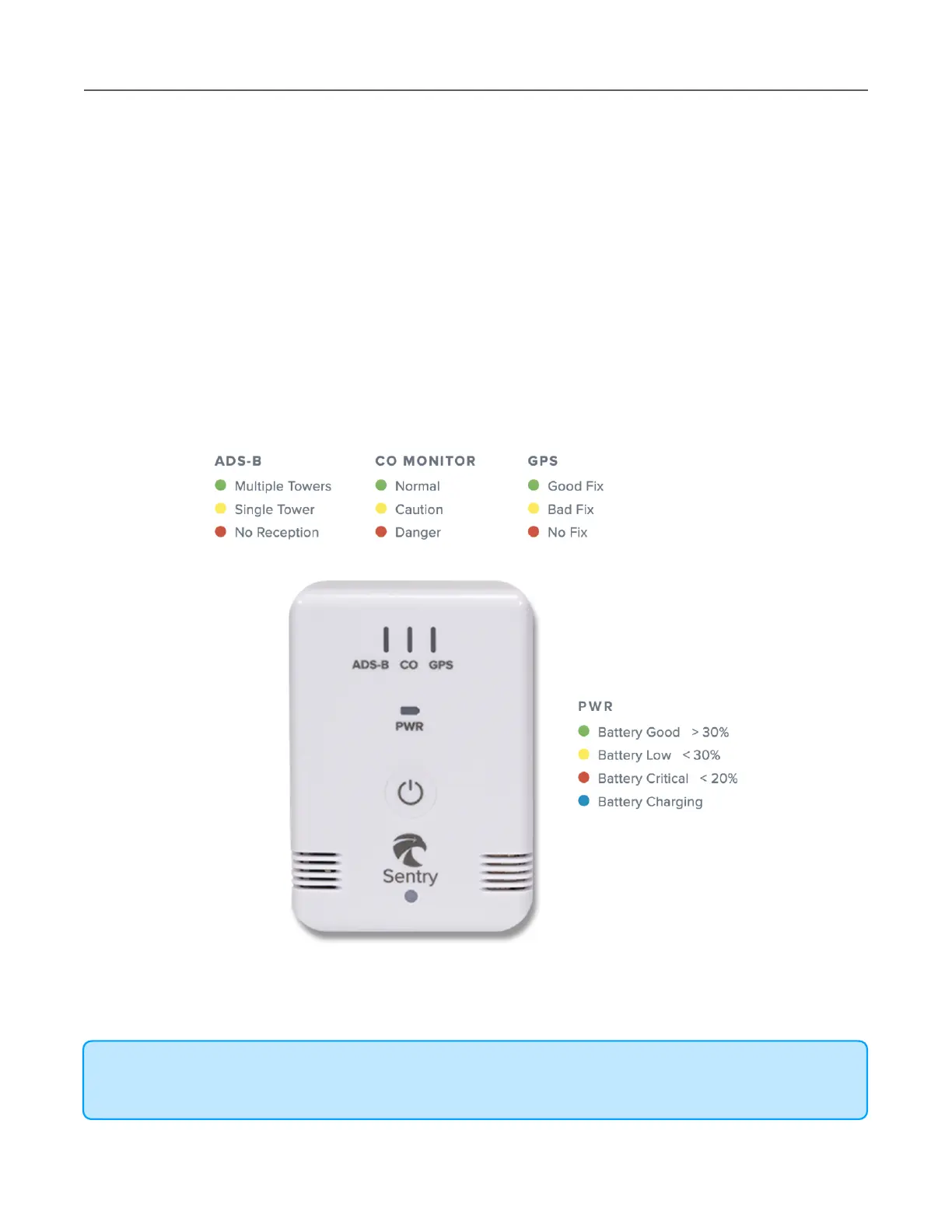
Sentry has a single button located in the center of the device. Press and hold the button for
approximately two seconds to power Sentry on or off. When powered on, the ADS-B, CO,
GPS, and PWR LEDs are activated.
LED Status
Sentry has four LEDs. The ADS-B, CO, and GPS LEDs are activated when Sentry is powered
on. The PWR LED is activated when Sentry is charging or powered on. LED brightness is
controlled in Sentry settings by selecting More > Devices > Sentry.
Auto Brightness automatically adjusts LED brightness based on ambient light.
NOTE: Any data received from an ADS-B tower (including tower information) is considered
reception. A yellow or green ADS-B LED does not guarantee reception of FIS-B data.



 To Next Page