Battery
Sentry Plus is equipped with a rechargeable battery. The battery is designed to provide up to
18 hours of use on a full charge. The battery is not designed to be replaced.
When Sentry Plus is powered on, battery percentage is depicted in the top left corner of the
OLED display. Battery percentage is also depicted in ForeFlight Mobile by selecting More >
Devices > Sentry Plus or by selecting Sentry Plus from the Maps Settings menu.
When Sentry Plus is charging, the PWR LED is blue, and the battery percentage is replaced
with a “CHRG” label. When powered on, the LED changes to green when fully charged. When
powered off, the LED extinguishes when fully charged.
Universal USB-C Charging
Sentry Plus can be charged with any USB-
C charger. Sentry Plus can receive charge
loads up to 240 watts over full-featured
USB-C cables and connectors. The Sentry
Plus battery module regulates charging
voltage as needed.
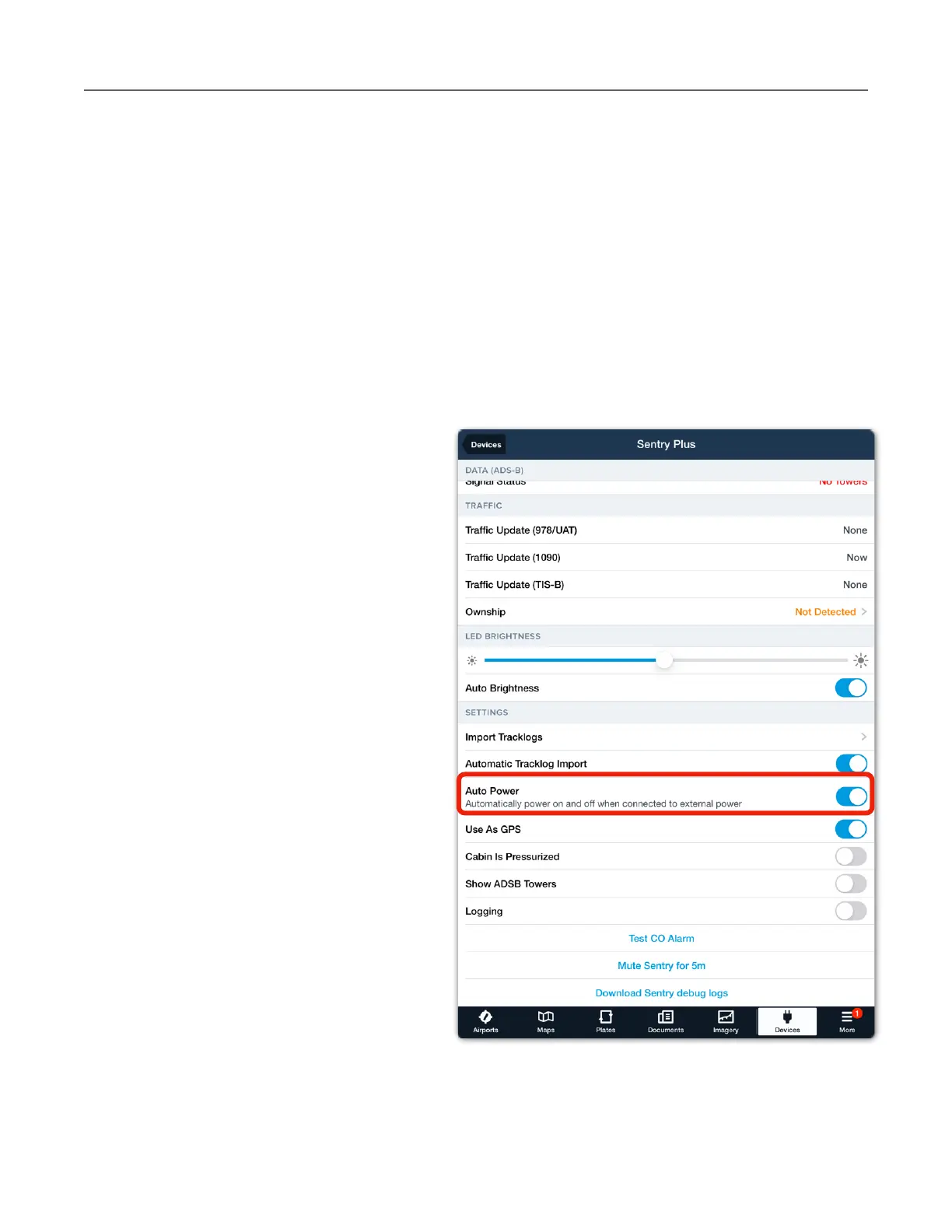
Auto Power
Sentry Plus is equipped with an Auto
Power option. If Auto Power is enabled,
Sentry Plus automatically turns on when
plugged in and turns off when the power
source is removed with GPS ground speed
less than 10 knots for 45 seconds.
Auto Power is disabled by default. Enable
Auto Power in Sentry Plus settings by
selecting More > Devices > Sentry Plus
and scrolling to the bottom of the view.
When Auto Power is enabled, the power
button can still be used to turn the device
off. When Auto Power is disabled, use the
power button on Sentry Plus to turn the
unit on or off.



 To Next Page