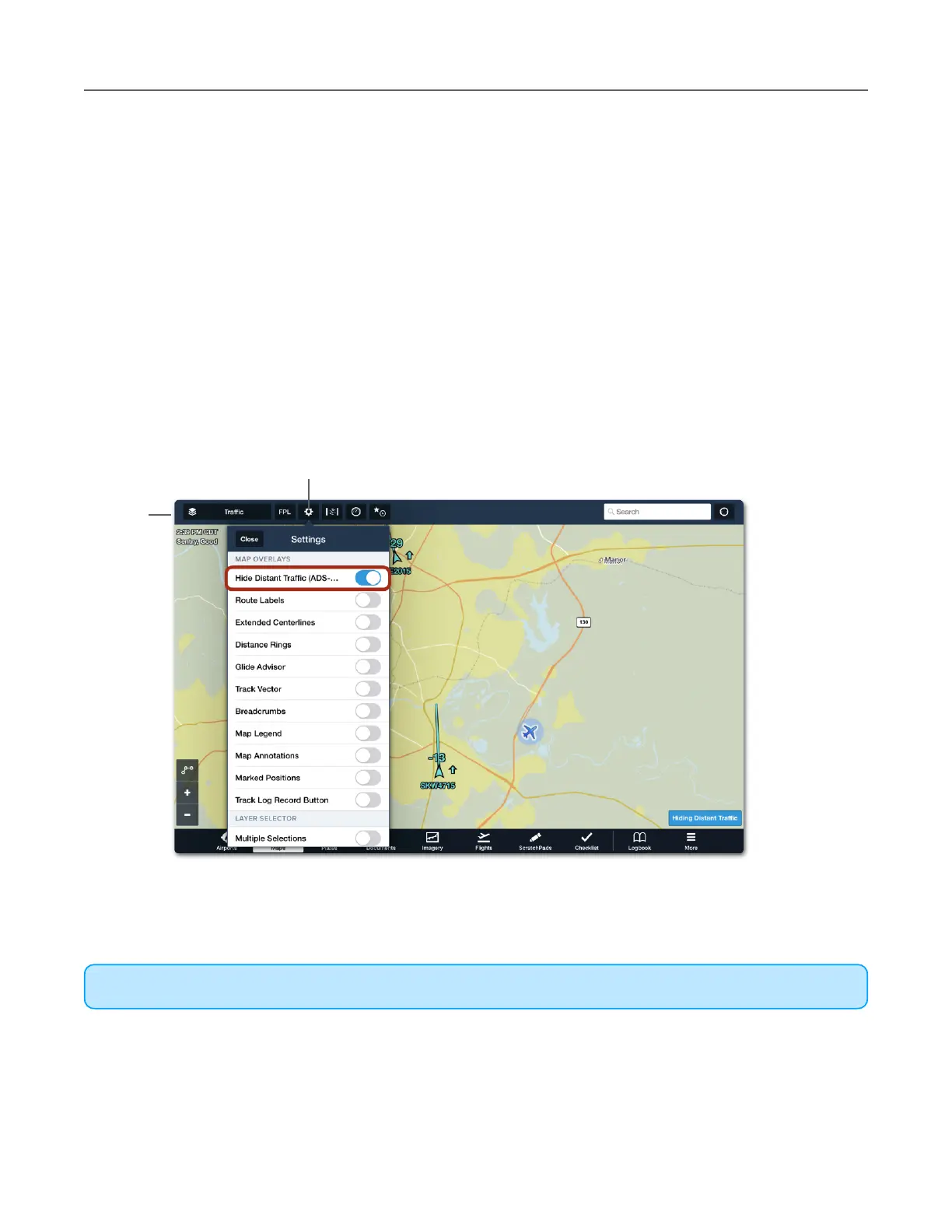
Hide Distant Traffic
All traffic detected by Sentry is displayed in ForeFlight when the Traffic map layer is selected.
To reduce the amount of traffic displayed on the map, enable the Hide Distant Traffic setting.
When Hide Distant Traffic is enabled, traffic more than 15 nm or more than 3,500 feet above
or below your position is removed from the map. Enabling Hide Distant Traffic while operating
in congested areas is recommended.
To hide distant traffic, open the Map setting menu and enable Hide Distant Traffic (ADS-B).
When Hide Distant Traffic is enabled, a label appears in the lower right corner of the screen.
The Hide Distant Traffic setting is only available when connected to Sentry. To remove all
traffic from the map, deselect the Traffic layer from the map layer menu in the upper left
corner.



 To Next Page