AIRMETs, SIGMETs, CWAs
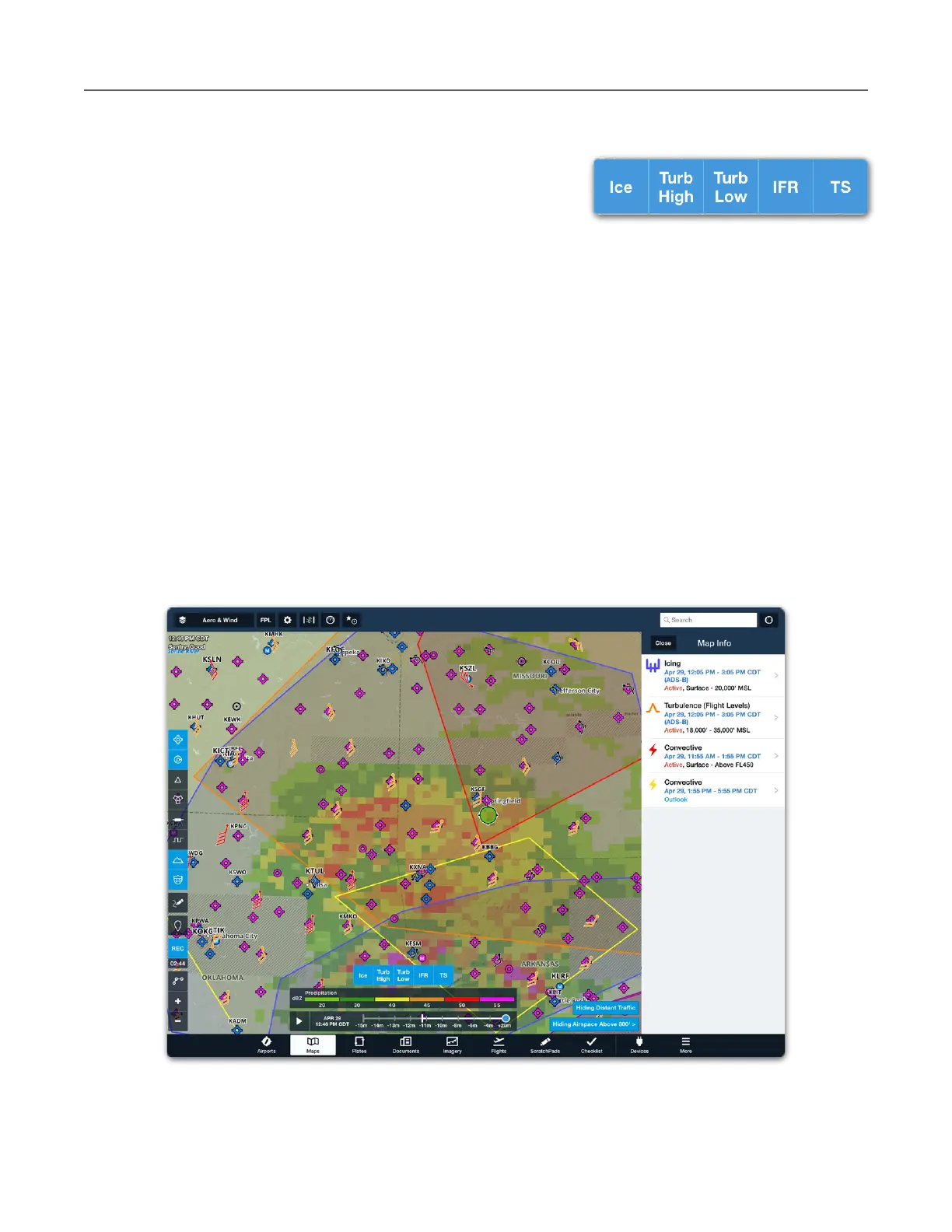
ForeFlight combines AIRMETs, SIGMETs, and Center
Weather Advisories (CWA) into a single map layer. When
the AIR/SIGMET/CWAs map layer is selected, the
individual weather products can be filtered with the buttons
near the bottom of the map.
Buttons highlighted in blue are selected, and the relevant advisories are displayed graphically
on the map during the appropriate active time.
AIRMETs, SIGMETs, and CWA layers are routinely updated every six hours and are
automatically refreshed in ForeFlight every five minutes. AIRMETs, SIGMETs, and CWAs are
forecast products. Use the time slider to view future forecast periods.
If an observed weather product (i.e., Radar) is selected at the same time as the AIR/SIGMET/
CWA layer, the time slider reflects historical data, not forecast.
Tap an AIRMET, SIGMET, or CWA to display the associated textual pop-up. If there are more
than one active layers where you tapped, the advisories are depicted in a list view. Tap an
individual advisory to display the advisory’s text.



 To Next Page