Calibrating AHRS
Sentry and Sentry Plus AHRS can be calibrated automatically or manually. Calibrating Sentry
AHRS ensures the backup attitude indicator displays a level horizon when straight and level.
The recommended method is to calibrate AHRS automatically.
Automatically Calibrating AHRS
To automatically calibrate Sentry or Sentry Plus AHRS, perform the following
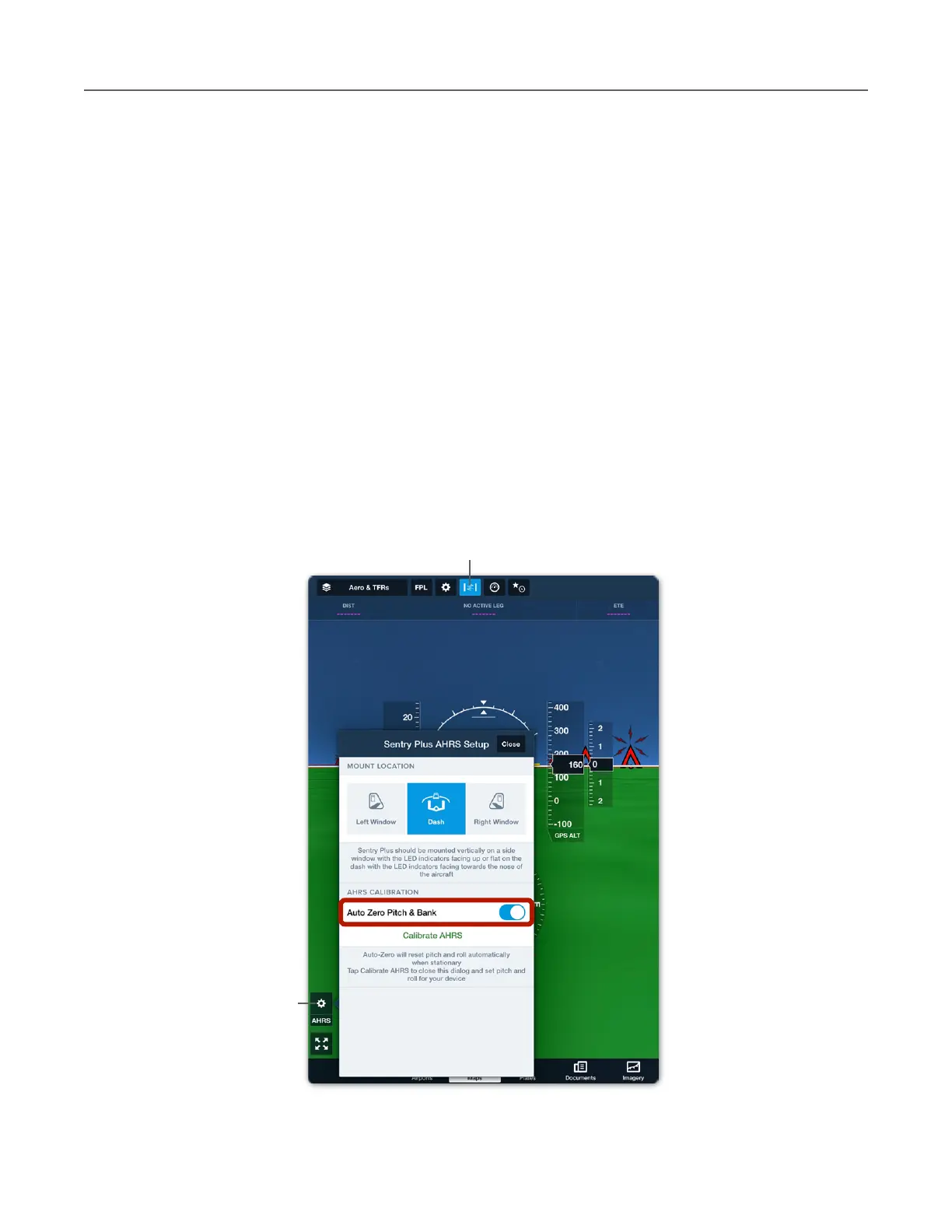
1. Open ForeFlight’s backup Attitude Indicator (see image below).
2. Tap the AHRS settings (gear) button.
3. Enable the Auto Zero Pitch & Bank setting.
When Auto Zero Pitch & Bank is enabled, ForeFlight constantly evaluates your pitch, bank,
and acceleration. When ForeFlight determines that your aircraft has been straight and level
with no acceleration for more than ten-seconds, it automatically cages the AHRS and displays
zero degrees of pitch and roll.



 To Next Page