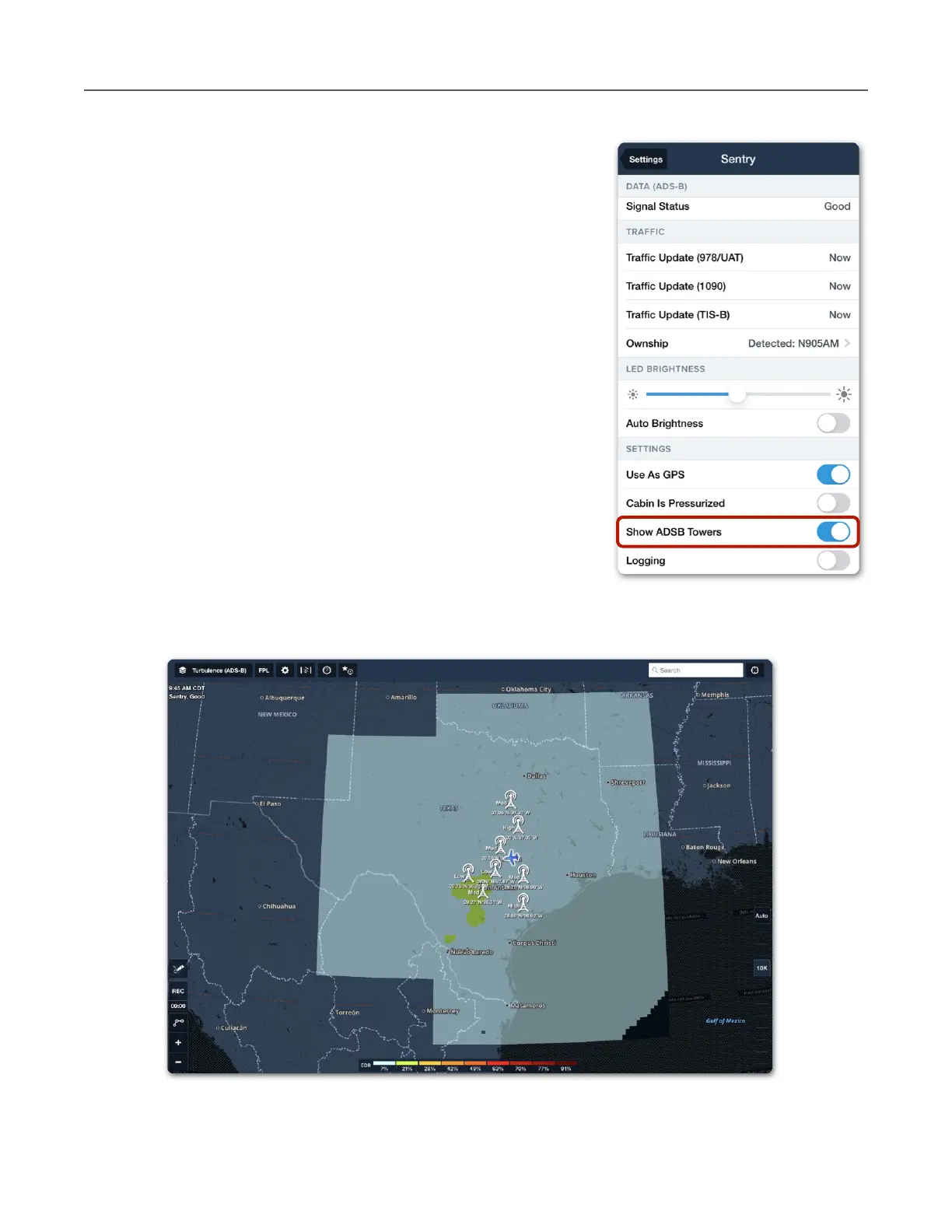
Tower Location on Map
ForeFlight can display the towers Sentry is receiving data
from on the map. Any data being received from a tower
(including station data only) will result in the tower being
displayed on the map.
To display ADS-B towers, open Map Settings > Sentry and
enable Show ADS-B Towers. Tower location can also be
depicted by enabling the setting in More > Devices > Sentry
> Show ADS-B Towers.
Towers are depicted on the map at their approximate
location. Tower latitude, longitude, and tower type are shown
next to the tower icon. Tapping an ADS-B tower icon does not
provide any additional information.
FIS-B Tower Tiers and Look-Ahead Range
ForeFlight combines information from multiple towers (if
applicable) into a single map layer. Areas outside the
broadcast range (look-ahead range) display hash marks and
Data not available labels.



 To Next Page