Weather Replay
All Sentry receivers have an integrated memory chip that allows them to store up to 30 minutes
of weather and NOTAM data. When Sentry is powered on and receiving ADS-B data, it
automatically starts storing the information it receives.
Sentry automatically deletes data older than 30 minutes. Weather Replay reduces the time it
takes to display ADS-B data by storing information locally until you select the stored weather
product in ForeFlight. Information from the integrated Weather Replay memory chip appears
no different in ForeFlight than information received in real-time.
ADS-B Map Layers
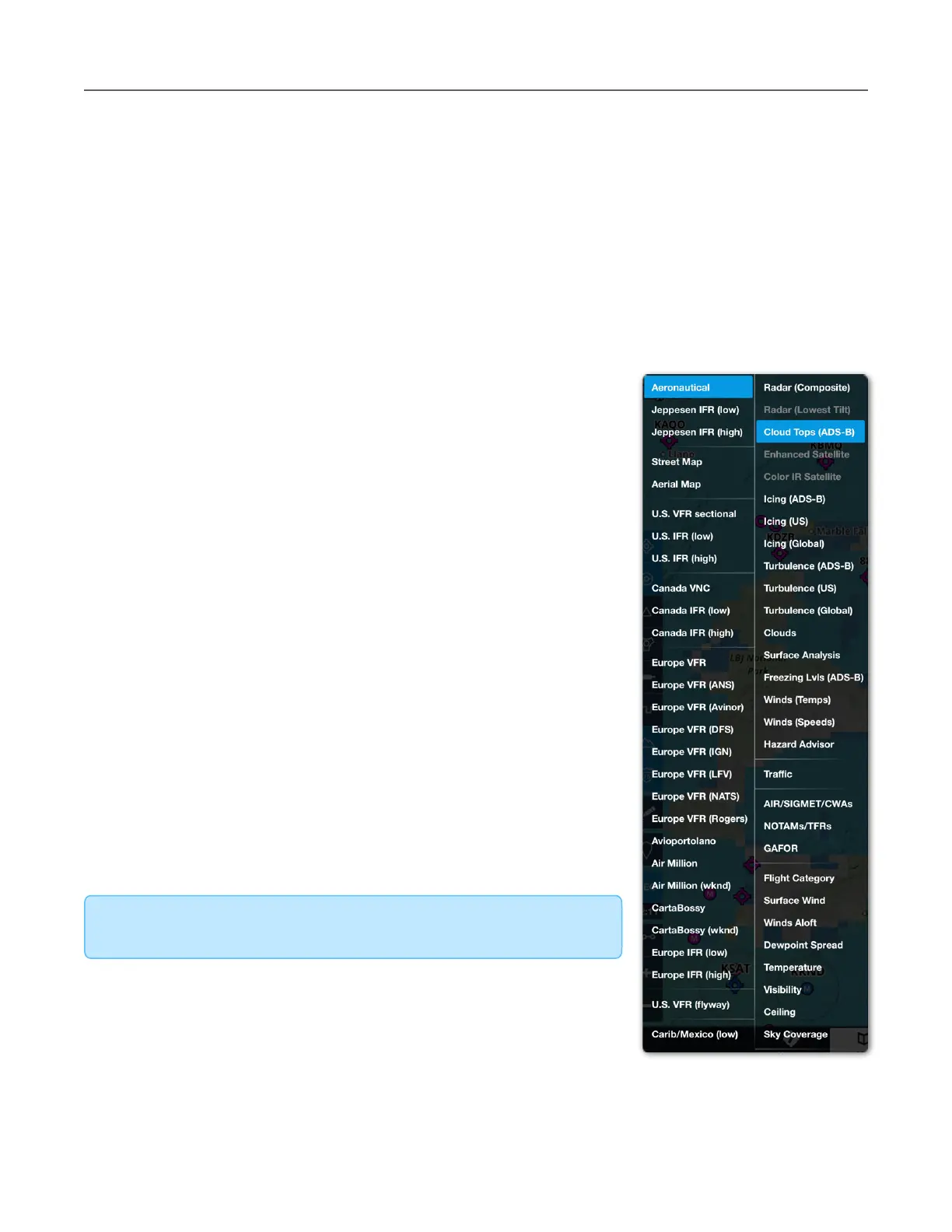
When connected to Sentry, ADS-B weather products become
available to select from the layer menu.
•
Cloud Tops (ADS-B)
•
Icing (ADS-B)
•
Turbulence (ADS-B)
•
Freezing Level (ADS-B)
ADS-B weather layers can be selected even if data is not being
received. If you select an ADS-B only weather layer before
receiving data, the map displays No Data Available.
The layer menu includes weather products that are available
when connected to Sentry and may also be available via Pack. If
a weather layer is selected when connected to Sentry but the
data was not packed, the map displays No Data Available.
If a weather product is not part of the FIS-B broadcast or able to
be packed, it is greyed out and not selectable (e.g., Enhanced
Satellite and Radar Lowest Tilt).



 To Next Page