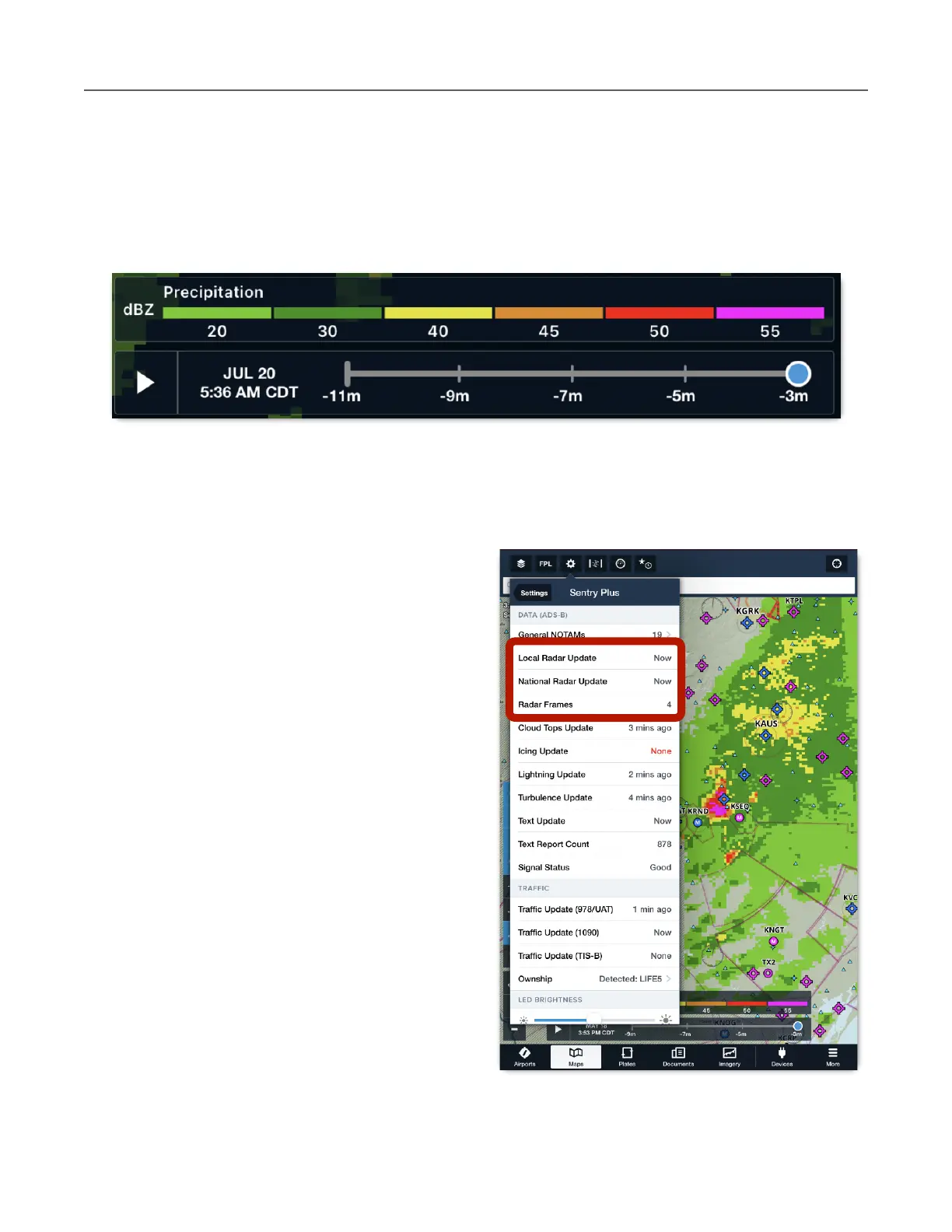
Animated ADS-B Radar
When Radar (Composite) is selected, the animate (play) button is displayed left of the time
slider at the bottom of the Maps view. The time slider and play button are removed when less
than two radar frames are available. ForeFlight will animate (loop) up to 10 frames of NEXRAD
data.
Open the Map Settings (gear button) and select Sentry (near the bottom of the list) to see
how many radar frames are stored via Weather Replay.
If two or more radar frames have been
received, radar can be animated. The Local
Radar Update displays when Regional
NEXRAD was last updated. National Radar
Update displays when CONUS NEXRAD was
last updated.



 To Next Page