Mounting Location
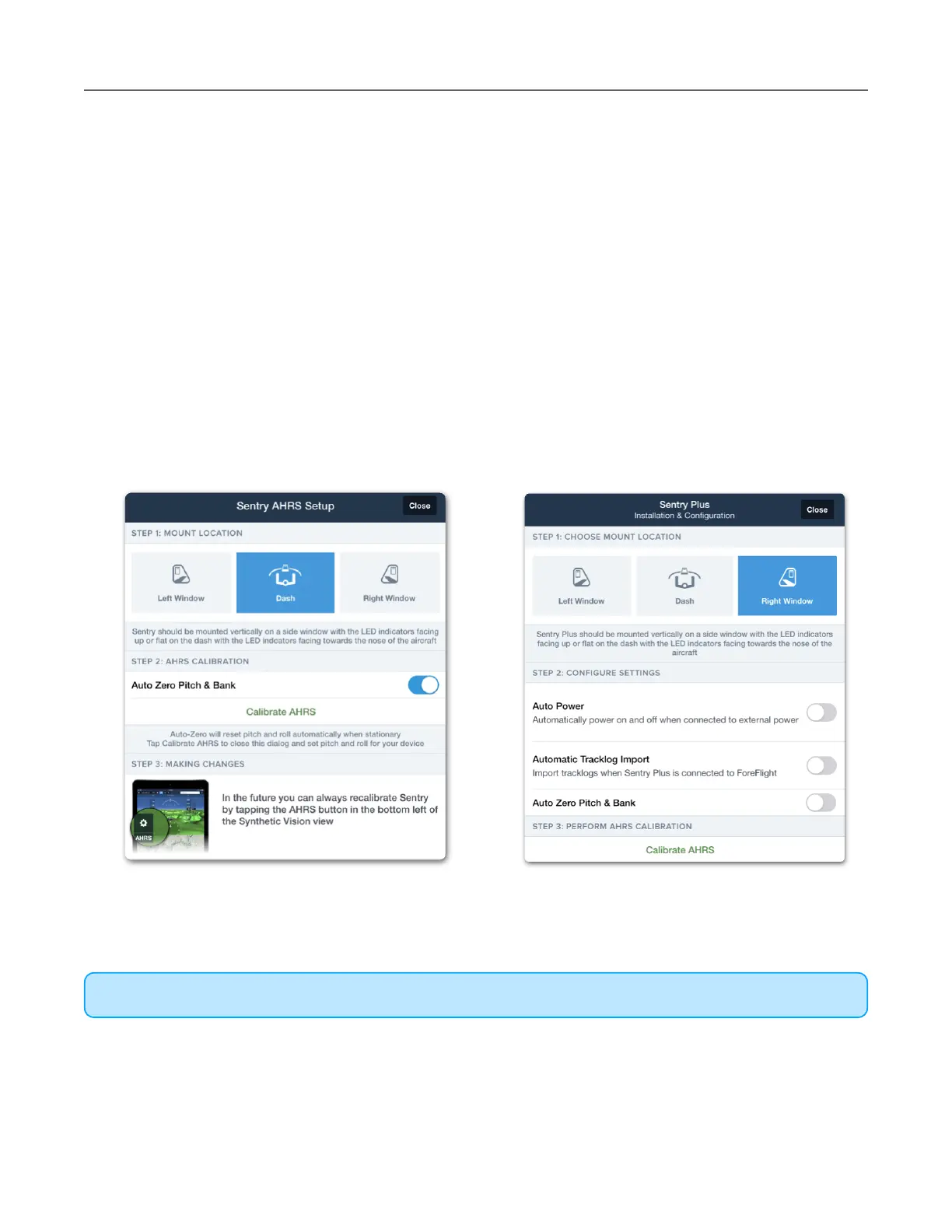
To provide accurate pitch and roll information, Sentry must communicate to ForeFlight where it
is mounted. Selecting a mounting location is one of the options provided during the initial setup
process. The initial setup menu is automatically displayed anytime ForeFlight recognizes a
new Sentry or Sentry Plus.
To change the mounting location after initial setup, perform the following
1. Open ForeFlight’s backup attitude indicator (Attitude Indicator button in the upper
toolbar).
2. Tap the AHRS settings (gear) button near the bottom left corner of the screen.
3. Select a new mounting location (Left Window, Dash, or Right Window).



 To Next Page