SINFONIA500SE / EMPRIO 600SE OWNERS MANUAL
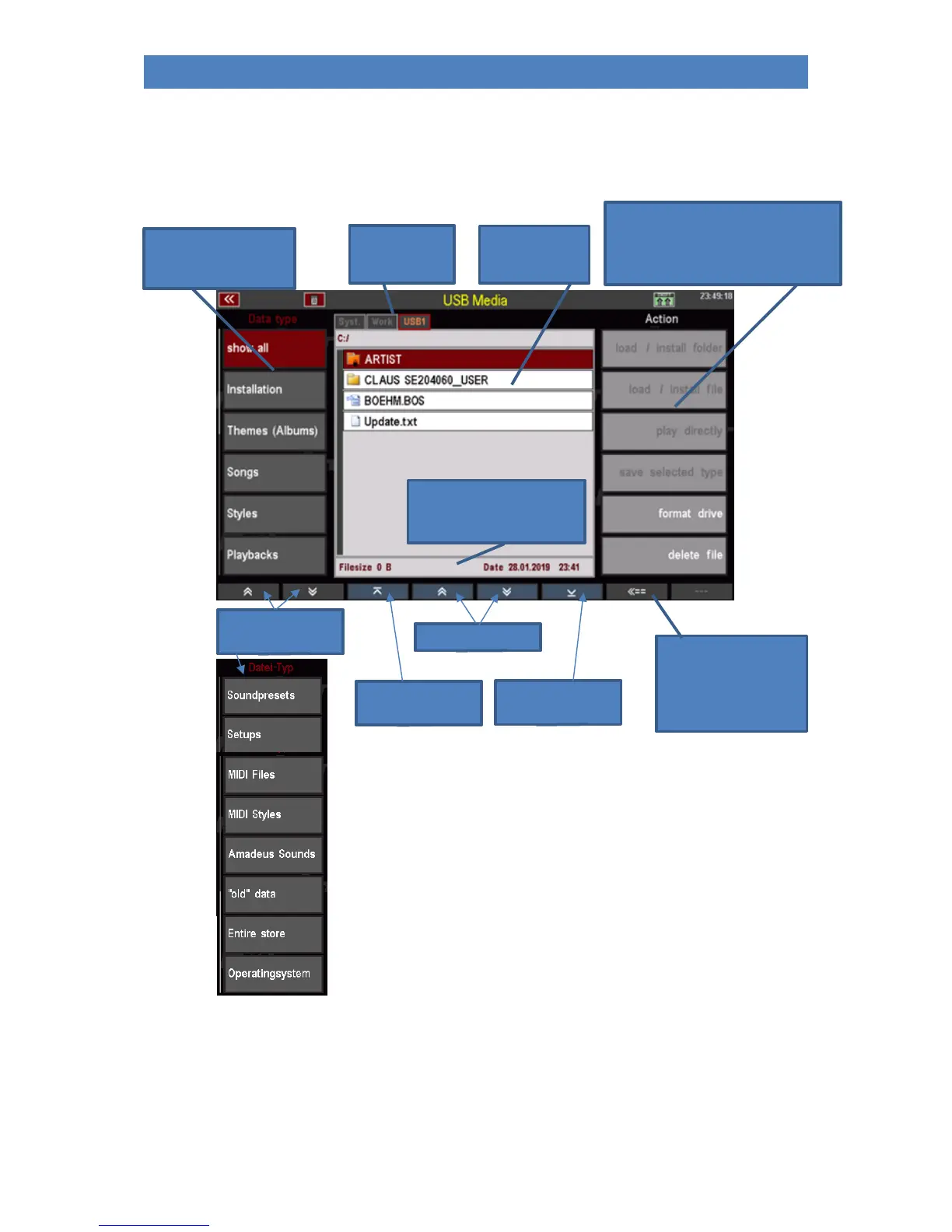
Overview of the USB menu
In this display menu you will find all the functions you need to save or load data to/from USB media:
List of available actions
(load or install, save, format, delete).
Only the currently allowed actions are
displayed as active (white font).
Overview of
available storage
media
Table of contents
of the current
storage medium
List of file types that
can be saved or loaded.
Scroll the
file type list:
To the first file in the
table of contents
To the last file in the
table of contents
Back to the next higher
directory level.
Here you can, for
example, leave a folder in
which you are currently
located.
Display file size and storage
time of the file currently
selected with the cursor.



 To Next Page