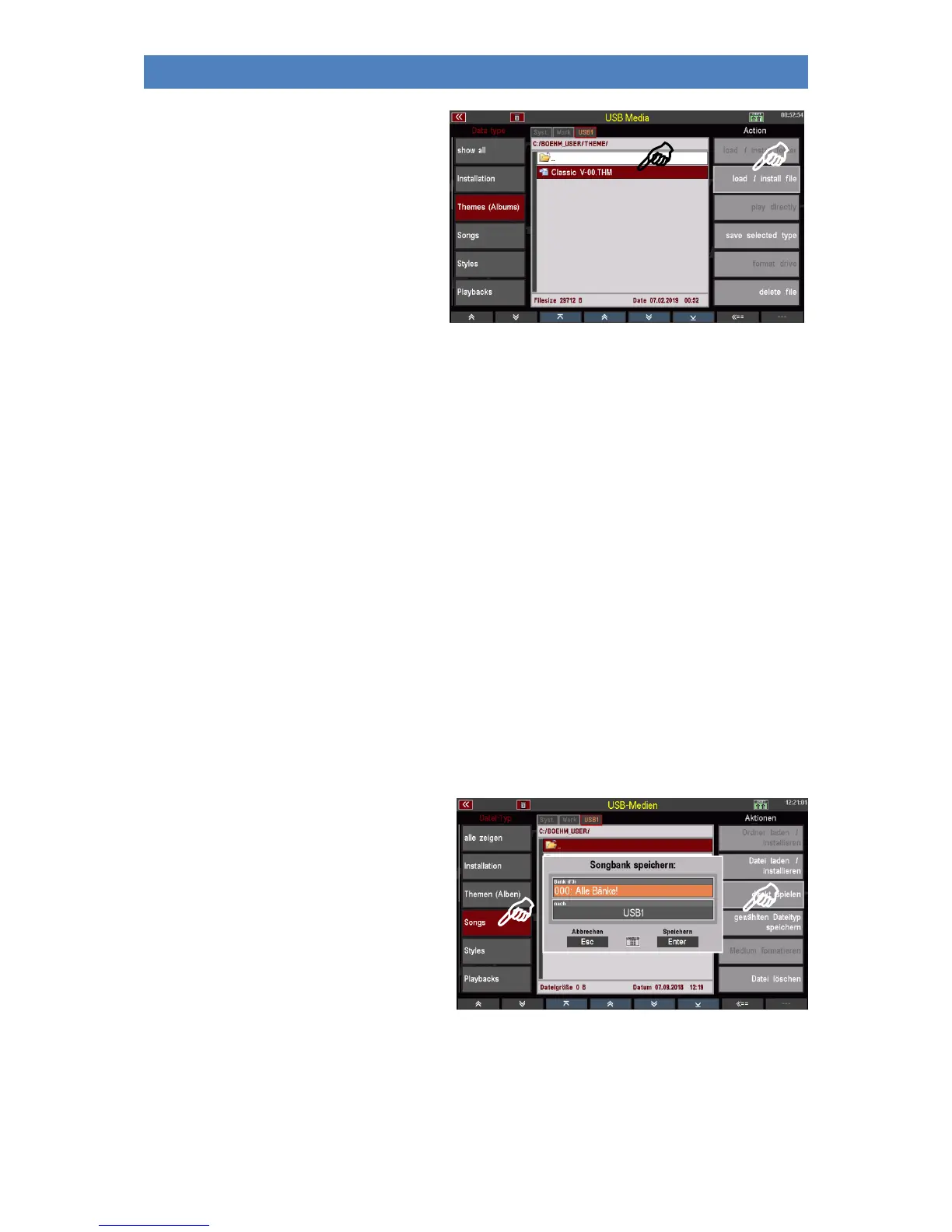
• Place the cursor on the file to be
loaded (if you access the stick again,
of course you must first open the
Accounts folder, here
"BOEHM_USER" and then the
"THEME" folder to get to the theme
files).
• Tap on load / install file on the
right.
• The display asks if the file should really be loaded. Confirm the query with [Enter] (abort with
[Esc])
• The file is now loaded and can be used.
Songs
Select this file type to save or load your own SONGS/Presets. You can secure individual SONG banks or
all banks in one operation.
Individual files per SONG bank are created on the stick, which can then be loaded back into the SEMPRA
using the Load/Install file action.
Interesting: You can use the action play directly to use a SONG bank available on the USB stick without
loading this bank into the organ. This access takes place directly to the file stored on the stick. This
function is useful, for example, for trying out a SONG bank before actually loading it into the SEMPRA.
Save SONG files
• Select the Songs data type on the left
and tap the save selected type on the
right.
• A selection box appears in the display.
Here you can specify whether you
want to save all User SONG Banks at
once or only one specific bank. You
can also select the stick if more than
one stick are inserted.
• If you want to save all banks, confirm directly with [Enter].
• If you want to save a certain bank, you can select the bank to be saved in the "Bank" field with
the data wheel.



 To Next Page