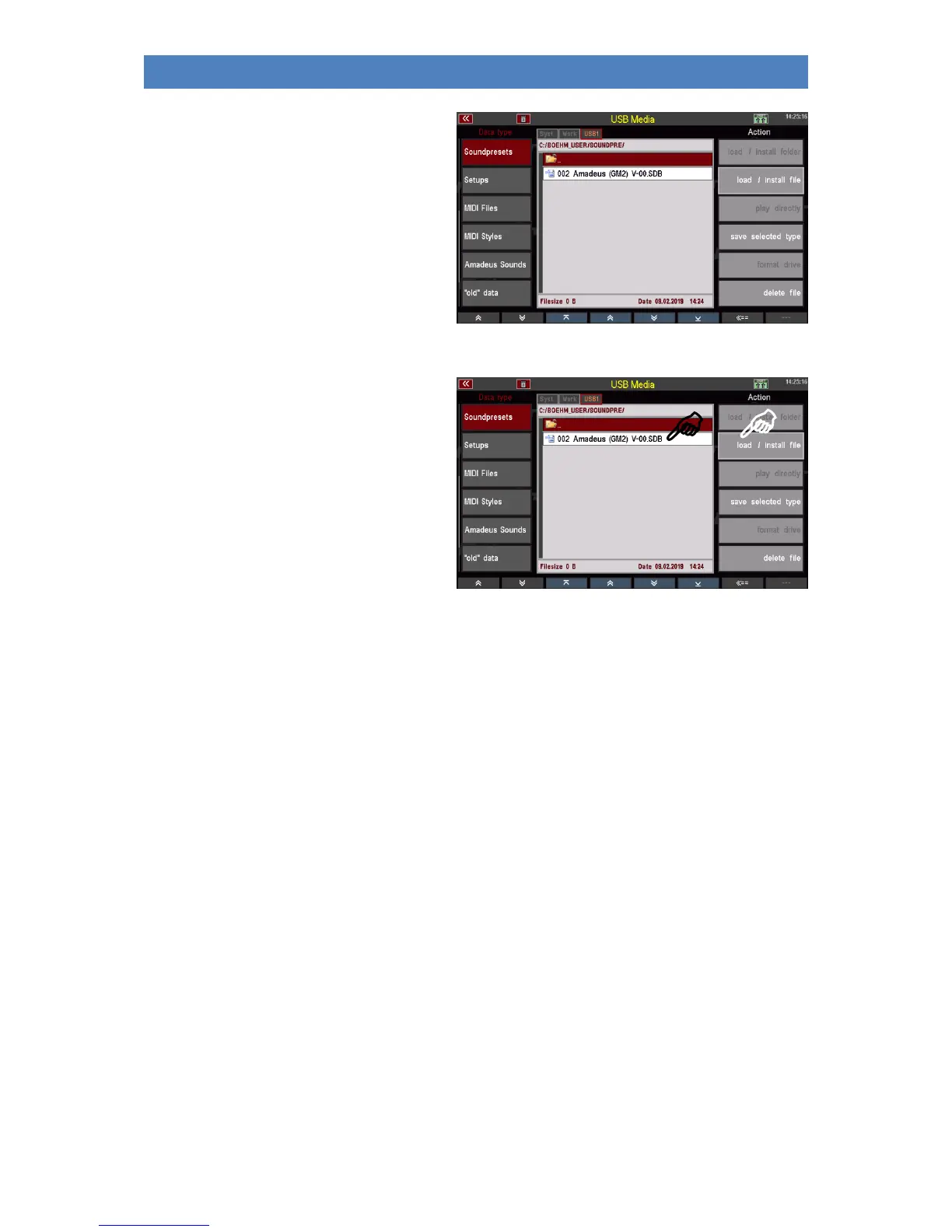
If you open this folder, you will find the
individual saved sound preset banks in it.
Note: Soundpreset files are saved with the
Extender ".SDB".
Load Sound Presets
Just as easily as you saved the file, you can
upload it back to SEMPRA, for example to another account:
• Place the cursor on the file to be
loaded (if you access the stick again,
you must of course first open the
accounts folder, here
"BOEHM_USER" and there the folder
"SOUNDPRESET").
• Tap on the action field Download /
Install file on the right.
• The display asks if the file should really be loaded. Confirm the query with [Enter] (abort with
[Esc]).
The file is now loaded and can be used.
Setups
To load/save your self-created setups. During setup, various settings of your SEMPRA are automatically
saved internally when you make these settings.
Here in the USB menu you can save setups as a file on a USB stick or reload them from there. When
saving, you can specify in detail which of the settings contained in the setup should be included in the
file to be saved on the stick. For example, you can save setup files that contain only your button and/or
controller assignments or only the sine or mixer presets. You can find more information about the
setups in the corresponding chapter of this manual.
Save Setups
• Select the Setups file type from the USB menu on the left and tap the Save selected file type
action box on the right. A selection box appears in the display:



 To Next Page