Select styles and other companions
The most frequent accompaniment type are of course the styles. Your SEMPRA has a variety of ready
styles from all styles ready for you. You can also directly invite and use additional styles, such as almost
all styles in Yamaha® format, to expand your personal style library. Of course, we at BÖHM also
regularly offer new style packages, which you can easily install into your SEMPRA.
If you have played with the SONGS or Global presets, you will notice that the presets also contain the
complete accompaniment setting. The presets usually select the style (or playback) and adjust
volumes, functions, tempo, etc. at the same time. You can use the [Couple1 / Couple 2] button to the
left of the display to deactivate the switching of styles by the presets.
Let's take a look at how you can select the SEMPRA styles:
The principle of style selection is very similar to that of sound selection: As with the sounds, the
accompaniments, i.e. styles and playbacks, later also arpeggios and sidelines (not yet implemented)
are organized in 12 categories with up to 6 subgroups each. So, you will quickly find a desired or simply
a suitable accompaniment for your piece of music to be played.
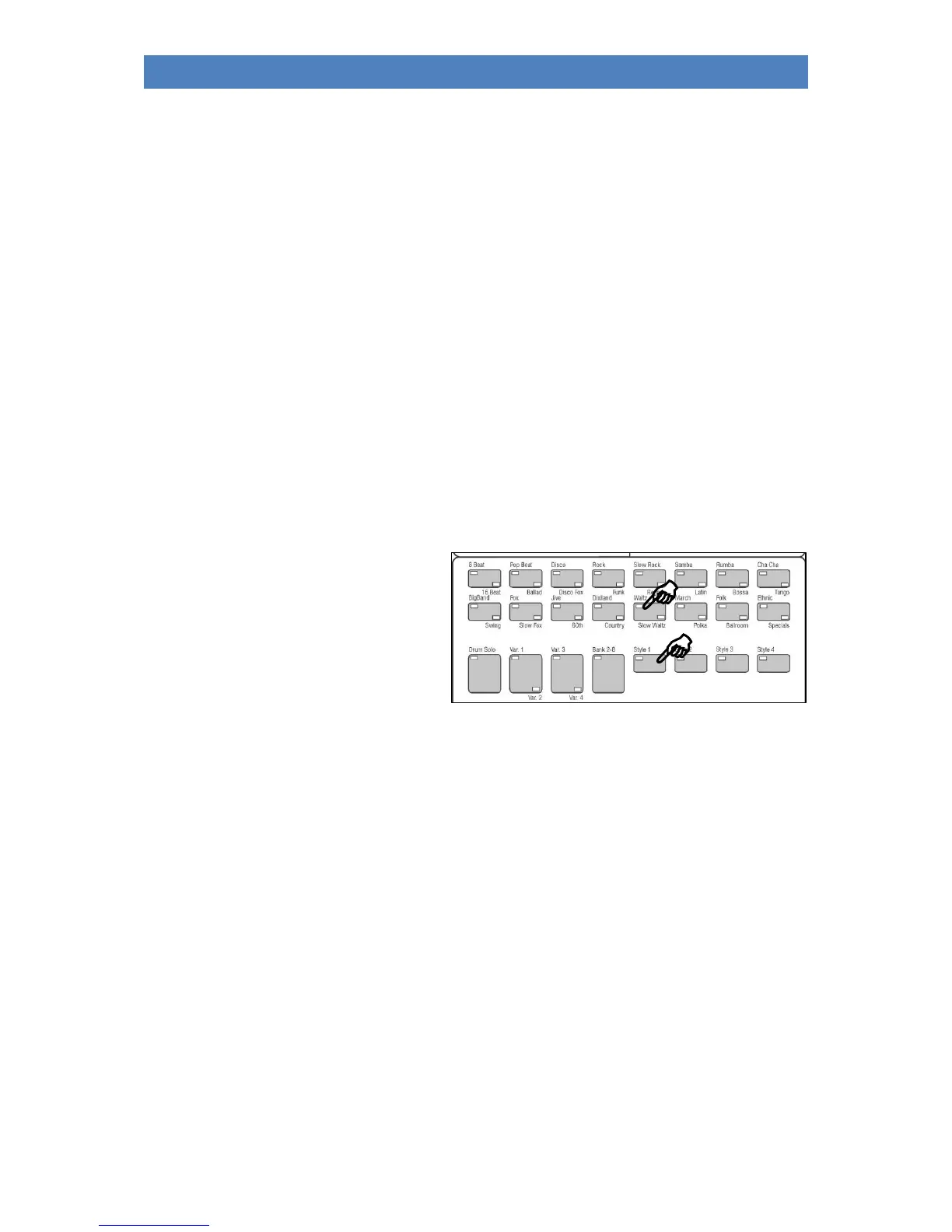
• Select the desired companion category using the 16 category buttons. The four buttons
[Style 1]...[Style 4] determine the type of accompaniment to be selected:
• Styles (accompanying rhythms)
Playbacks (Midifiles, directory not
yet occupied)
Arpeggios (function not yet
implemented)
Sidelines (function not yet
implemented)
First touch the button [Style 1] for "Styles" (LED on).
• If you have pressed one of the category buttons (the LED in the button flashes until a new
accompaniment has been selected), the list of accompaniments, here the styles, opens in the
display.



 To Next Page