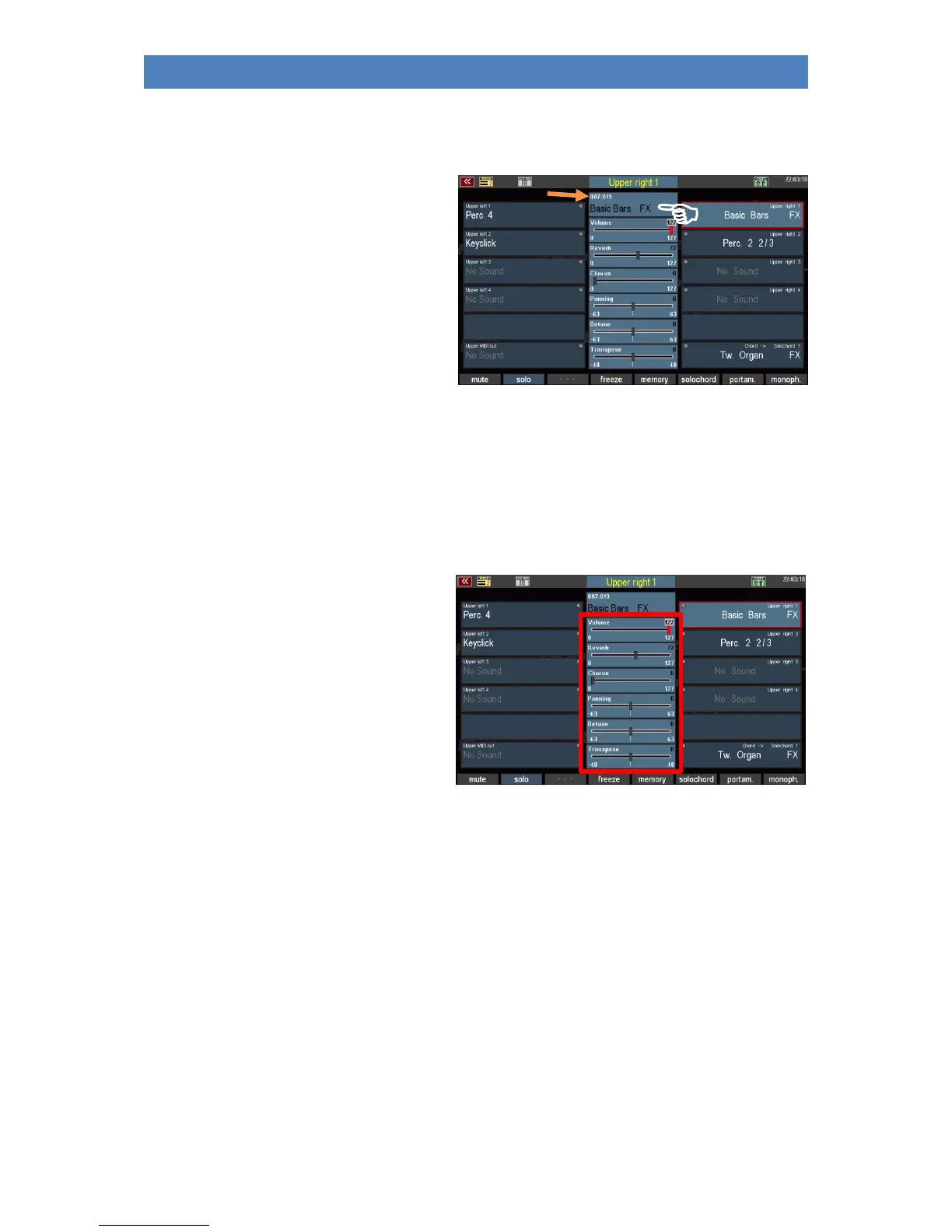
There is another type of sound selection that you can use to search through the sounds sorted by
banks.
• Tap the sound box at the top center
of the display.
• In addition to the sound name of the
currently selected part, the bank
number and the program number
within the bank are also displayed
here.
• To browse the sounds within the
current bank, turn the data wheel
left or right. You can see how the sound numbers of the current bank are passed through.
• You can also change the sound banks. Press and hold the [Shift] button while turning the
data wheel. Now the bank numbers change, but the program number is not changed.
Setting the Part parameters
You can adjust the most important playing
parameters for the parts using the sliders in
the middle of the display.
These are the volume, the intensities for
reverb and chorus, the position of the part in
the stereo panorama, the fine tuning of the
pitch and the transposition or octave position
in which this part should play.
Depending on the parameter, you have various setting options. This applies to all parameters:
• Tap on the corresponding controller in the display, it will turn red and thus activate.
• Now turn the data wheel to change the value of the controller in ascending or descending
order. The controller follows their movement on the data wheel.



 To Next Page