Searching SONGS by name
Would you like to quickly get to a specific SONG without having to scroll through the list for a long
time? Nothing easier than that!
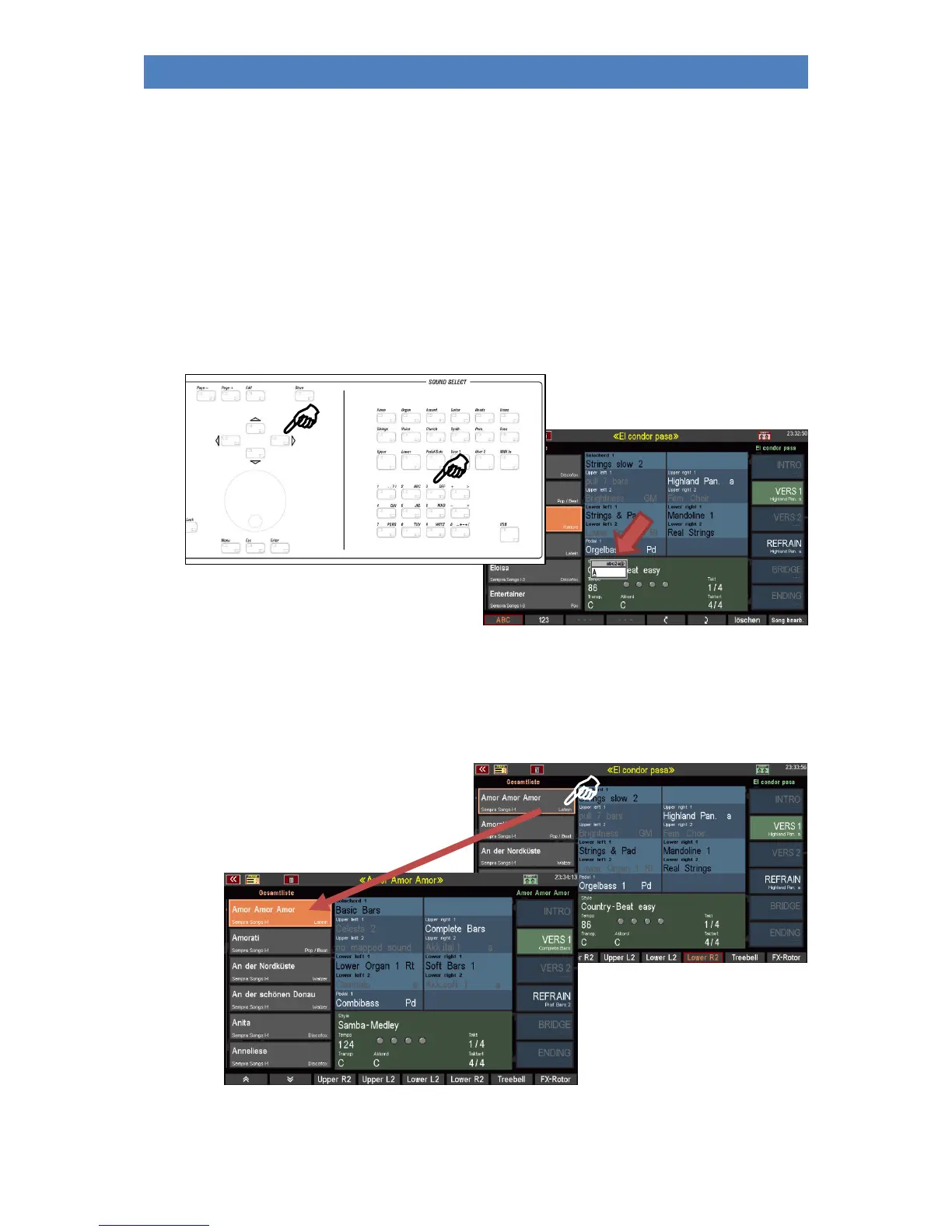
You can jump directly to a specific position in the SONG list by entering letters or names (if the sorting
of the SONG list in alphabetical order is activated):
Let's say you are standing somewhere on a SONG position in the list and would like to jump directly to
the SONG "Amor Amor":
• Press the [2 ABC] button on the numeric/character keypad.
• The display shows a field for entering the
name and the "A" is accepted.
• Use the cursor [RIGHT] to move to the next position and press the button [6 MNO] in the letter
block to set the "m”.
• Move the cursor [RIGHT] to the next digit and press the button [6 MNO] 3 times to set the "o”.
• Move the cursor [RIGHT] to the next position and press the [7 PQRS] button 3 times to set the
"r".
• Confirm with the button [ENTER]
• The cursor jumps to the SONG „Amor
Amor Amor“ in the song list“.
• Tap on the SONG to finally active it.



 To Next Page