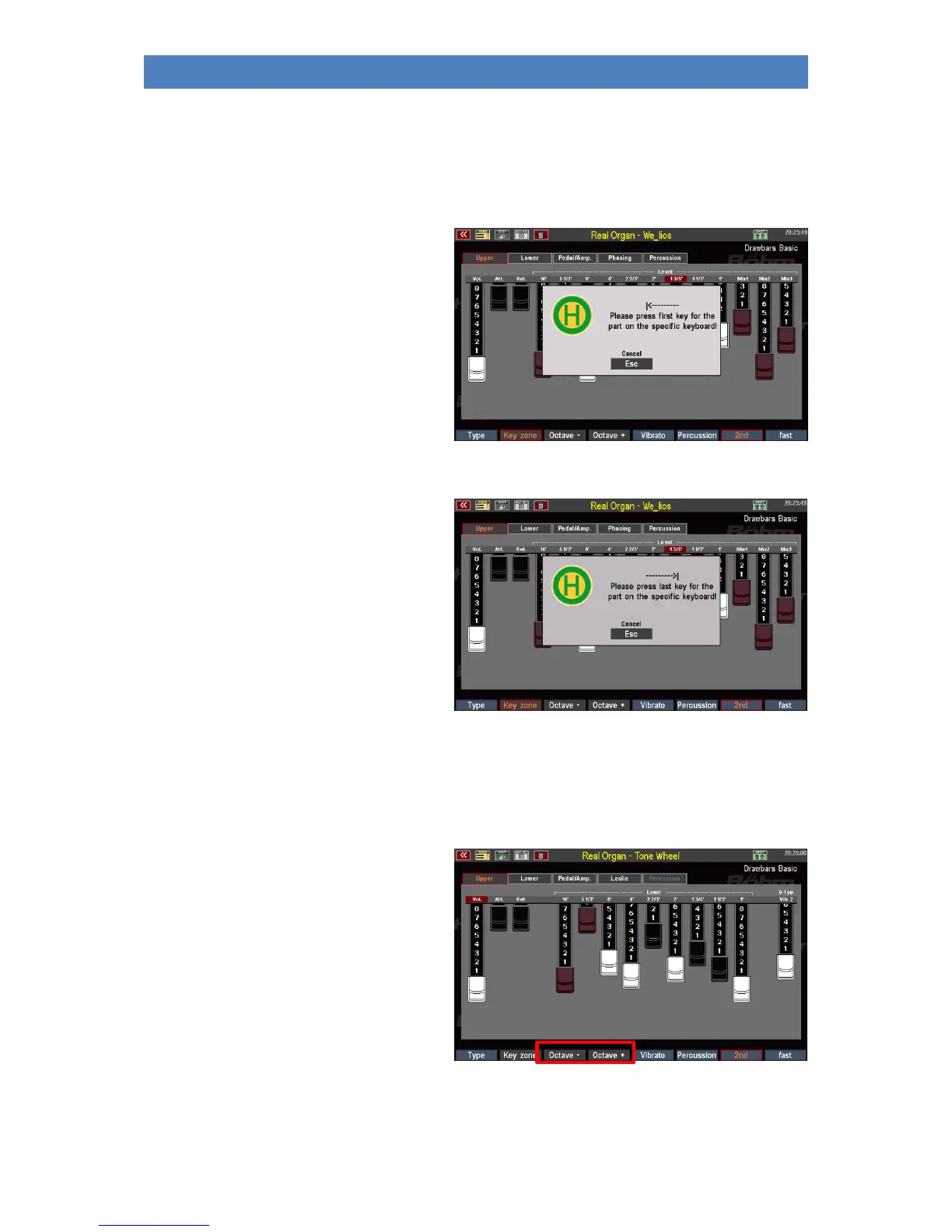
Key zone
With this function on the Upper menu page, you can define an individual keyboard area (split area)
(in the upper manual) in which the drawbar organ can be played.
• To set the zone, press the [F] button
Key-Zone.
• The display prompts you to enter the
first (lowest) key of the desired
keyboard zone.
• Press the corresponding key on the
upper manual.
• Now you are prompted to enter the
top key of the desired keyboard
zone.
• Press the corresponding key on the
upper manual.
• This defines the keyboard zone, the
upper drawbar organ can only be
played on the defined key zone (split
zone), now.
• To cancel the key zone and make the
drawbar organ playable again throughout the entire manual, repeat the procedure, entering
the lowest key of the upper manual as the first key and the highest key as the last key.
Octave - / Octave +
You can change the octave position of the
drawbar system (Upper, Lower) currently
shown in the display. This is especially
interesting if you play the drawbar organ on a
split manual.
• Each time you press one of the two
[F] buttons, the drawbar sound is
detuned by one octave upwards or
downwards. A deeper or higher pitch
is indicated by an orange background for the button.
• Both buttons are displayed in white when the normal pitch is set.



 To Next Page