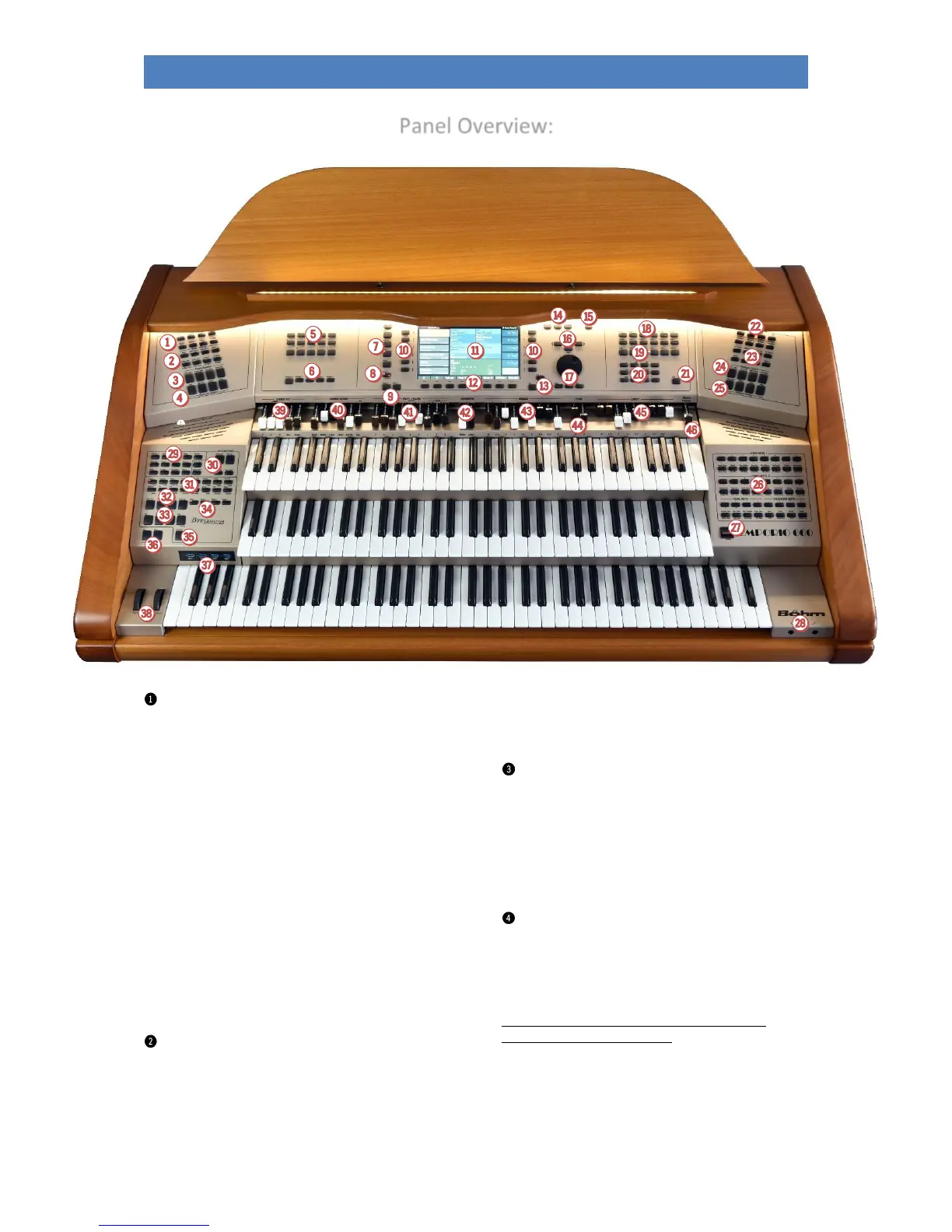
Panel Overview:
button group ACC FUNCTION
ACC ON: Switching the accompaniment on/off
ACC easy: Activate the EASY accompaniment modes
(press button longer to select the desired
accompaniment mode: One-finger Boehm, One-finger
Other, Organist or Pianist)
Low Bass: The bass of the automatic accompaniment
plays the lowest chordal tone, depending on the chord
inversion.
Man. Bass: Coupling of the pedal bass to the
accompanying manual. The bass (fundamental) sounds
in the set pedal sound to the played chord.
Memory: Hold function for the LOWER tone (or other
manual instruments that are switched to Memory). The
tones continue to sound even after the keys are
released.
Solochord: Switching the Solochord function on/off
Option 5: *
Arr. editor: opens the editor menu for editing the
current style or playback (midifile) in the display
button group MIXER/EFFECTS:
MIXER: calls up the mixer menu
Reverb: calls the reverb and chorus functions (DSP
effects of the Crystal Mixer preamplifier).
Effect Menu / Option 6 / Mixer Pres. 1-2 / Rev. Short-
long / Chorus-Phase / Flanger-Delay: currently not
assigned
button group PRESET FUNCTION
Cancel Reg: With this button you can "clean up" the
SEMPRA at any time. The "Basic Song" and the preset
"Clear Reg." will be called. With this preset, all settings
are set to a defined initial state, ideal as a starting point
for completely new songs/presets.
Style Couple / Lower Couple / One Touch: currently nor
assigned
button group KEYBOARD FUNCTION
Split: For direct input of the main split point for the
upper/middle or lower manual. After entering a split
point via this button, the "right" parts of the respective
manual are located to the right of the split point, the
"left" parts to the left.
Attention: There is no main split point for the solo
manual of the EMPORIO 600SE!
Key Transpose: To transpose directly to a specific key,
press the button and then, on any manual or pedal,
press the key for the key you want to transpose to.
Transpose - / Transpose +: This allows you to change the
overall transposition (key) of the organ in semitone steps



 To Next Page