U-01...U32: User presets (empty ex works, can be filled with your own settings).
F-01...F-32: Factory presets. The positions 1-16 are occupied with example presets
• Highlight the desired preset with the cursor and confirm with [Enter]. The selected preset is
activated and the list disappears.
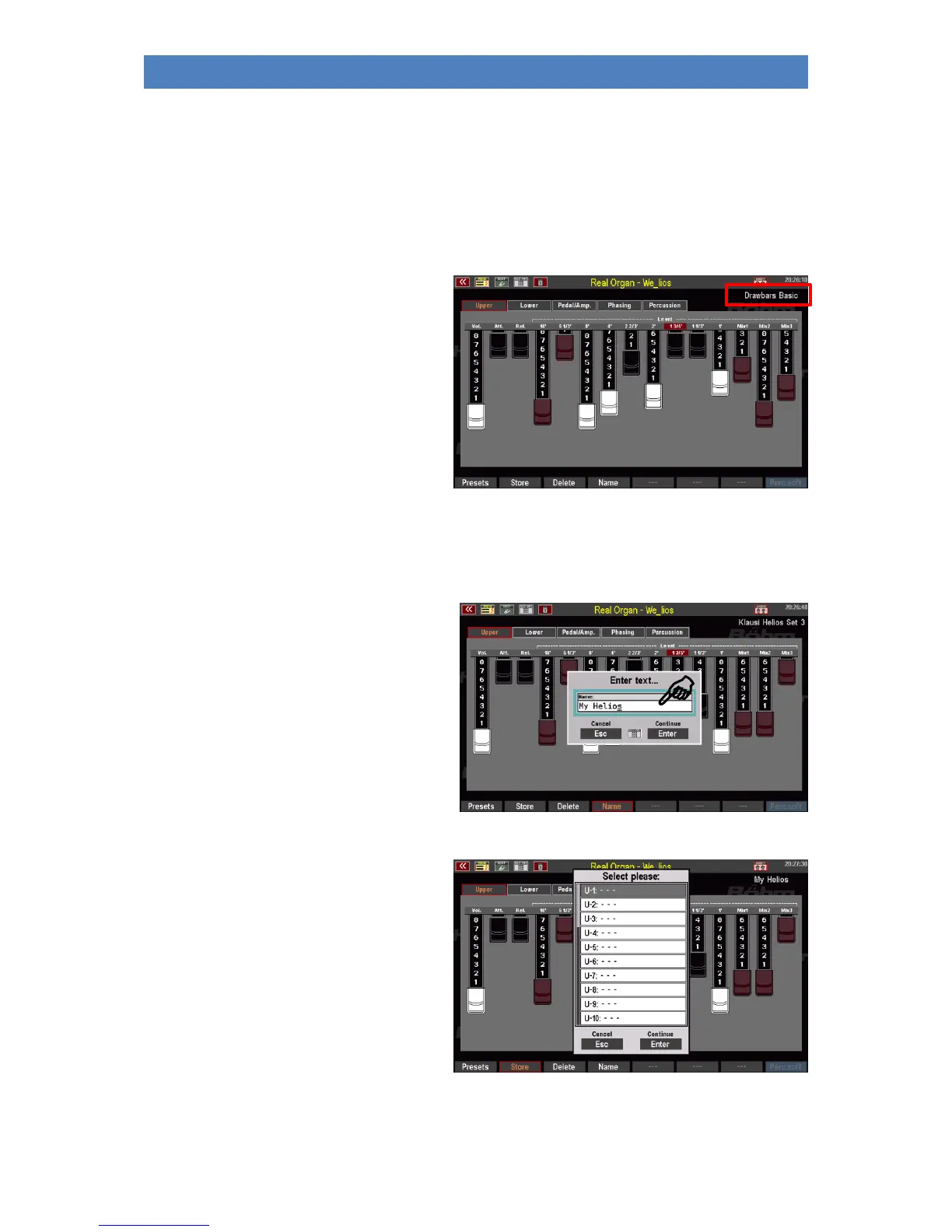
• The name of the current drawbar
preset is displayed in the top right-
hand corner of the menu.
Save your own RealOrgan Presets
• Adjust your drawbar settings and configure all other settings for the RealOrgan as required.
• Use the F button [Name] to assign a
name to the setting to be saved.
• Confirm the name with [Enter].
• Press the F button [Store]. The
display asks for the preset position
you want to save to.
• Select the desired user preset
position for the current organ type
and confirm with [Enter].



 To Next Page